Cursor Agent: three practical guards before it touches your project
Set up .cursorignore, approvals, and Git review in Cursor Agent, with the limits of each control made explicit.
Başlıklar
Cursor Agent: three practical guards before it touches your project
You ask Cursor Agent to fix an authentication route. The repository also contains a .env file, an MCP connection, and commands that can change data. The useful question is not whether the agent is “safe” in the abstract. It is what it can read, what it can execute, and how you will inspect the result before deploying.
Cursor offers controls for those three moments, but each covers a different risk. This guide builds a sensible starting point for small teams using Cursor's agent security documentation, ignore file reference, and execution modes. It describes a configuration to evaluate, not a claim that any specific project is protected.
1. Keep secrets out of the agent's normal context
Create .cursorignore at the project root. Start with patterns like these, then tailor them to your repository:
**/.env
**/.env.*
**/credentials.json
**/secrets.json
**/*.pem
**/*.key
A quick thought experiment: when you ask about .env.production, its contents should not arrive through the normal Agent, Tab, or @ reference paths. If the agent needs variable names, keep a separate .env.example without real values. Note that the broad **/.env.* rule hides that example too; use narrower patterns if you want the template available.
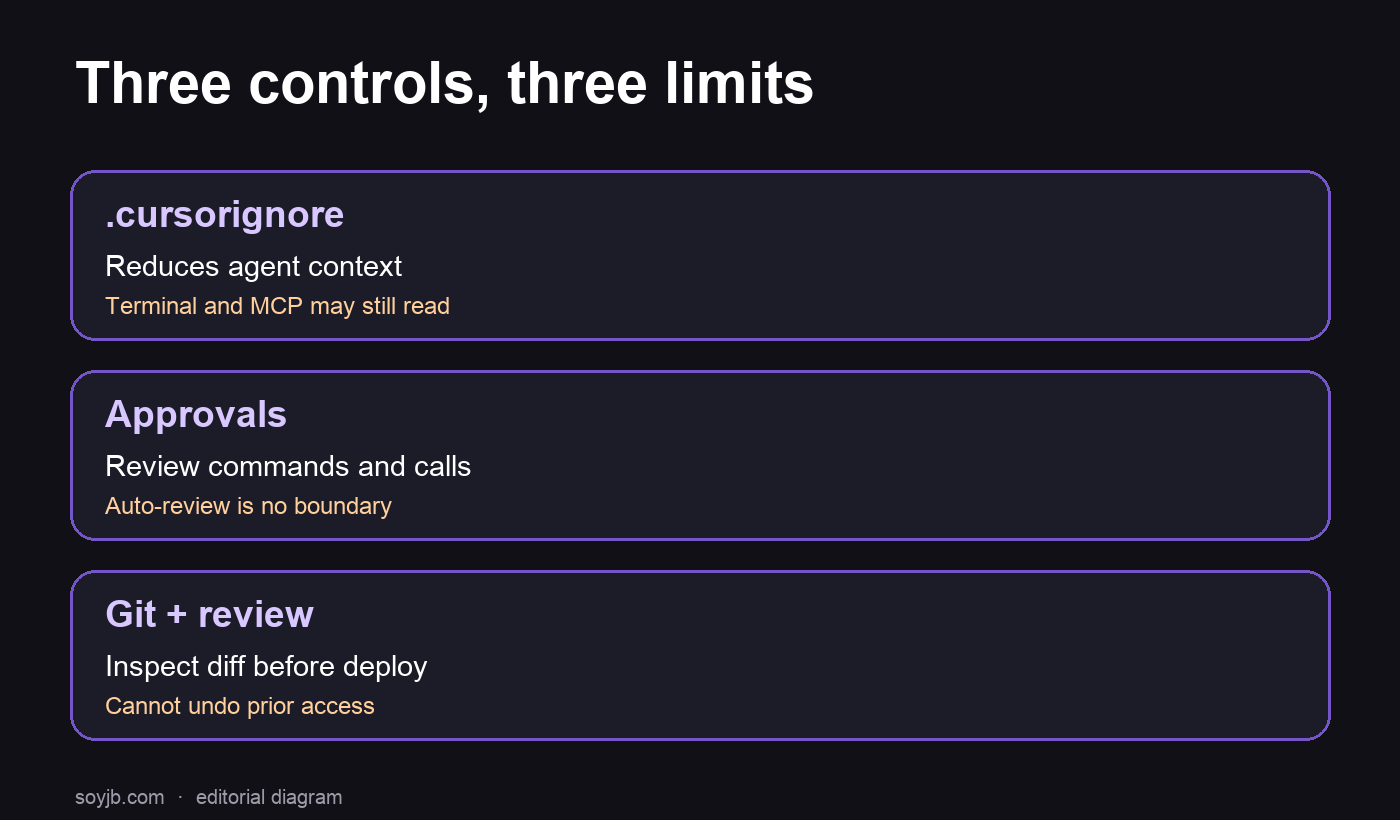
The important limit: Cursor says .cursorignore is not a hard security boundary. Terminal commands and MCP tools may still read ignored files. It cannot fix secrets already committed to Git, pasted into chat, or exposed through another integration. If a credential was committed, rotate it; hiding the file from the agent does not retract it.
2. Decide which actions need approval
Open Settings → Agents → Approvals & Execution before a session that can reach production. Cursor says terminal commands require manual approval by default. MCP calls do too, unless you have approved or allowlisted them. Review those exceptions carefully: an allowlist created for a harmless local project may be inappropriate here.
For sensitive work, keep new commands and tool calls subject to review. Read the full command, arguments, and destination before approving. Seeing “npm” or “curl” in the prompt is not enough: an argument could read .env or send data off the machine. Keep production credentials outside the workspace when the task does not require them.
Cursor documents Auto-review, which combines an allowlist, sandbox, and classifier. Its own documentation warns that this is not a security boundary. Run Everything skips those reviews. In a repository with secrets or write-capable integrations, do not choose it just to avoid interruptions. A narrow allowlist may save time for known commands, but each new permission deserves inspection.
3. Preserve a rollback point and inspect the diff
Before delegating, start from a clean working tree or make a checkpoint commit you can identify. When the agent finishes, run:
git status --short
git diff --check
git diff --stat
git diff
Look for unexpected changes to permissions, dependencies, install scripts, environment variables, CI, and files outside the requested scope. Run relevant tests. Deploy only after you understand the diff. Reviewing changes can catch unintended edits, but it cannot undo a secret read or transfer that has already happened.
For a five-minute exercise, create a throwaway branch and a fake .env.local with an invented value. Add the ignore rule, ask the agent a harmless question, and check whether your terminal or MCP permissions could still read it. Do not use real secrets. Record the result, then adjust patterns and approvals before working with customer data.
What I would use on a small team today
I would combine .cursorignore to reduce accidental context exposure, explicit approvals for terminal and MCP actions, and a Git review before merging or deploying. If the task needs database access, provide test credentials with the smallest useful scope. If production access is unavoidable, separate that task and inspect every operation.
The common mistake is presenting one setting as a guarantee. These are layers: one reduces context, another pauses actions, and the third lets you inspect edits. Together they can lower the chance of mistakes, but they do not replace least-privilege permissions on external services or human review of sensitive actions.
Primary sources: Cursor Agent security, .cursorignore reference, approval and execution modes. Reviewed October 24, 2026. I did not run Cursor Agent in the reader's account or perform an end-to-end security test; the Git commands are provided for the reader to run in their own repository.