Perplexity in Lovable: managed connection or your own API key?
Lovable's managed Perplexity connection supports web search; your own key unlocks Sonar and more. A practical decision guide and test prompt.

Başlıklar
Perplexity in Lovable: managed connection or your own API key?
You want your app to answer “what changed in my market this week?” with links that users can check. Perplexity appears in Lovable's connector catalog, so it is tempting to assume every Perplexity feature is included. One decision changes both the product you can build and who bills the usage: Lovable's managed connection supports web search, while your own key enables additional Perplexity API capabilities.
The official integration guide separates those two paths. This article focuses on that choice. SoyJB's broader Lovable AI overview covers the announcement and multiple providers; here the aim is to scope one research feature accurately.
Two connection paths, two possible products
With Managed by Lovable, you do not need a Perplexity account or API key. Your app can search the web and receive source-backed results with titles, links, and other fields. Usage draws on your Lovable workspace credits. According to Lovable, this path uses the Search API only. It does not directly run Sonar's grounded answers, academic or SEC search modes, or deep research. If you request a summary, Lovable may combine search results with Lovable AI, which has its own usage cost. That composition is not the same as a Sonar call.
With Use your own credentials, you connect a Perplexity API key and manage billing with Perplexity. Lovable's documentation says the connector can access the full API: Sonar models for cited answers, academic or SEC search, deeper research modes, and web search. Your actual availability and cost depend on your provider account and the operations selected. Check them in your account before exposing the app to customers.
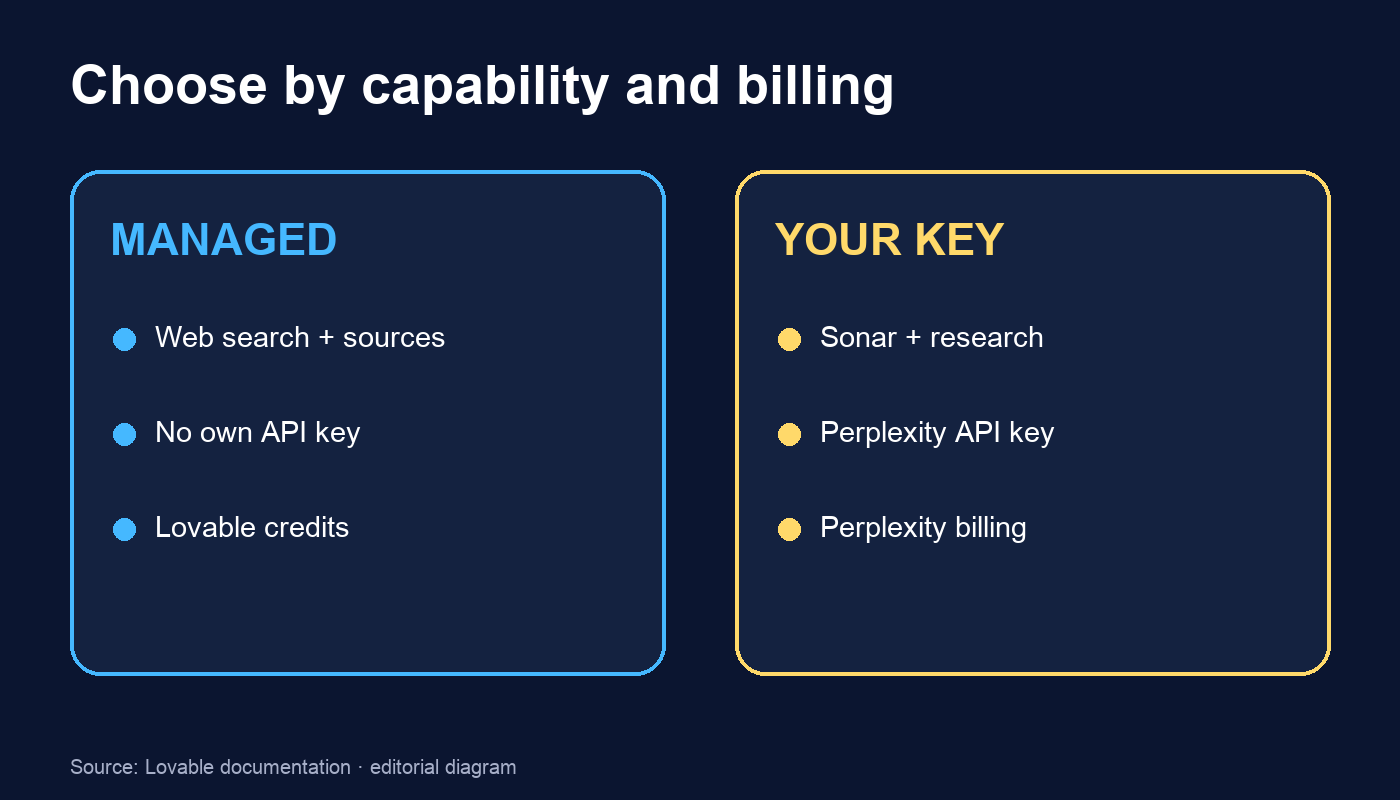
For a creator who just wants a feed of verifiable links, I would start with managed search. If your app requires Sonar to produce a grounded answer or an extended research report, that requirement is a reason to assess your own key. This is a capability decision, not a quality benchmark; I did not run a head-to-head test.
A small product experiment: a radar that does not invent news
Build a private “Source Radar” screen. Start with a prompt like this in your Lovable project chat:
Add a private "Source Radar" screen for content creators.
Use the managed Perplexity connection for WEB SEARCH ONLY.
Input: topic and time window selected by the user.
Show at most five results with title, original URL, publication date
if provided by the source, and one line explaining relevance.
If a date is absent, label it "date not verified"; do not infer one.
Do not describe this as a Sonar answer or deep research.
Do not publish or send results automatically.
Before building, list data sent to the connector, likely credit use,
and where I can inspect usage.
Include empty-result and connection-error states.
That prompt is a reproducible design specification, not a claim that I ran it in a Lovable account. Once the app exists, test three queries: a dated official launch, an ambiguous term, and an unconfirmed event. Open every source. Check whether the date belongs to the page or the event. If you add a written summary, label it as a separate Lovable AI step and track the cost of each operation where the dashboard permits.
Check access and billing before turning it on
Lovable says app and chat connectors are available by default on Free, Pro, and Business plans. In Enterprise, an admin may need to enable them. For managed use, you create a shared workspace connection and then link it to the project. If the workspace already has a managed Perplexity connection, the option to create another may be unavailable. Confirm permissions and credits in your own workspace.
An API key has a separate operational consequence: never paste it into a chat prompt or expose it in client-side code. Use the connector's credential flow and set a budget with the provider. Search results still need editorial review; a citation alone does not prove that a claim is accurate or current.
If the feature needs to read specific pages or turn websites into structured data, Firecrawl is a different capability, described in Lovable's Firecrawl connector guide. It does not make Perplexity a scraper, and it does not authorize collecting private pages. Define the job first: discover sources, extract pages, or synthesize answers. Then choose the connector and billing path.
Primary sources: Perplexity in Lovable and Firecrawl in Lovable, reviewed October 24, 2026. The feature and prompt are a proposed experiment; I am not reporting results from a deployed app or an unverified per-request price.