
Your app's unit economics can drift while your pricing spreadsheet still quotes last quarter's API rates. The useful automation is a small monitor that checks an official pricing URL, records when it was reviewed and alerts a human to inspect the actual table. It should not ask a model to guess whether a search snippet means a price increase.
DeepSeek now exposes separate Search and Fetch APIs. Search discovers pages; Fetch returns one chosen page as Markdown. The example below monitors the official OpenAI API pricing page, but the same pattern works for the official pricing page of any provider your product relies on. Keep a record of the source URL and the exact plan, unit and region you care about.
A signal is not a pricing claim
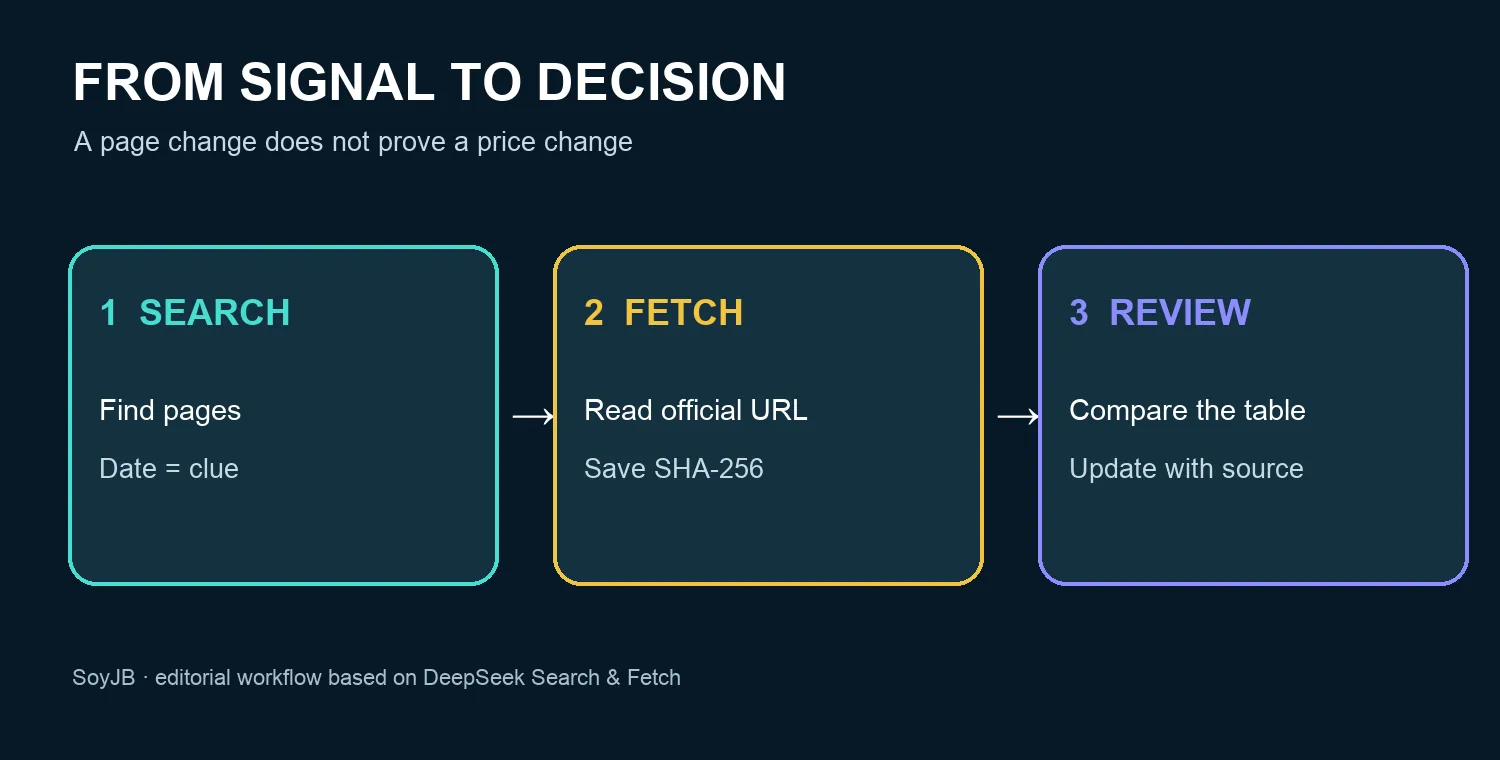
Search results may include a publication date, but that date is a clue about an indexed page, not proof that a price changed on that day. Fetch reads a URL selected in advance. The script hashes the extracted Markdown with SHA-256 and compares it with the previous run. A different hash means the extracted page changed. A navigation link, legal notice or extraction detail could be responsible. A partial fetch could also miss a real change. Open the original page and compare the relevant pricing row before updating a budget or publishing a claim.
Copy the minimal Python monitor
You need Python 3 and a DeepSeek API key with available balance. Put the key in the DEEPSEEK_API_KEY environment variable, never in this file or your repository. The example uses only Python's standard library. Save it as radar_deepseek.py and run it from a dedicated directory. The local file pricing-page.sha256 holds the accepted baseline. Do not run two copies concurrently against the same state file.
"""Read-only source radar using DeepSeek Search and Fetch.

Requires DEEPSEEK_API_KEY. It does not extract or assert a price change.
"""
import hashlib
import json
import os
from pathlib import Path
from urllib.request import Request, urlopen

BASE = "https://api.deepseek.com"
SOURCE = "https://developers.openai.com/api/docs/pricing"
STATE = Path("pricing-page.sha256")


def post(path, payload):
    key = os.environ.get("DEEPSEEK_API_KEY")
    if not key:
        raise SystemExit("Set DEEPSEEK_API_KEY in your environment")
    request = Request(
        BASE + path,
        data=json.dumps(payload).encode("utf-8"),
        headers={
            "Authorization": f"Bearer {key}",
            "Content-Type": "application/json",
        },
        method="POST",
    )
    with urlopen(request, timeout=30) as response:
        return json.load(response)


def main():
    found = post("/v1/tools/search", {
        "query": "OpenAI API pricing site:developers.openai.com",
        "count": 5,
        "need_content": False,
    })
    print("Search leads; inspect dates and original pages:")
    for item in found.get("results", []):
        if item.get("url", "").startswith("https://developers.openai.com/"):
            print(item.get("date"), item.get("title"), item["url"])

    page = post("/v1/tools/fetch", {"url": SOURCE})
    content = page.get("content", "")
    if not content:
        raise SystemExit("No page content returned; no baseline changed")
    digest = hashlib.sha256(content.encode("utf-8")).hexdigest()
    previous = STATE.read_text().strip() if STATE.exists() else None
    print("Source:", SOURCE)
    print("Title:", page.get("title", ""))
    print("Status:", "first baseline" if previous is None else
          "possible page change: review manually" if previous != digest else
          "same fetched content")
    # Keep alerting until a person has checked and accepted the new baseline.
    if previous is None or previous == digest:
        STATE.write_text(digest + "\n")
    else:
        print("After checking the official price table, approve the new baseline manually.")


if __name__ == "__main__":
    main()
The first run establishes a baseline. An identical extraction prints same fetched content. A changed extraction prints possible page change and preserves the old baseline, so later runs continue alerting until you review the source and approve a new baseline. If Fetch returns no content, the script stops without changing state. Search results are displayed as leads only; the fixed official URL is the source Fetch reads.
Run a useful check
- Open the official pricing page and write down the current rate, unit, plan and region relevant to your app. Do not use a search summary as the baseline value.
- Run the script once. Expect
first baseline. Run it again without a change and expectsame fetched content. - To validate the control flow without paying for calls, replace
posttemporarily with mocked responses: first content A, then A, then B. Verify that the baseline file still holds the hash of A after B triggers the alert. - Schedule one daily run using your job scheduler. When it flags a possible change, open the original URL, inspect the exact pricing row and record the date and source. Only after that review should you reset or manually approve the baseline.
- If you publish an update, say which model, billing unit and plan actually changed. Use a genuine screenshot or a short sourced quote where reuse is permitted; state any part you could not verify.
Cost and failure modes
DeepSeek's documentation lists US$0.75 per 1,000 successful Search requests and US$0.75 per 1,000 successful Fetch requests. One billable Search plus one billable Fetch therefore costs US$0.0015; thirty such daily checks would be US$0.045. This is arithmetic, not an invoice. Rates can change; DeepSeek says empty searches and failed requests are not billed, and extra reads cost extra. The example does not call a language model, so there is no model token charge in this flow.
Fetch may fail because a site is unavailable, blocked by policy or has no extractable content. HTTP 402 means the account needs balance; HTTP 429 calls for waiting. Do not work around a site's access restriction. The hash covers DeepSeek's Markdown extraction, not the full original page, so extraction drift can create false alarms. A production monitor also needs spending limits, error logs, source policy checks and a structured comparison of the actual pricing rows before any public alert.
What we tested: Python syntax and mocked first, same and changed page content; the accepted hash remained unchanged after the alert. What we did not test: a paid request with a real key or a real OpenAI pricing change. This is a reproducible monitoring pattern, not a report of a price increase.
Sources: DeepSeek Search & Fetch API, responses, billing and errors; DeepSeek official pricing; the official example pricing page.