Vercel AI Gateway budgets: cap your AI agent's spending
Set an AI Gateway API-key budget, understand the soft cap and HTTP 402, and choose the right control for API keys, OIDC, or BYOK.

Başlıklar
A content agent can generate product descriptions reliably for weeks and then spike costs when it loops or unexpected traffic arrives. If your app calls Vercel AI Gateway, you can assign a budget to the key used by that workflow. The key decision is how requests authenticate: an API-key budget does not automatically cover OIDC-authenticated Vercel deployments, nor usage billed through your own provider key.
This is a practical guide to an existing feature, not an October 24 launch. Vercel’s official AI Gateway budget documentation describes the scopes, commands, 402 response, and limitations. I did not create a key or spend credits in Joseph’s account. The $10 limit and spend figures below are illustrative. Set a real limit only after checking your authentication path and acceptable spend.
Choose the right budget scope
Vercel supports team, project, API-key, and user budgets. A request must pass every applicable budget. For a small app that calls AI Gateway with a dedicated API key, a key budget isolates the experiment from the rest of the team. If a Vercel deployment uses OIDC tokens, inspect a project budget instead. For one aggregate cap, consider a team budget. User budgets depend on how keys are attributed; they do not automatically count every request made by the team.
Two details are easy to miss. A key without its own budget may remain unlimited at that scope even if another key has a cap. And BYOK requests, which use your own provider credentials, do not count toward AI Gateway budgets. Manage those charges at the provider too. A budget controls usage; it does not reserve credits or replace a payment method.
Create a budgeted test key
In AI Gateway’s API Keys page, create a key and enable a budget. Choose an amount you can actually afford; Vercel documents a $1 minimum. Pick daily, weekly, monthly, or none. The none period is cumulative and never resets. Resetting periods use UTC; a monthly window begins on the first day of the month in UTC.
The documented CLI command for a $10 monthly experiment key is:
vercel ai-gateway api-keys create --name content-lab --budget 10 --refresh-period monthly
As an alternative to the command above, you can set a cumulative cap and an expiration so an experiment key does not remain live forever:
vercel ai-gateway api-keys create --name content-lab-30d --budget 10 --refresh-period none --expiration 30d
Store the key value in a secret manager. Vercel shows it when you create the key and does not let you retrieve it later. Attach that key only to the workflow you mean to constrain. If the app continues using another credential, the new budget will not cover its traffic. I checked these commands against Vercel’s documentation, but did not run them in an account.
What happens at the limit
The cap is not an exact accounting cutoff. Vercel checks it at the start of each request. In the diagram’s illustrative example, a key has spent $9.70 against a $10 budget. A $0.50 request can start and finish, leaving $10.20 total. The next request receives HTTP 402 with error.type set to quota_for_entity_exceeded. It is a soft cap; actual spend can exceed the displayed limit slightly.
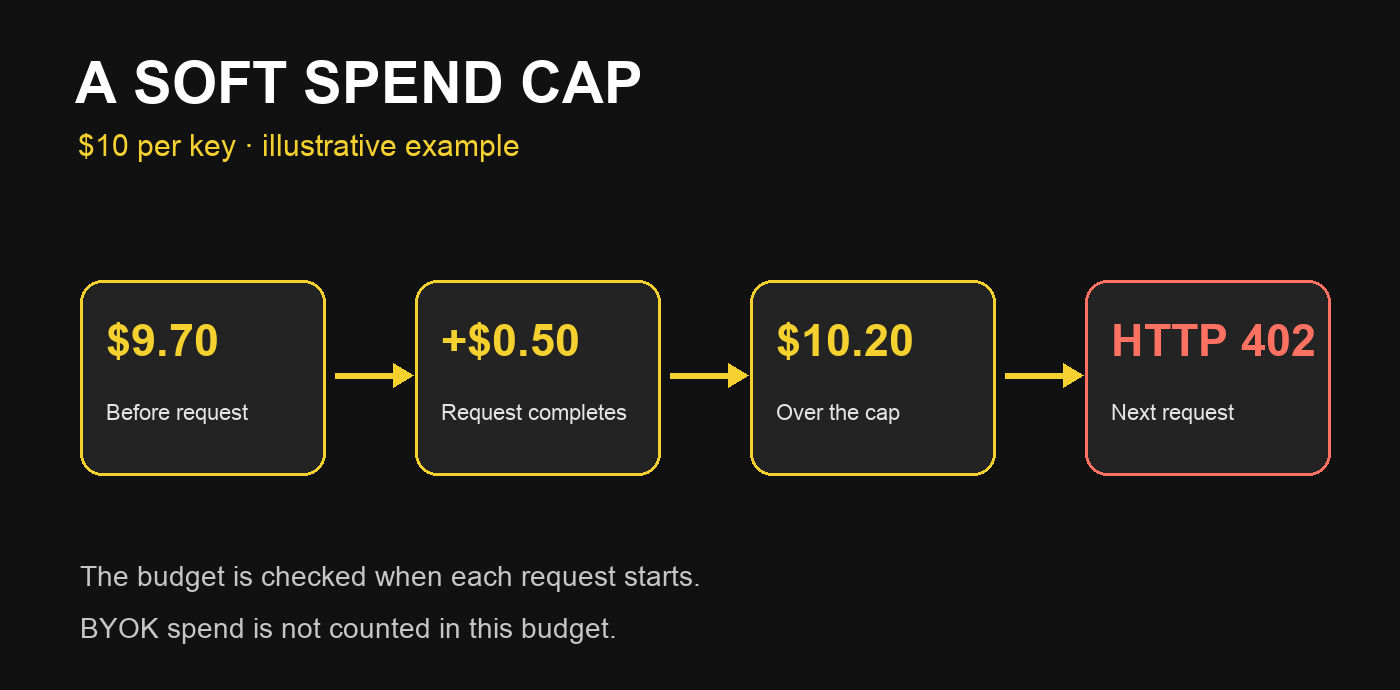
Handle that 402 in your app: pause generation, explain that the budget is exhausted, and offer a retry after reset or an administrator adjustment. Do not retry in a loop while the cap still applies. If your automation publishes content, keep the item queued with its ID; starting a request does not mean publication succeeded. Inspect error.type before treating every 402 as this specific budget condition.
Verify the control on the real workload
In API Keys, confirm that your workflow’s key shows the chosen limit and refresh period, then inspect spend for that same key. Check the credential on a test request. An OIDC or BYOK request needs a different control. Vercel notes that a new budget may take a minute or two to start accounting, while changes on active keys can take longer to propagate. Wait before declaring the setup broken.
For an agent that runs several times a day, start with a separate key, a small budget, and alerts, then inspect cost per task. If the workflow is important, design a fallback for 402. The budget is useful against runaway usage, but it does not replace cost measurement, concurrency limits, or provider-side controls for BYOK.