Verify an AI product claim with Gemini and official URLs
Compare official announcements, docs, and pricing with Gemini URL Context before publishing an AI story or video. Includes code and limitations.
Başlıklar
Verify an AI product claim with Gemini and official URLs
A creator spots a post saying a new feature is “free for everyone.” That sounds like a strong video hook. The official announcement, however, says access is rolling out, while the pricing page shows a usage limit. Publishing the simplified claim would mislead viewers. Gemini URL Context can help compare specific public pages before you write the script.
Google's official URL Context documentation, updated October 13, 2026, says the tool accepts URLs, retrieves their content, and can return source citations as response annotations. It does not replace opening the pages yourself or establish that a claim will remain true. This is a documentation-based workflow reviewed October 25, not a claimed live API benchmark by SoyJB.
Make a small source packet
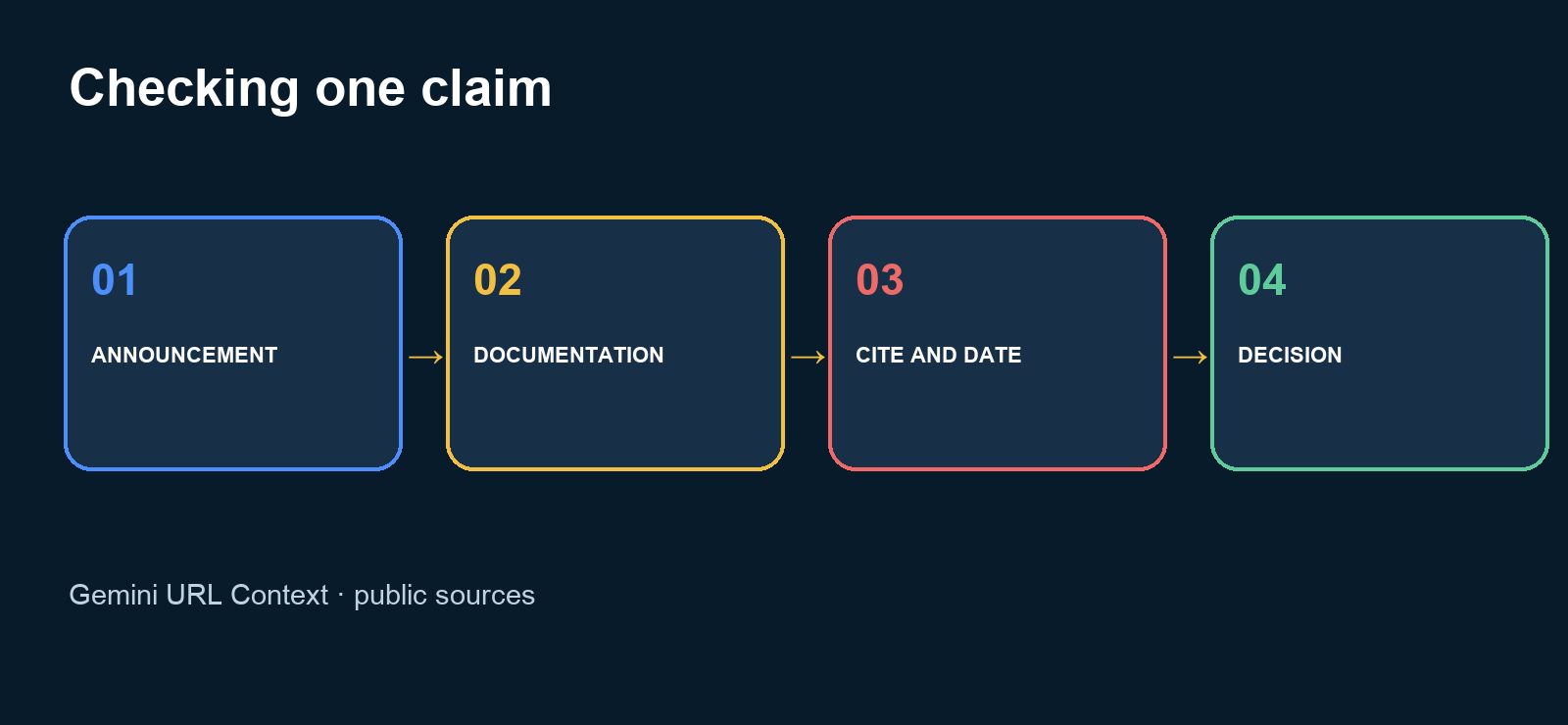
For one product announcement, collect its official post, feature documentation, and pricing or availability page. Do not treat an X thread as the only source. Write four questions in advance: what changed, when, who can use it, and which limit affects a test today? If the official pages do not answer one question, label it unconfirmed.
Google recommends complete, specific URLs. URL Context does not automatically retrieve every nested link, so include a plan table separately if the announcement links to it. You may combine URL Context with Google Search, but keep discovery and confirmation distinct: a search can find a candidate source; the original product page supports the claim.
Copy this verification pattern
Google's Python SDK documentation shows interactions.create with url_context in SDK versions newer than 2.0.0. Set GEMINI_API_KEY in your environment, then replace both example URLs with public official pages:
from google import genai

client = genai.Client()
announcement = "https://example.com/official-announcement"
docs = "https://example.com/official-docs"

interaction = client.interactions.create(
    model="gemini-2.5-flash",
    input=(
        "Compare these sources: " + announcement + " and " + docs +
        ". Return a table with claim, short supporting excerpt, URL, "
        "date shown on the source, and status: confirmed, contradicted, "
        "or unverifiable. Do not infer price or availability."
    ),
    tools=[{"type": "url_context"}],
)

for step in interaction.steps:
    if step.type == "model_output":
        for block in step.content:
            if block.type == "text":
                print(block.text)
                for citation in block.annotations or []:
                    if citation.type == "url_citation":
                        print(citation.url)
This adapts Google's documented pattern; these placeholder URLs were not sent to the API. In a real run, check both the url_citation annotations and the url_context_result status for every requested page. A polished answer without successful retrieval is not evidence. Confirm the announcement date on the source itself: your retrieval date is not the product launch date.
Turn the output into an editorial decision
Before publishing, keep a five-line record: exact claim, original link, event date, current access, and a test the reader can perform. If the documentation says beta, the headline should say beta and the action should show how readers can check eligibility. If the pricing page contradicts a social post, cite the official price with its review date instead of implying it is permanent.
Review high-impact words manually: “free,” “everyone,” “unlimited,” “available today,” and performance numbers. A model may flatten a table or miss an exception. If two official sources conflict, report the uncertainty or wait for clarification rather than choosing the more exciting statement.
Limits that affect the workflow
Google documents a maximum of 20 URLs per request and 34 MB of content per URL. Sources must be publicly accessible; localhost, private networks, login-only and paywalled pages are unsupported. YouTube links, audio and video files, and Google Workspace files are not supported as URL Context inputs. Retrieved content counts toward input tokens, so a very large page may make a verification job expensive. Check current pricing before running hundreds of requests.
Use it for: a bounded comparison of public primary sources with retained citations. If your evidence is a screenshot, video, or private page, use a different verification method and state what remains unverified. Open the primary source before publishing, then turn the confirmed fact into a concrete action for your audience.
Source: Gemini API URL Context, reviewed October 25, 2026.