An app that lets customers export a sales CSV does not need to retain every download forever. If you currently delete those files with your own cron job, Vercel Blob's November 17, 2026 update offers another option: automatic deletion with a time to live. You can set 1 to 730 days when writing a blob. The product decision is how long an export should remain available and how clearly to tell users when it expires.
What is available
The new ttlDays value starts counting from the upload date. It works with put(), copy(), putImage(), multipart uploads, and presigned upload URLs. Write results and head() include expiresAt, so you can display or log the planned deletion date. setTtl() can extend, change, or clear the TTL of existing blobs without uploading again; it handles one URL or up to 1,000 in a call.
Vercel's example uses a private export that expires after seven days. The essential pattern is:
import { put, setTtl } from '@vercel/blob';

const blob = await put('exports/report.csv', csv, {
  access: 'private',
  ttlDays: 7,
});
console.log(blob.expiresAt);

// Extend access if the customer needs more time:
await setTtl(blob.url, { ttlDays: 30 });
// Remove the expiration:
await setTtl(blob.url, { ttlDays: null });
Use @vercel/blob@2.9.0 or later for these methods. Vercel CLI supports TTL options from version 65.16.0, including vercel blob put report.csv --ttl-days 7. Check your installed version before changing an existing application.
Test with a synthetic export
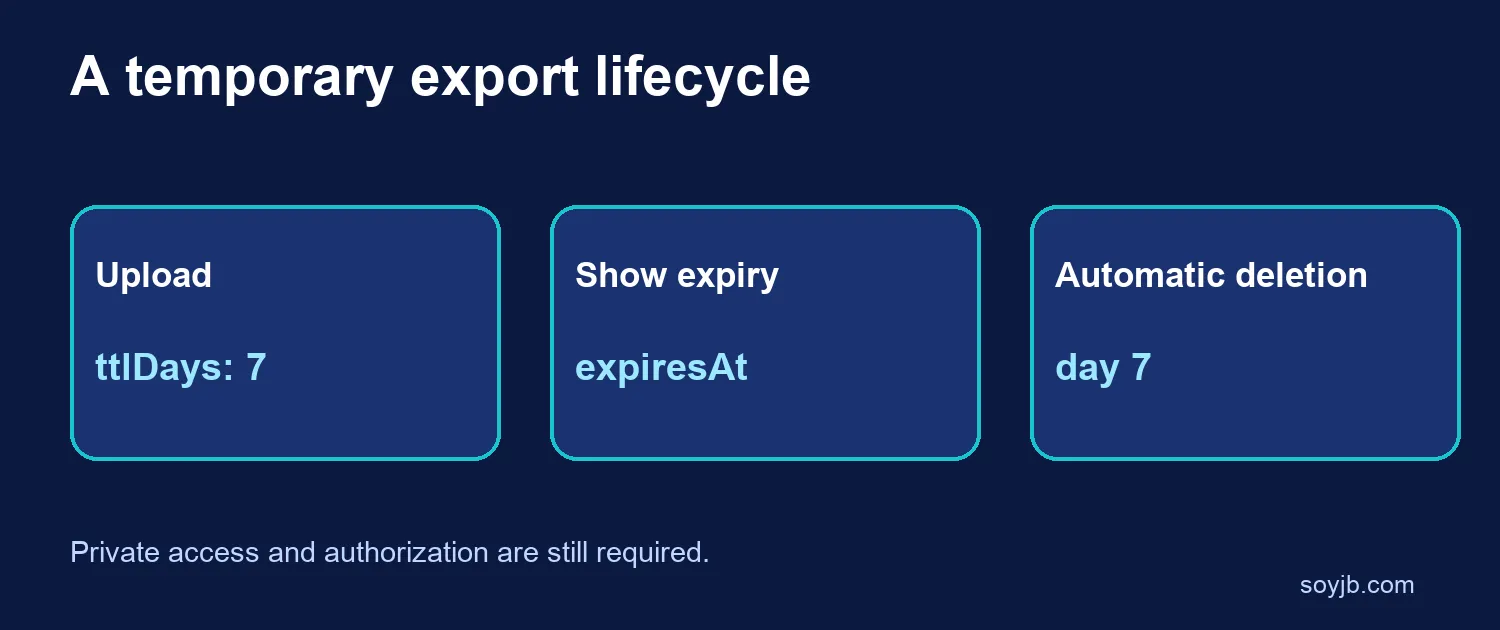
- Create a CSV with no personal data and upload it to a private store using
ttlDays: 7. - Save
expiresAtalongside the export record and display “Available until…” in the app. - Call
head()and check that it reports the expected expiration. On a test copy, change the TTL to 30 days withsetTtl(). - Design the expired-link experience now: explain that the file is gone and offer regeneration rather than promising permanent access.
Expiration is not an access-control policy. Customer data still needs a private store and correct authorization. Do not put a TTL on a permanent blog image or documentation asset unless you intend the link to break. For exports, choose a period that matches your support and data-retention needs.
Cost and limits
Setting a TTL costs one Advanced Operation per started 60-day period, in addition to the write. Seven days cost one operation; the 730-day maximum costs 13. Clearing a TTL and the automatic deletions themselves are free according to Vercel. Storage and transfer charges may still apply under your plan. SoyJB did not upload a blob to a live account or observe an actual deletion; the code follows the official example. Confirm versions and pricing in your own team before production use.