Your MVP demo is live, and a coding agent starts making repeated model calls overnight. You need a spending boundary that fits the credentials your app actually uses. Vercel AI Gateway lets you give a demo API key its own budget, but a Vercel deployment authenticated through OIDC follows a different budget scope. Deciding where to set the cap is the first step.
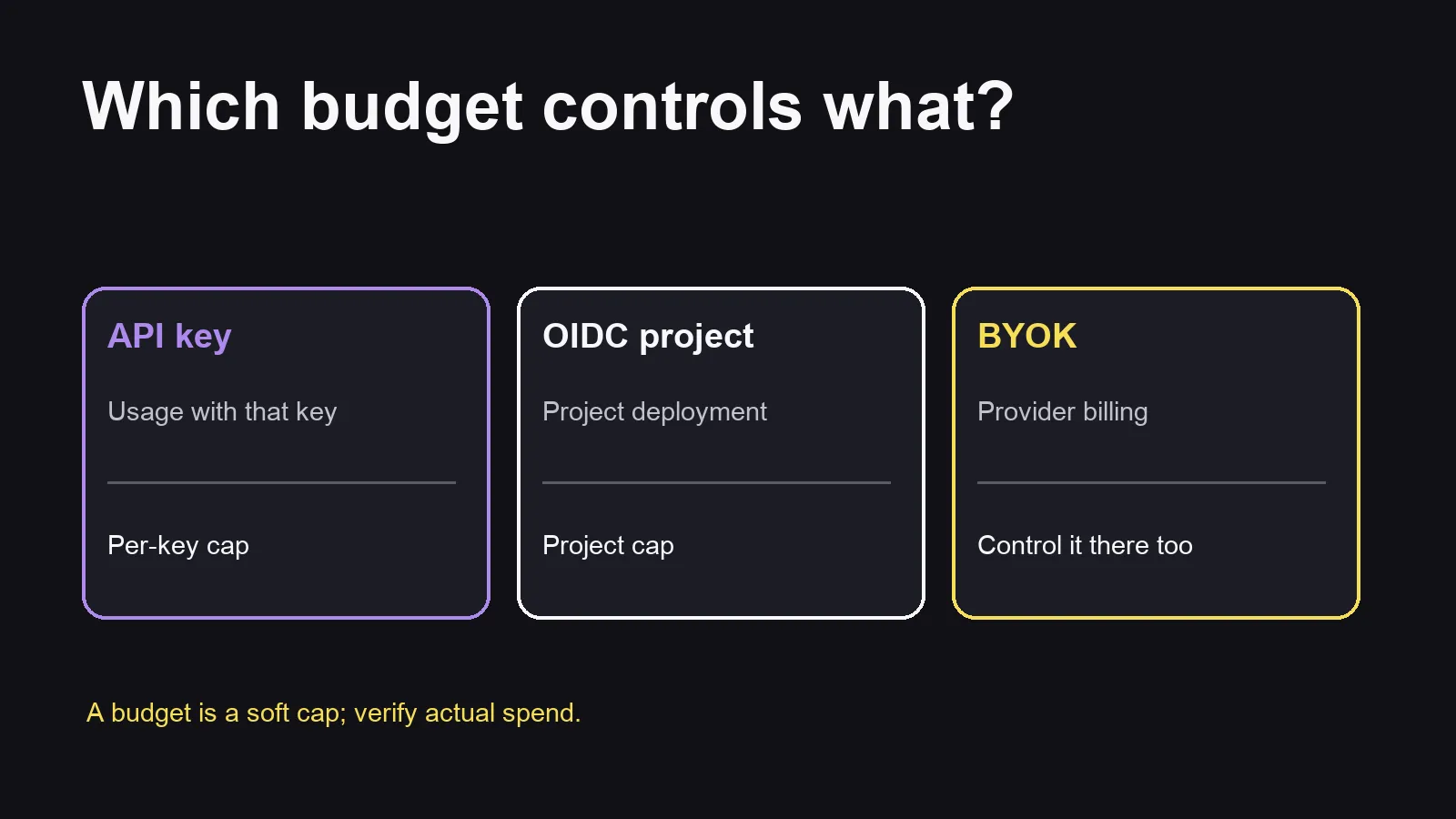
Vercel's budget documentation describes four scopes: team, project, API key and user. Applicable budgets stack. A key budget covers calls authenticated with that key; a project budget covers that project's deployments through OIDC. The number you enter is a soft cap: the request that crosses it can still finish, so actual spend may end slightly above the limit.
Give one MVP experiment its own key
- In the Vercel dashboard, open AI Gateway → API Keys. Create a separate key for the demo instead of sharing a production credential. Use a name that tells you which workload owns the spend.
- Turn on its budget and set a small test amount, such as $10. Pick a refresh period deliberately:
monthlyresets at the start of a UTC month;noneis cumulative. Add key expiration if the demo should stop after a fixed date. - Store the key in a server-side environment variable. Vercel's authentication guide uses
AI_GATEWAY_API_KEY. Keep it out of browser bundles, public repositories and screenshots. - Make one low-cost request and inspect the key's budget and spend in the dashboard. A newly created budget can take a minute or two to apply; usage figures can lag briefly. Record the key owner, period and who may change the limit.
Vercel documents this CLI form if your team manages keys that way. It is a documented example, not a command we ran against an account:
vercel ai-gateway api-keys create --name mvp-demo --budget 10 --refresh-period monthlyFor a time-limited experiment that should not refill its allowance, the docs pair --refresh-period none with an --expiration such as 30d. The documented minimum budget is $1. You can edit an existing key in the dashboard or use vercel ai-gateway budgets set api-key NAME --limit 10 --refresh-period weekly. Verify the name or key ID before changing it; changing a similarly named production key would interrupt a different workload.
Plan for the cap to be reached
When an applicable budget is exceeded, AI Gateway rejects further requests with HTTP 402 and quota_for_entity_exceeded until the period resets or the limit increases. In your application, show a clear message and stop automatic retries instead of creating a failure loop. Optional email alerts can fire at 50%, 75% and 100% of a custom budget, but alerts below 100% do not block traffic.
For a public demo, write down the expected behavior before launch: pause expensive agent jobs, keep already saved user work available and show a message that the AI feature is temporarily at its spending limit. If one background worker calls the model repeatedly, make its retry rule check the quota error instead of treating every failure as a transient network problem. The budget protects your bill only to the degree that requests travel through the covered credential path.
Two caveats matter for founders. First, the cap is soft and not instantaneous, so leave a margin for concurrent calls. Second, spending billed through bring your own key (BYOK) is not counted in Vercel's budget; set controls with that provider too. If your deployed app uses OIDC, a development API key's budget does not protect that deployment's calls. You may need a project budget. A spend cap also does not replace access control: protect credentials and monitor usage.
The practical setup is one key per experiment, a period that matches the experiment, an app response for 402, and a dashboard check after a real low-cost request. Revisit the budget whenever you switch from a key to OIDC or BYOK.
Verification scope: we checked budget scopes, CLI syntax, reset rules, HTTP 402 behavior, activation delay and the BYOK caveat in Vercel's official documentation. We did not create a key, incur charges or load-test a cap. Service terms and prices may change.
Sources: Vercel AI Gateway budgets; Vercel authentication and BYOK.