You have a product walkthrough to send to a client on WhatsApp, but the export is heavy enough to stall on a mobile connection. Lowering quality blindly may turn small captions into mush or make speech hard to follow. FFmpeg can make a measured copy: encode it, inspect its actual size and play it on the recipient's kind of phone before you send.
WhatsApp's help page distinguishes sending media from sending a document, and upload limits and processing can vary by client and route. Do not build a workflow around a single universal size number. FFmpeg gives you local control over the video and audio encode without uploading a draft to a compression website.
Make a copy with predictable settings
For a landscape source at least 1280 pixels wide, run this in the folder containing your video:
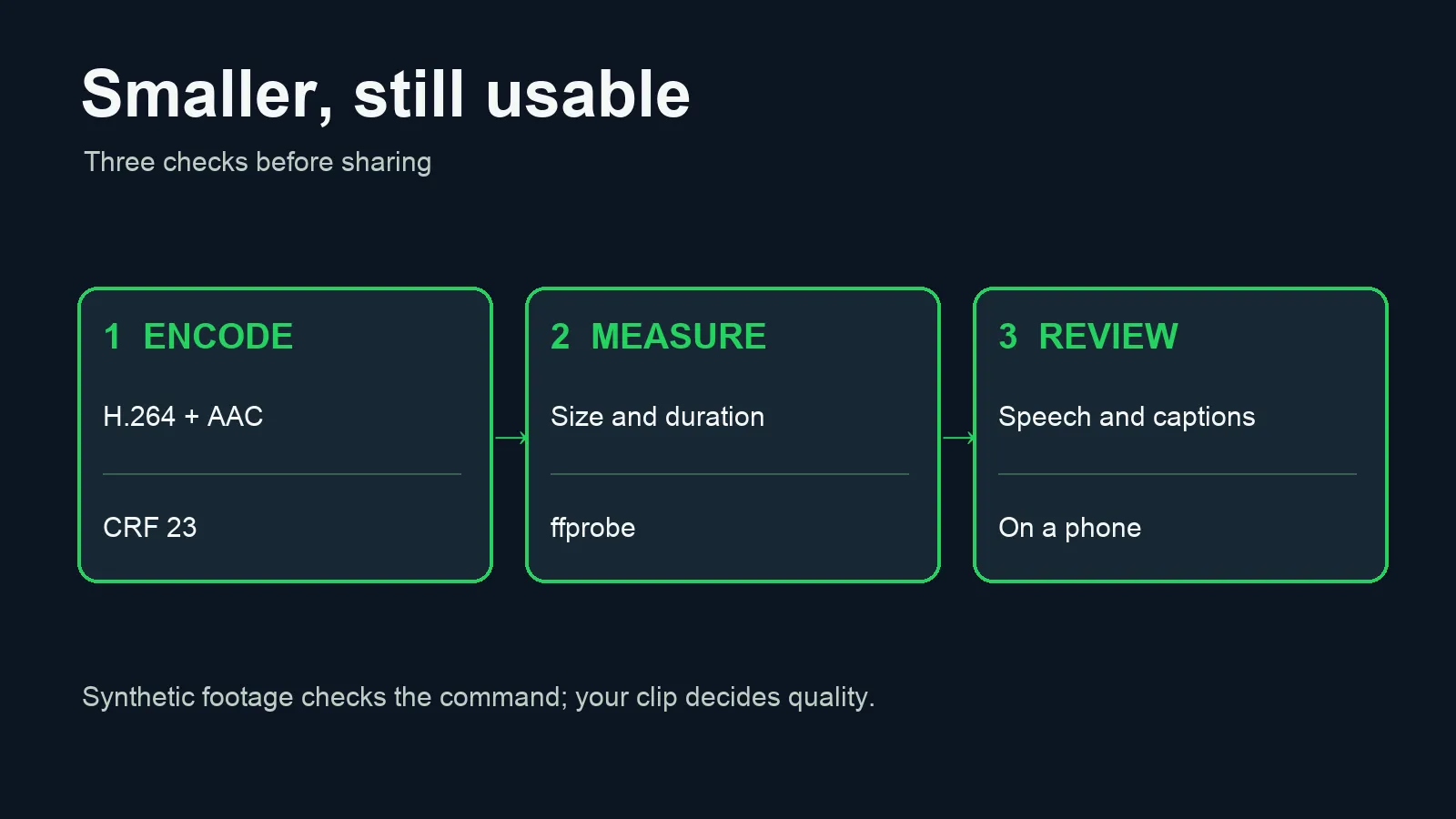
ffmpeg -i "original-demo.mov" -map 0:v:0 -map '0:a?' -vf scale=1280:-2 -c:v libx264 -preset medium -crf 23 -pix_fmt yuv420p -c:a aac -b:a 128k -movflags +faststart "smaller-demo.mp4"scale=1280:-2 sets the output width and computes an even height while preserving the aspect ratio. If the source is already narrower, remove the scale filter rather than enlarging it. For portrait video, try scale=720:-2 and check whether burned-in captions remain readable on a phone. The -crf 23 value is a quality target, not a guaranteed file size: a higher number generally makes a smaller file with more visible loss. -preset medium balances encoding time and compression. AAC at 128 kb/s keeps an audio track in the output, while +faststart places the MP4 index near the beginning for progressive playback.
The quotes around '0:a?' matter in shells such as zsh. The question mark makes audio optional to FFmpeg, but an unquoted question mark may be treated as a shell wildcard and fail before FFmpeg runs. The command maps the first video stream and optional audio. It does not carry over a separate subtitle track or SRT file. If your captions are sidecar files, keep them with your source or prepare a captioned export before compressing.
Inspect the output, then adjust
ffprobe -v error -show_entries format=duration,size -show_entries stream=codec_name,width,height -of json "smaller-demo.mp4"Check duration, dimensions and codecs, then play the file. Listen with a phone speaker as well as headphones. Pause on the longest caption and a fast-moving shot; compression damage is easier to see there than on a static title card. Compare the opening and closing seconds to catch a cut or audio sync error. If it looks good but still weighs too much, try -crf 26. If letters blur, return to 23 or keep more resolution.
Burned-in subtitles are pixels, so the video encode can soften them. Separate SRT captions need their own delivery plan. WhatsApp may also process a file sent as media; compare the received copy with your export. Sending as a document may preserve the file more faithfully in some cases, but it changes how the recipient opens it. Choose the route based on the actual sharing experience, not a thumbnail in your editor.
What our test proves
We ran the command's structure on an eight-second synthetic 1280 × 720 video with a generated audio tone. The test source was 11 MB; the MP4 output was 2.8 MB. ffprobe confirmed eight seconds, H.264 video at 1280 × 720 and AAC audio. This demonstrates that the command works; it does not predict a 75% reduction on a real clip. The synthetic tone also cannot establish human speech quality, and the test had no burned-in captions. Those require review with your own footage.
If a long export is expensive to encode, first cut a ten-second sample that includes the most difficult caption and busiest scene. Compare two settings there, then process the full piece once. Keep the original untouched so you can reverse a poor compression choice without losing your edit.
For a team workflow, record the source filename, the exact command and the final file size beside the approved export. That small note makes it possible to reproduce a client video next week without guessing which slider you used. If the source has multiple audio tracks, inspect them first and select the one you intend to share; an optional audio map can otherwise include more than one track.
Sources: FFmpeg command reference; FFmpeg scale filter; FFmpeg MP4 and faststart; WhatsApp media and document help.