Suppose your app already uses an MCP server to check orders, bookings, or tasks. Today customers open your site to finish the job. Google's Connected Apps preview offers a path to bring those capabilities into Gemini and Search. The useful decision for a founder is whether the server is ready for that path, not whether to promise a Google launch tomorrow: access, testing, and review still stand between an endpoint and a public integration.
Google announced the platform on October 28, 2026. The developer overview describes two routes: a remote MCP server for web, iOS, and Android, or Android AppFunctions for on-device capabilities. Connected Console onboarding is in preview and developers must apply for access. We have not tested an approved account or measured traffic from either Google product.
Where this could change your product
A user could link an account once, retrieve live personal data, and perform an action from a conversation. “@MyApp, which orders need my attention?” should read that user's orders. The opportunity is a new entry point at the moment of intent. The engineering cost is identity, authorization, confirmation, and reliability. A documented integration route does not guarantee approval, discovery, or usage.
If your product merely publishes static pages, an MCP server is unlikely to be the next priority. If it has private data or useful actions — track a delivery, create a task, make a reservation — start with one narrow workflow. Pick one read tool and one write tool so that you can test value without exposing your entire API surface.
From your server to Google's preview
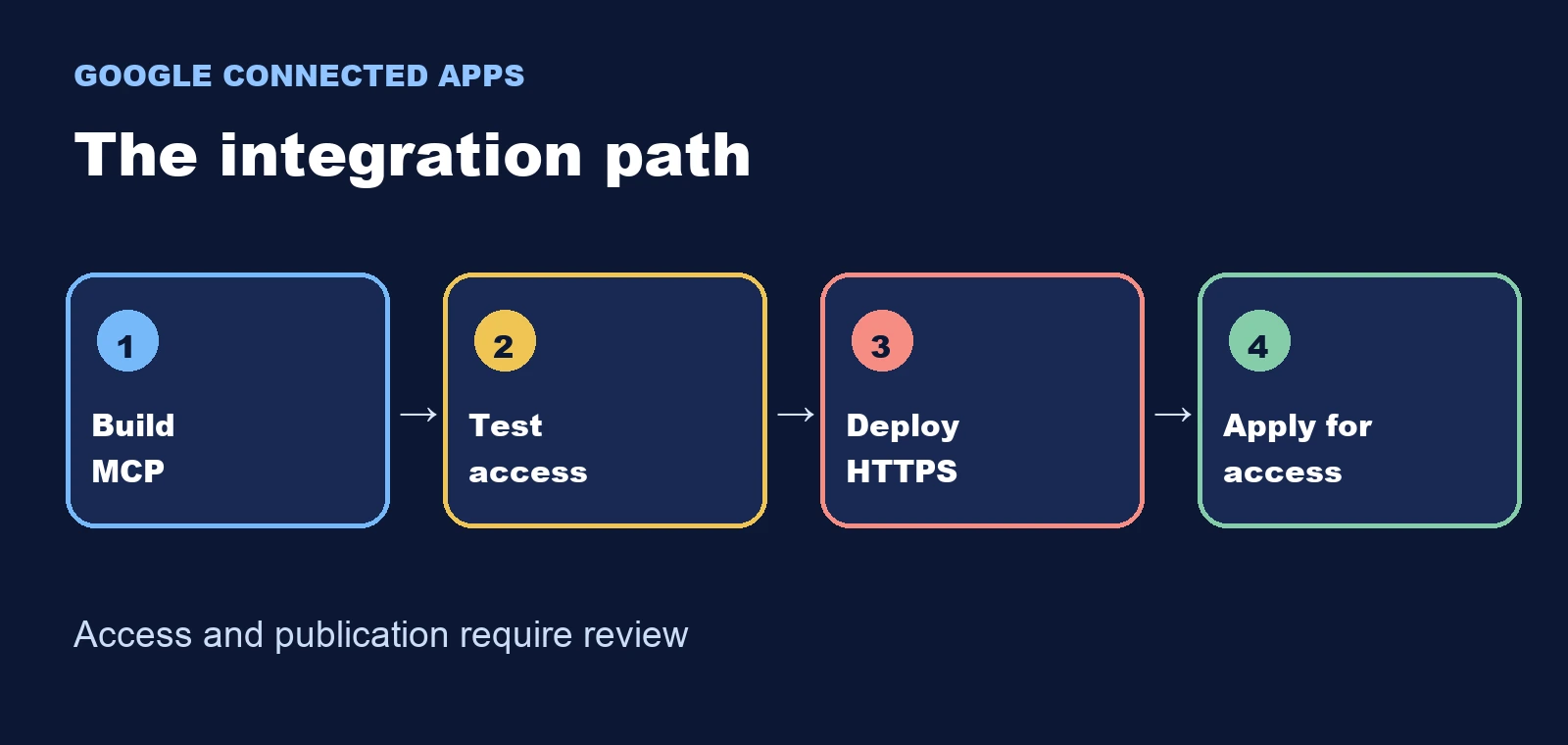
- Choose three specific jobs. Google's public app listing requires at least three high-value capabilities and three example prompts. “Check a shipment's latest status” is testable; “manage everything” is not.
- Deploy a remote MCP server over HTTPS. The prerequisites call for Streamable HTTP transport, one global endpoint, and a domain you can verify. A localhost demo does not meet that bar.
- Write precise tool contracts. Google's MCP guide recommends clear server instructions, typed input schemas, and annotations such as
readOnlyHintfor reads anddestructiveHintfor state-changing operations. Payments, deletion, and publication need suitable confirmation. - Test before applying to publish. Invoke each tool locally with MCP Inspector. Then test your public HTTPS endpoint in Gemini Developer Mode and inspect event logs and tool schemas. These checks do not replace Connected Apps review.
- Apply and configure Connected Console. The Console walkthrough covers listing details, domain verification, authentication, tool sync, testers, supported regions and languages, and choosing Gemini or Search. Check which surfaces your account can actually select; preview access is limited.
A useful test you can run now
You do not need preview access to test your authorization model. Use sample orders and ask your tool to “show my latest order.” Require an authenticated user identifier and return only the order status, date, and deep link. In MCP Inspector, try an account with an order, one with no orders, and a request without credentials. The first two should produce appropriate responses; the last should be rejected. Then change the identifier to another user's account. If the tool reveals that person's order, fix the access control before applying.
For a write operation such as “cancel this order,” document every parameter, require the right account, and add an explicit confirmation. Google's Console can require user confirmation per tool and preselects it for tools annotated as destructive. Test both the confirmed action and a declined confirmation. This is a recommended test derived from the docs, not a claim that we executed it inside Google's preview.
What can block approval
Your domain must serve the verification file at /.well-known/google-connected-apps with a direct HTTP 200 response and no redirect. For user-delegated authentication, Console supports OAuth and asks for a seeded test account so reviewers can exercise the flow. The listing also needs a 512 × 512 icon, public privacy policy, and terms. Choose category and connection type carefully: the walkthrough says they cannot be changed on the same app.
Google snapshots tools into an app version. Once that version is published, changes to tool descriptions or endpoints call for a new version. Interactive MCP Apps UI is in beta and may be ignored, so make the first workflow useful through plain tool responses. Do not make your initial value proposition depend on an interface that users may never see.
The decision this week
If you already run an MCP server with one valuable action, audit authorization, endpoint, and three realistic prompts, then apply for preview access. If your service has no live account data or actions, prioritize the core product. This could become a useful distribution channel for builders, but no public evidence here supports a traffic or revenue forecast. Watch for actual Console access and user test results before making those claims.