A founder needs an ID photo for an application. The source image has a gray wall, hard facial shadows and slight motion blur. An AI photo tool can make it look cleaner in seconds. Whether you should use that result depends on the receiving authority's rules, not the tool's output quality. For a process that requires an unchanged photo, a new capture is the practical answer.
The U.S. passport example is explicit. The State Department passport-photo guide calls for a recent, clear, front-facing image with a plain white or off-white background and no eyeglasses. It says not to alter the photo with software, phone apps, filters or AI. Its online renewal guidance illustrates a poor background and directs applicants to take a new photo rather than digitally replacing or enhancing it. The authority, not a photo app, decides acceptance.
Make the decision before editing
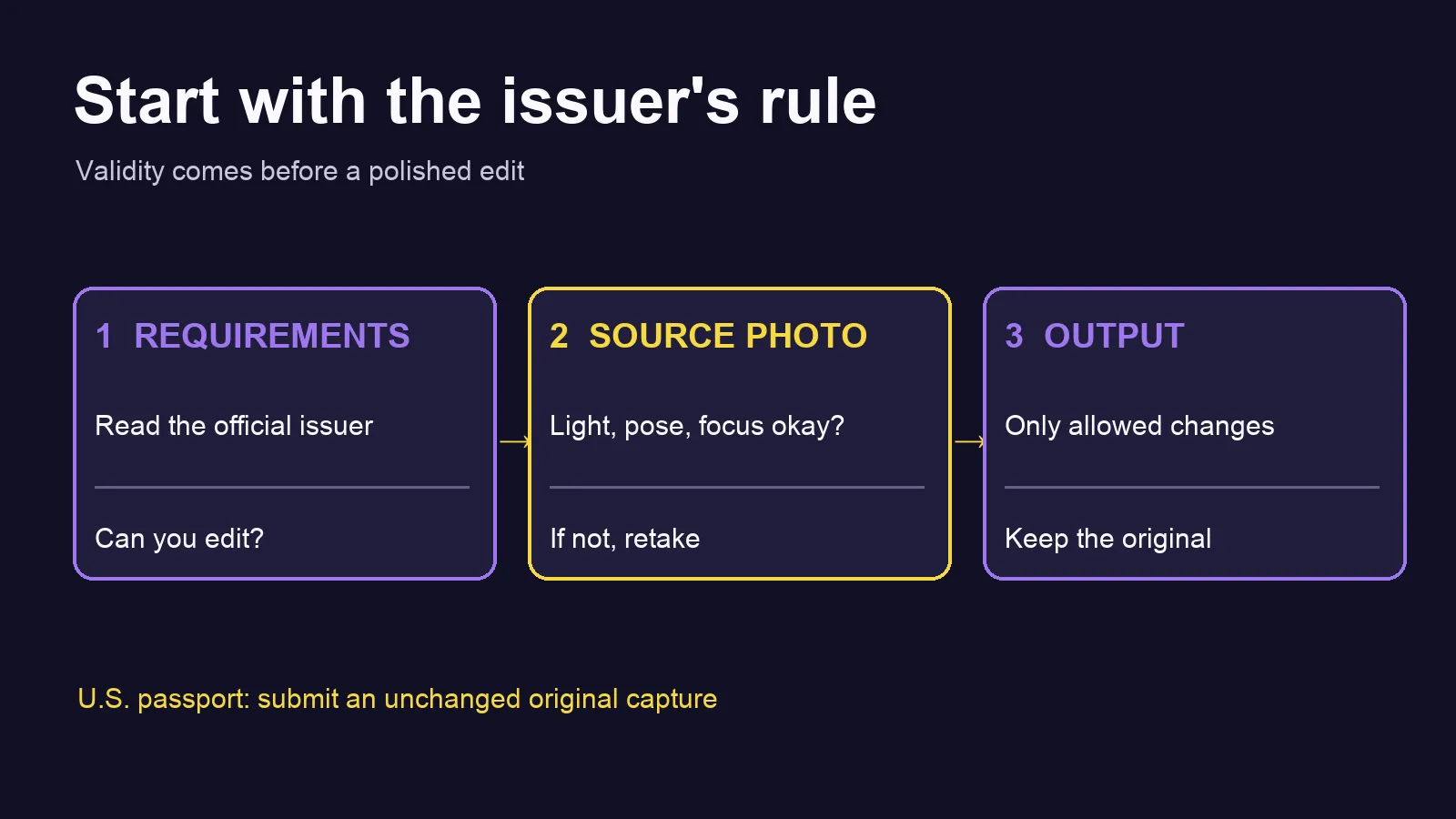
- Name the exact application. Check the agency that will receive the image. Some offices photograph you on site. Others specify dimensions, paper or digital format, recency and whether any adjustment is allowed.
- Check the original capture. If the face is blurred, shadowed, partly covered or turned away, retake it. Upscaling can add pixels but cannot reliably restore facial details that the camera never recorded.
- Read the editing rule. For a U.S. passport, do not submit an AI-replaced background or enhanced face. For other documents, do not assume permission merely because a photo tool has a matching size preset.
- Inspect the final file. Make sure the head is not cut off, the lighting and background are even, the format fits the application and skin tone looks natural. Keep an untouched original.
A better capture is usually straightforward: stand in front of a genuinely plain light wall, move away from it to reduce shadows and use even light from the front. Hold the camera at eye level, face it directly and leave room around the head and shoulders for any permitted crop. Take several frames, select the sharpest and turn off beauty filters. Follow the specific authority if it asks for a particular expression or clothing rule.
Here is a useful distinction: resizing a sharp image to meet a file-size field is a technical preparation step only if the issuer permits it; reconstructing a blurred eye or drawing a new white background changes what the source image shows. If an upload portal rejects your original because of lighting or background, do not treat its error message as an invitation to erase the problem with software. Move the camera setup and take a fresh frame. That gives you a truthful source image and avoids a second rejection after the image is reviewed by a person.
Where SoyJB's ID photo tool fits
The SoyJB ID photo tool offers local background removal and sizing in the browser. That may be useful for school badges or other applications whose issuer permits digital preparation. Tool capability is not evidence of official acceptance. Do not use its AI background replacement for a U.S. passport photo, because that conflicts with the State Department's unchanged-photo requirement. The tool page also advertises passport and U.S. visa options; those flows need a more visible warning and a review of what users are encouraged to submit.
The U.S. visa photo guidance describes an official crop-only tool and says images must not be digitally enhanced or altered to change appearance. Final acceptance is at the embassy or consulate's discretion. For a visa, capture the permitted background in camera, avoid AI replacements and read the rules for the actual visa category and post. Other countries can have different requirements, so check their own official pages.
What we checked: we compared published U.S. passport and visa rules with the public description of SoyJB's tool. We did not submit a photo to an agency or test acceptance. This is a decision workflow, not an acceptance guarantee. If your original shot is poor, the fastest reliable fix is often to retake it under the correct conditions.
Sources: U.S. passport photos; online renewal photo guidance; U.S. visa photo requirements; SoyJB ID photo tool.