A small agency wants an agent to read client notes on a Mac and turn them into a task list. The first question is not how clever the summary sounds. It is where those files go. On November 6, 2026, Perplexity announced a fully local mode for Computer on supported Macs, running the model, harness, and execution on the device. That gives a creator or founder a meaningful choice before granting folder access: start in Local mode.
Availability and the Local versus Hybrid distinction
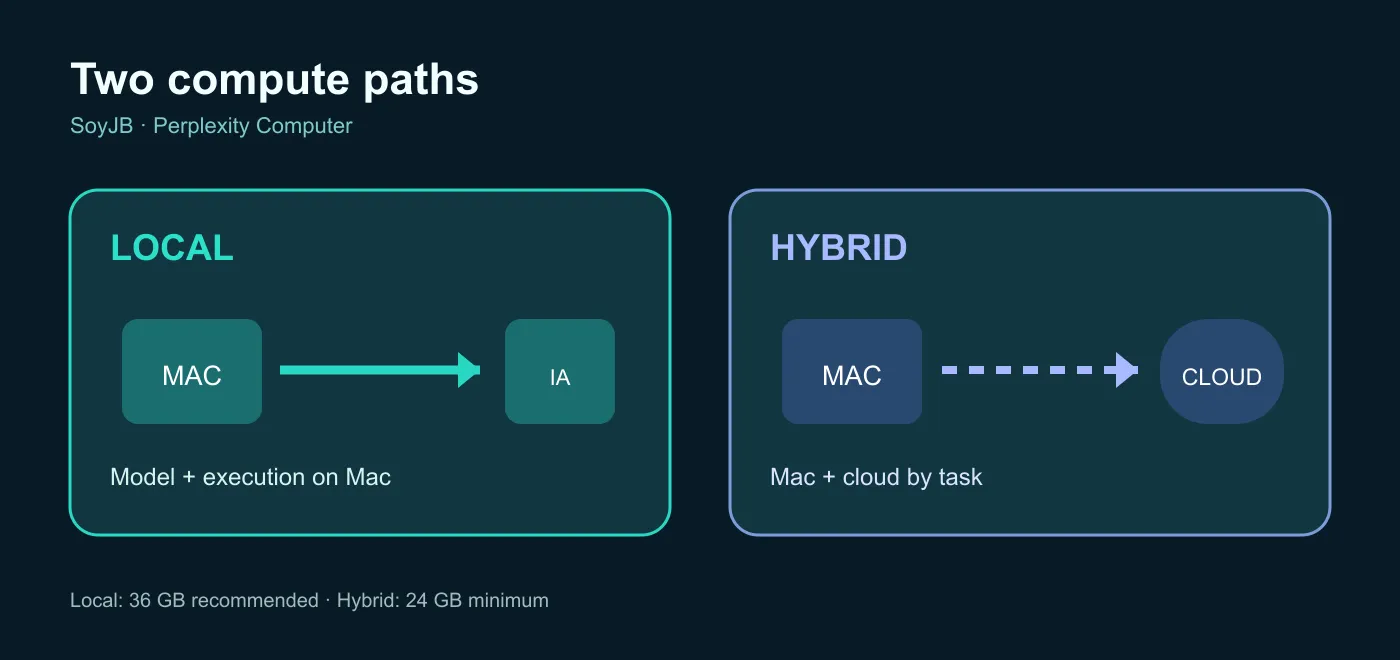
Perplexity says fully local Computer is available to Pro, Max, and Enterprise subscribers using Mac app 26.42.0 or later on supported Apple silicon machines. It recommends 36 GB of unified memory. The new onboarding lets you choose Local, with model and task execution on the Mac, or Hybrid, which splits work between the Mac and cloud. Perplexity says Local can work without sending personal data to cloud orchestration. A memory recommendation is not a promise of good performance on every smaller machine.
Hybrid was announced earlier. Its documented entry point is an Apple silicon Mac with macOS 15 or later and at least 24 GB of unified memory; local models handle sensitive steps while cloud models can handle other work. Do not mix up that 24 GB Hybrid requirement with the 36 GB recommendation for the new fully local mode. A web search, external connector, or third-party service can create another data path, so inspect the actual workflow before describing it as private.
A safe first test with sample files
- Check your app version, chip, and unified memory. If Local is unavailable, do not test by pointing another mode at real confidential files.
- Create a dedicated folder with two fictional documents: meeting notes and a content brief. Use no real customer information in the first run.
- Select Local, grant access only to that folder, and ask for decisions and action items with the source file and supporting passage. Ambiguous commitments should stay unresolved.
- Run the same fictional case in Hybrid. Note what the interface says about cloud use, which permissions it requests, and whether output quality changes. Do not assume Hybrid uploads every file or that every auxiliary Local feature works without a network connection.
- Before a production run, inspect your account's data settings, enabled connectors, and organizational policy. Require human approval for edits, deletion, and outgoing messages.
Copy this starter instruction:
Work only with the authorized sample folder.
List decisions and actions by document. For each action include the source
file, supporting passage, explicitly named owner, explicit due date, and
status (confirmed/unresolved). Never invent a person or deadline.
Do not edit files, send messages, or call external connectors.
Mark any claim without supporting text as unverified.
Score the pilot on three things: whether mode and permissions are visible, whether each output traces back to a file, and whether your Mac delivers acceptable speed. A successful fictional example does not prove that a production workflow meets your privacy rules. You still need to review the settings, documentation, and, where relevant, enterprise controls.
Which mode should you choose?
Try Local first when the task mainly uses files and native Mac apps and you want the model and execution on your machine. Consider Hybrid when you also need remote model capacity or cloud research, while accepting that parts of the task use cloud services. Keep a human review step before anything is published or sent in either mode. The useful change is the ability to choose a compute path before you open the work, not a blanket privacy guarantee for every connected service.
Sources and scope
Perplexity's November 6, 2026 changelog and its September 21, 2026 Hybrid changelog. This is a proposed test, not a benchmark run on my own Mac or account. Performance depends on hardware and configuration.