A creator wants to move from “make me a landing page” to a workflow that also checks structure, assets, and publishing. That used to mean combining instructions and tools yourself. In its November 6, 2026 update, Perplexity announced Agent Plugins: packages that bundle Skills and connectors around a job. “Build Landing Pages” is its own example. The useful question is not how many plugins you can install, but what each package adds and which permissions it may require.
What a plugin actually contains
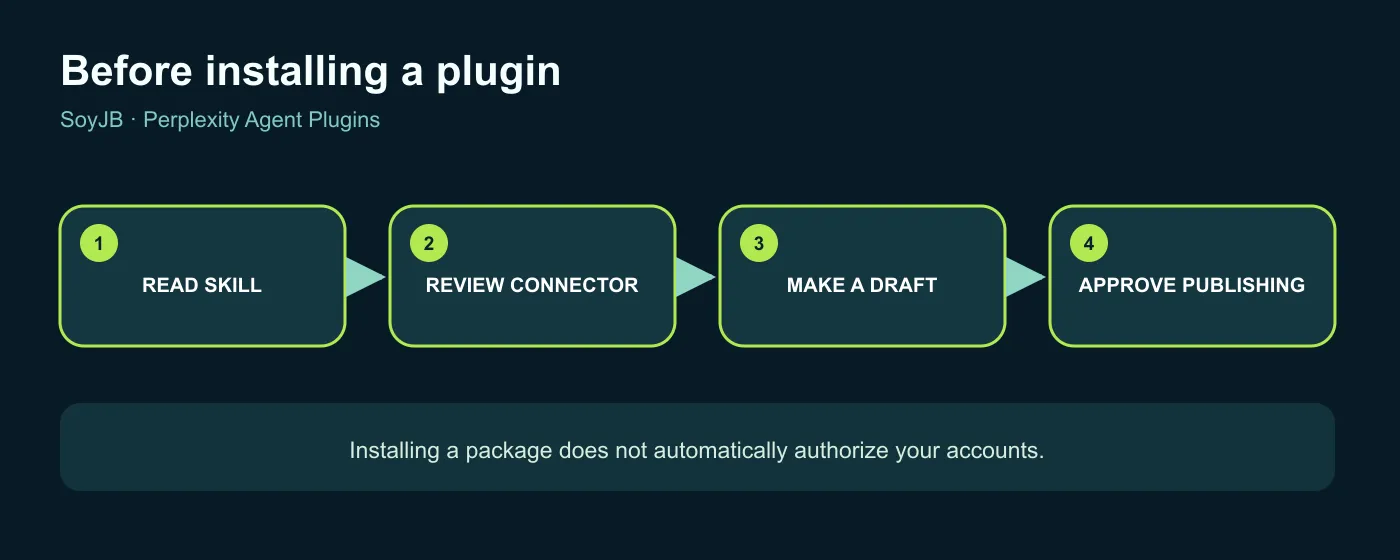
Perplexity's documentation says a plugin can hold a Skill, a connector, or both. A Skill adds a method; a connector grants a route to an external service. Installing a package enables its Skills, but does not automatically connect your accounts. Each connector retains its own authorization and settings. That matters if a tool can read Drive, edit a site, or send messages. You can also import a compatible package from a public GitHub repository or upload a ZIP.
Plugins are available on individual plans and Self-Serve Enterprise. Packages containing Skills need a plan that includes Perplexity Computer. On some sales-assisted Enterprise organizations, an administrator must enable the feature or grant it to a role. A plugin appearing in the catalog does not guarantee you can use each connector; account permissions and organization policy still apply. These are documented conditions, not findings from a test in my own Perplexity account.
A 20-minute landing-page pilot
- Open Plugins and find a landing-page option like the one Perplexity mentions. Read the description and inspect its Skills and connectors before installation.
- If you only need a visual draft, avoid connecting publishing or email services. If a connector is necessary, inspect the account and requested permissions. Enterprise users should check role access.
- Use a fictional brief with audience, offer, and CTA. Request a one-page draft with structure, copy, and a mobile layout. State that nothing should be published yet.
- Inspect narrow-screen layout, links, contrast, claims, and image attribution. Ask what changes and tools the plugin used.
- Only then decide whether to authorize publishing in your real project. Repeat with a second brief to see whether the method holds up.
Copy this starting brief:
Draft a landing page for an app that turns meetings into action items.
Audience: small remote teams. Offer: fewer forgotten tasks; do not claim
measured results. Sections: hero, problem, how it works, limitations,
privacy, and waitlist CTA. Make the mobile layout readable.
Check contrast and links. Before any connection or publication, list the
tool you would use, why, and its permissions. Do not publish or send data
without my approval.
Measure whether the package removes real work: iterations to a useful draft, permissions requested, accessibility fixes, and human review time. If it demands more connected services than the task needs, use the Skill alone or a simpler workflow. A polished page that invents testimonials or performance numbers is still unfinished.
Bringing your own package
Perplexity's official guide accepts a ZIP with a plugin.json manifest or a public GitHub repository. It also recognizes Claude Code and Codex plugin manifests in their documented folders, with mcp.json for remote connectors. An import may skip incompatible connectors, so inspect the final plugin page after upload. This is useful for sharing a landing-page method and its tools across a team; the package still needs a permission review.
Sources: Perplexity's November 6, 2026 changelog, its guides to plugin behavior and custom imports. The landing workflow is a proposed pilot, not a test run in my account.