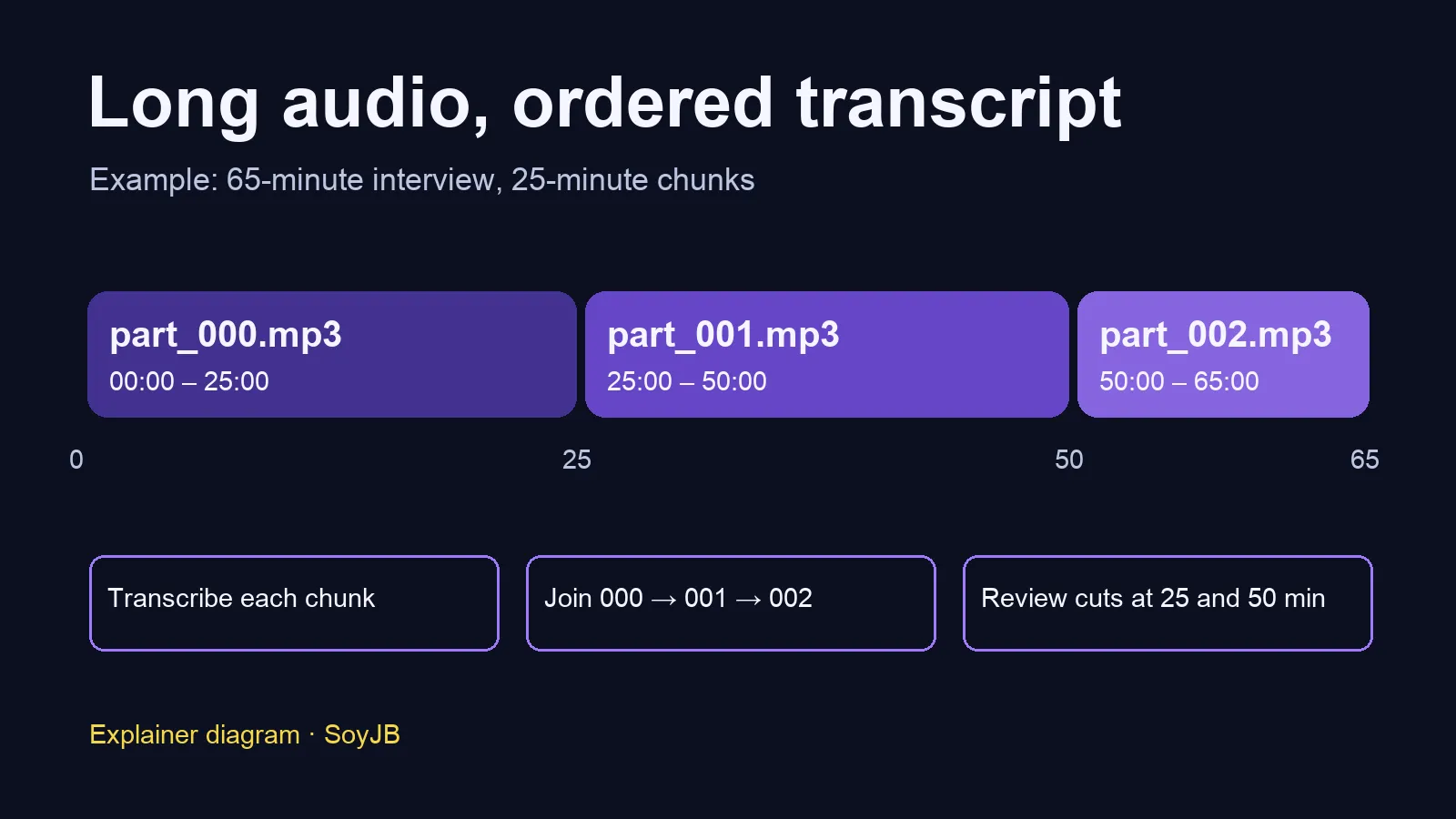
You have a 75-minute interview, but the transcription page accepts files of up to one hour. Uploading the whole recording fails; cutting it by hand often creates confusing filenames and broken sentences. A repeatable workflow is to split the audio into numbered chunks, transcribe each chunk in the browser, join the text in order and listen again around every cut. You can do this without sending the full recording to a cloud model.
SoyJB Audio to Text lists a limit of one hour and 100 MB per file, supports MP3, WAV, OGG, M4A, FLAC and WebM, and defaults to browser-side processing. This guide creates 25-minute mono MP3 chunks at 64 kb/s to leave room below those limits. A chunk of that length should be roughly 12 MB, but check the actual files you produce.
Split into files that sort correctly
Install FFmpeg from its official site and open a terminal in the folder containing interview.m4a. Run:
ffmpeg -hide_banner -i "interview.m4a" -map 0:a:0 -ac 1 -ar 16000 -c:a libmp3lame -b:a 64k -f segment -segment_time 1500 -reset_timestamps 1 "part_%03d.mp3"-map 0:a:0 selects the first audio stream, -ac 1 makes it mono and -ar 16000 sets 16 kHz. -segment_time 1500 asks for chunks of 1,500 seconds, or 25 minutes. The pattern part_%03d.mp3 creates part_000.mp3, part_001.mp3 and so on, so alphabetical order matches listening order. FFmpeg documents segment lengths as approximate. Inspect the actual duration and size of each output, especially the last one.
Check the files with ffprobe on macOS or Linux:
for f in part_*.mp3; do ffprobe -v error -show_entries format=filename,duration,size -of default=noprint_wrappers=1 "$f"; doneIf a piece exceeds the tool's limits, rerun with -segment_time 1200 for 20-minute chunks or reduce the bitrate. Keep the original audio. The MP3s are compressed working copies, not archival masters. Conversion can make quiet speech or music worse; listen to a sample before processing an important interview.
Transcribe, then join text rather than timestamps
- Open every file, from 000 to the last, in Audio to Text. Check the language and keep browser mode if you want local processing. The optional server mode sends audio to an external provider.
- Download each transcript as TXT. Save or rename them
part_000.txt,part_001.txtand so on. Check that none are missing. - Save the following program as
join_parts.pyin the same folder and runpython3 join_parts.py. It writes one Markdown section per chunk, without guessing missing speech.
"""Join manually downloaded transcript chunks in numbered order."""
from pathlib import Path

files = sorted(Path(".").glob("part_*.txt"))
if not files:
    raise SystemExit("No part_*.txt files found")

sections = []
for file in files:
    text = file.read_text(encoding="utf-8").strip()
    if not text:
        raise SystemExit(f"Empty transcript: {file.name}")
    sections.append(f"## {file.stem}\n\n{text}")

Path("full-transcript.md").write_text(
    "\n\n".join(sections) + "\n", encoding="utf-8"
)
print(f"Joined {len(files)} parts in full-transcript.md")
Read the last paragraph of one section and the first of the next while listening around that cut. A word may straddle the two files, and either transcription may omit it. Correct names, numbers and quotations against the original recording. Do not ask another AI to fill a missing phrase without audio evidence. If you need one continuous subtitle file, do not simply paste the SRT files together: each chunk starts near 00:00, so its timestamp offsets must be adjusted using the real segment start times. This guide joins text, not timecoded captions.
What was tested
We ran the command on a synthetic 65-second recording using a 25-second segment setting. FFmpeg produced three MP3 files of about 24.984, 24.984 and 15.032 seconds. We also tested the joiner with three sample TXT files created out of order; it wrote Start, Middle and End in sequence. We did not transcribe a real 75-minute interview or measure the site's recognition accuracy. Real performance depends on noise, overlapping speakers, language and your device.
If you only need a five-minute quotation, trim and transcribe that interval first. If you need a publishable interview, keep the source recording, document the cuts and verify every quotation. The workflow handles a per-file technical limit while preserving editorial control over the final text.
Sources: SoyJB Audio to Text limits and modes; FFmpeg segment muxer documentation; FFmpeg conversion options.