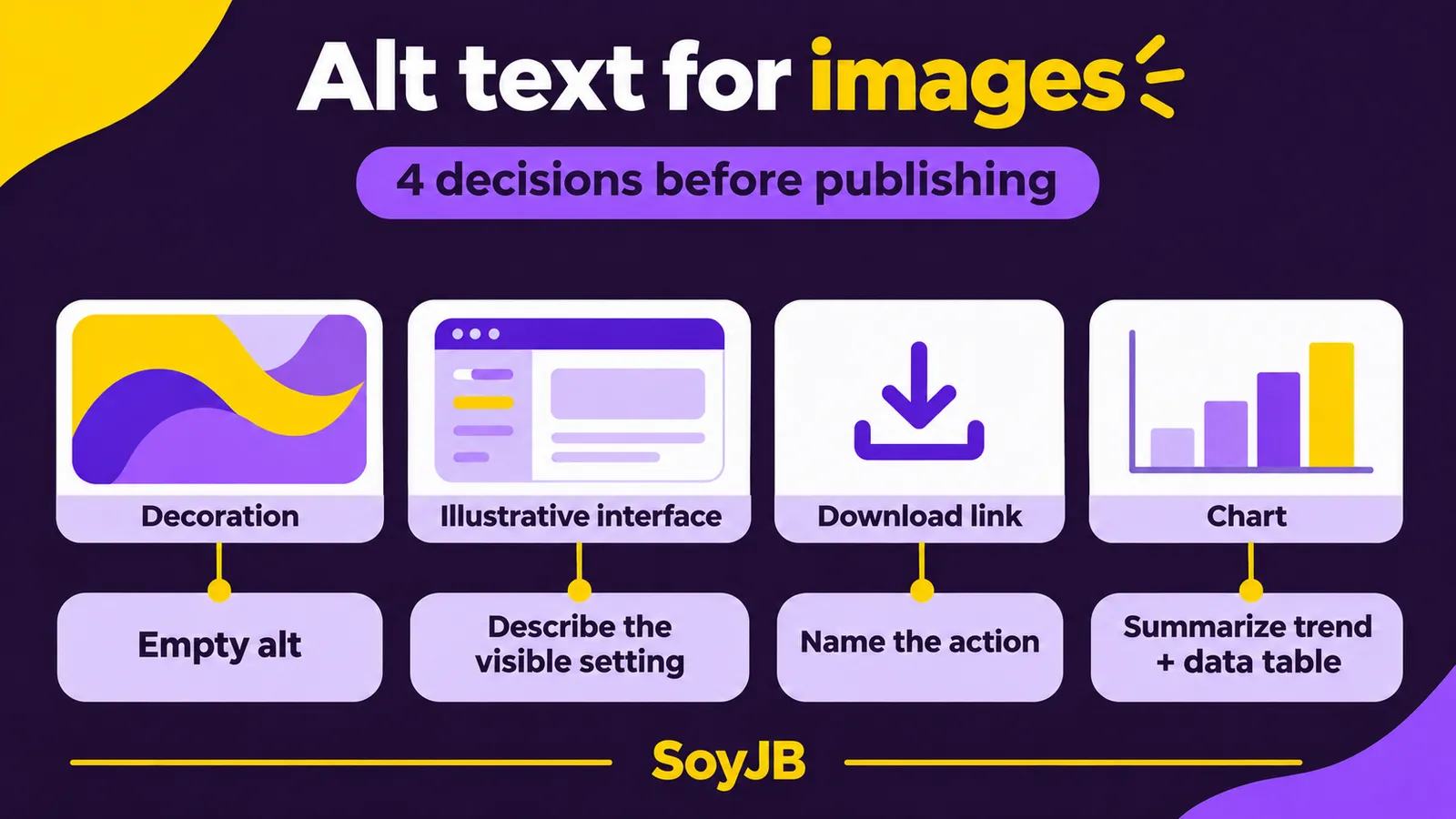
A creator publishes a guide with a screenshot, an AI-generated hero, and a chart. An assistant writes “image of...” for all three. Someone listening to the page still cannot tell which setting to change or what the numbers mean. Alt text depends on what an image does in this context, not on whether a person or a model made it.
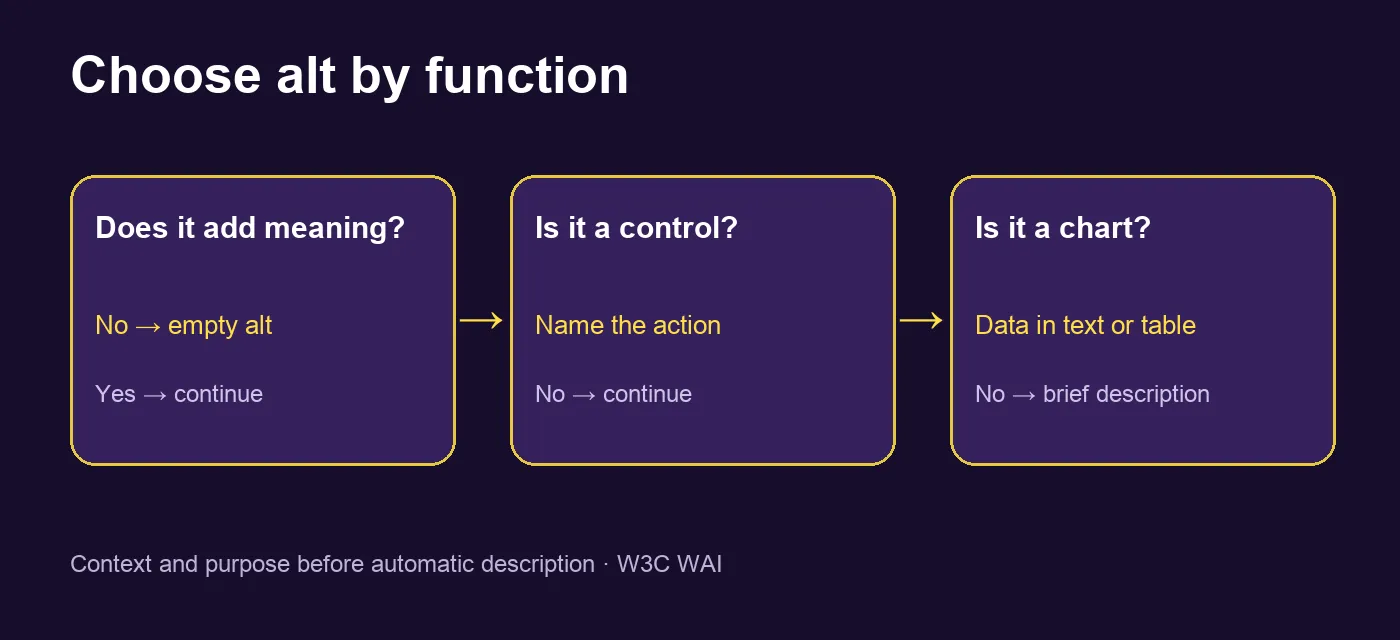
The W3C's alt decision tree gives you a practical way to choose. Here is a repeatable review for blogs, landing pages, and apps built with coding agents.
Four images, four decisions
| Image | What the reader needs | Alternative |
|---|---|---|
| Decorative hero beside a clear title | The title already names the topic | alt="" if the image adds no meaning |
| Screenshot of a setting | Which control to turn on | A short description of the visible setting |
| Icon-only link | The destination or action | “Download the template,” not “arrow” |
| Chart with data | Trend and values | A short alt plus nearby text or a data table |
The same file can need different alt text on two pages. A portrait may be decoration in a banner but essential identification in a profile. The author must decide based on purpose and surrounding text, as the W3C explains.
Keep a short note beside the content explaining each choice. When another editor updates the page, they should know why a hero has empty alt text and why a chart needs a table. Saving only an automatically generated sentence makes it easy to introduce noise or remove necessary information when the image changes. Recheck the alternatives whenever you reuse the image on another page.
Copyable HTML examples
<!-- Nearby heading already explains the topic -->
<img src="/hero.webp" alt="">

<!-- Informative product screenshot -->
<img src="/settings.webp"
     alt="The Save draft option is enabled in Settings">

<!-- Icon-only link -->
<a href="/template.csv">
  <img src="/download.svg" alt="Download the CSV template">
</a>
For decoration, do not omit the attribute: an explicit alt="" prevents some screen readers from announcing the filename. If meaningful text exists only inside an image, include it in the text alternative or put it in real HTML as well. A short alt cannot convey an entire complex chart; provide the important values and relationships in nearby text or a table. These are distinctions from the W3C images tutorial.
Let AI draft; keep the editorial decision human
A visual model can recognize objects but may not know why you included the image, where a link leads, or which chart value drives the decision. Give it page context, ask for options, then check the answer:
Act as an accessibility editor. For each image,
read the page heading and the paragraphs before and after it.
Classify it: decorative, informative, functional, or complex.
Propose concise alt text that preserves its role in context.
For decoration, return alt="".
For a complex chart, say what data must also appear in text
or a table. Invent no numbers or people.
Explain the choice and what I must check manually.
For product screenshots, verify that the named control is really visible. A generated UI illustration is not an authentic screenshot; never describe an invented button as though readers can click it in the product.
One useful team habit is to review alt text when approving a visual, alongside source rights and factual claims. This catches mismatches before the image reaches the CMS, where context may be harder to recover.
A five-minute pre-publication check
- Read the article in order without looking at images. Does the alternative complete the preceding thought or pointlessly repeat the title?
- Temporarily hide each image in DevTools. Can you still perform the action and understand the data?
- Tab through icon links and check that each accessible name says what the link does.
- For charts, compare the accompanying data table against the visual and check numbers and dates. Do not trust an automatically generated description when values disagree.
A screen-reader check gives a closer view of the experience, though it does not replace testing with users. The MDN img reference explains why alternate text matters when images do not load or cannot be perceived.
Editorial rule: if the image only decorates, use alt=""; if it supports an action or conveys a fact, write what would be lost when it disappears. Sources: the W3C decision tree and complex-image guide, plus MDN, checked November 17, 2026.