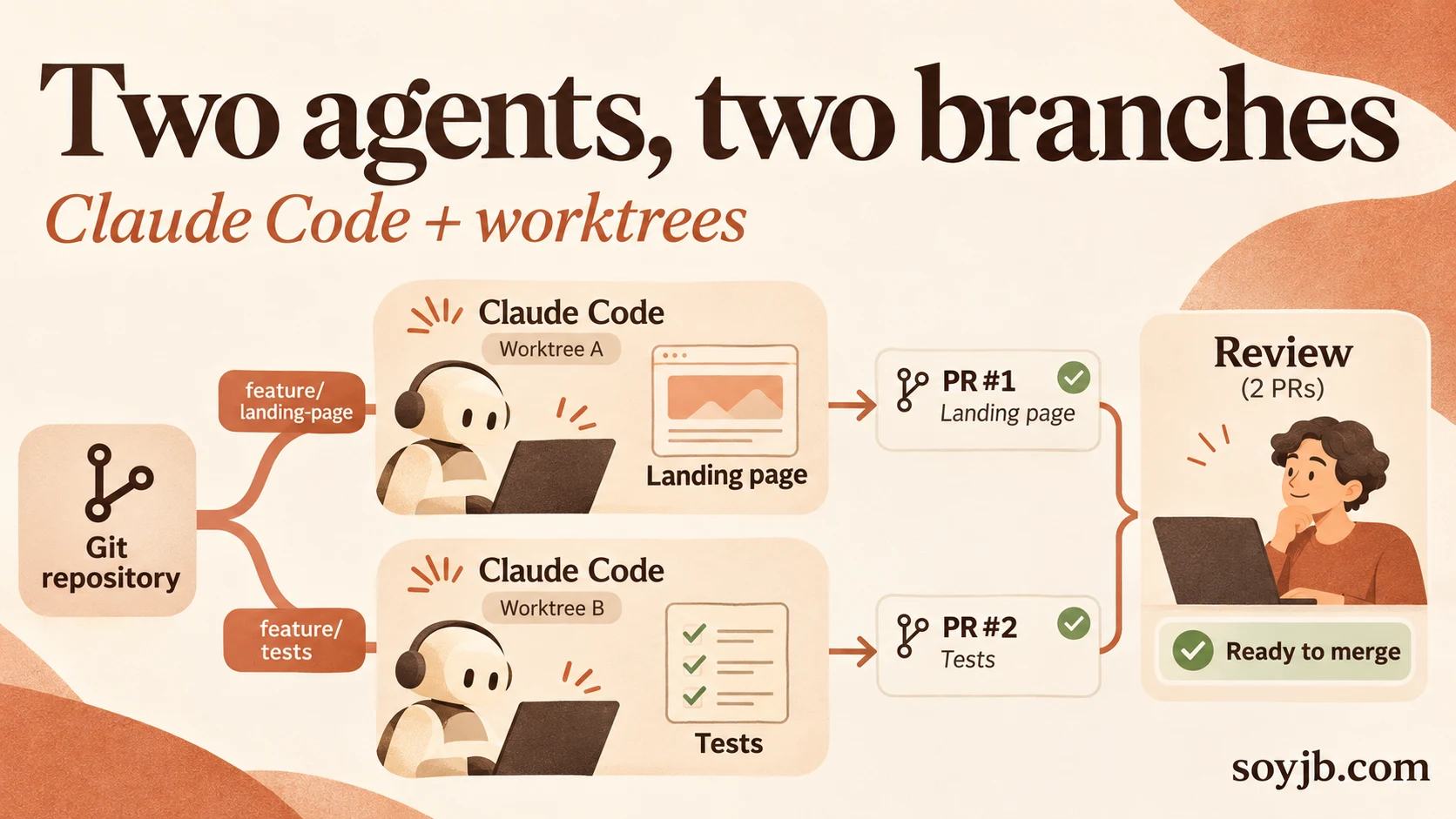
You ask Claude Code to improve a landing page. Before it finishes, you open another session to add tests. Both sessions write in the same directory. One changes a component the other just read; the second leaves uncommitted files and you can no longer tell which change belongs to which task. Parallel agents save time only when their edits have a clear boundary.
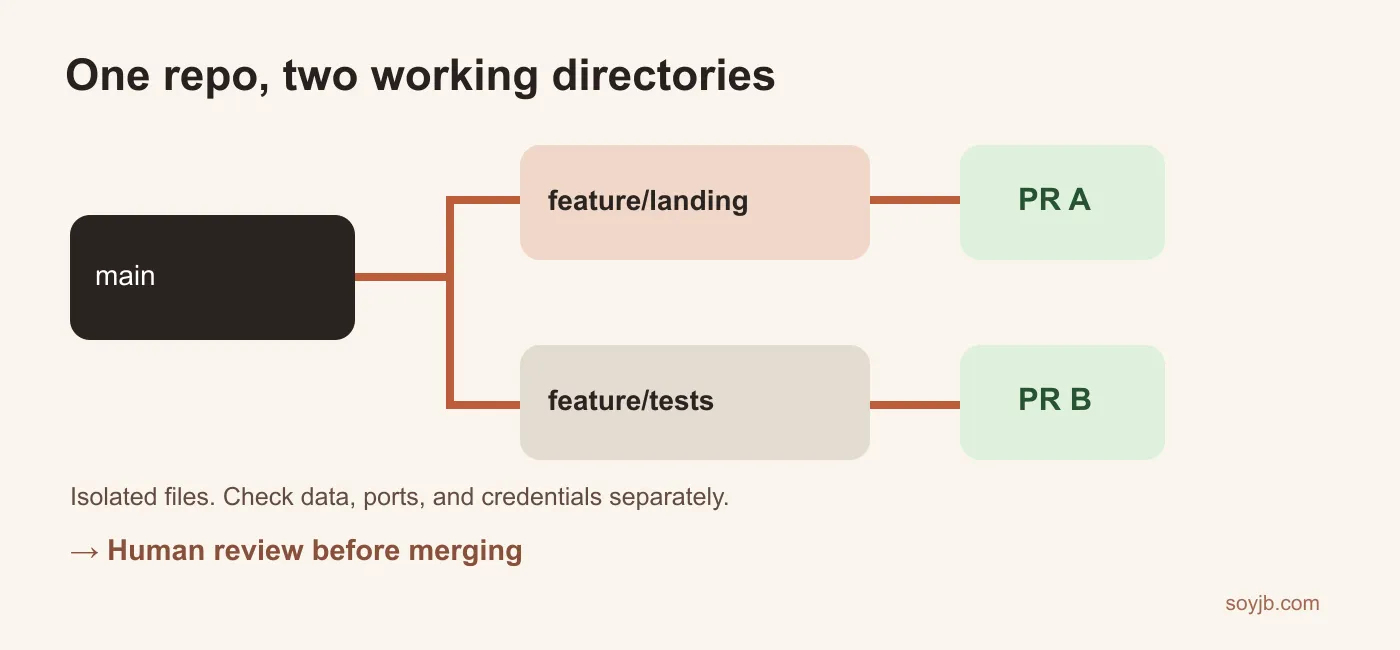
Git worktree gives you two working directories linked to one repository, each on its own branch. They share the repository's history rather than requiring a second full clone. You can run a Claude Code terminal session from each directory. Anthropic also documents automatic worktrees for Desktop sessions; this guide uses explicit Git commands so you can inspect the separation. I tested creating, listing, and removing two worktrees in a temporary repository. I did not run two Claude sessions for this article.
Choose genuinely independent tasks
For example, one session improves the copy and mobile hierarchy of a landing page; the other adds tests for an existing API endpoint. Both start at the same commit. If the tests need a function the first agent has not written yet, the tasks are dependent: wait for that function to land or change the second task's scope. Define the files each session may edit, the expected result, and the check it must run. Do not send both agents into the same package.json or migration without a plan.
Create two working directories
From the repository root, confirm the base branch and check for uncommitted changes. New worktrees start from the current commit; uncommitted edits do not follow them. Replace the folder names if they already exist. I verified these Git commands in a temporary local repository:
git status --short
git worktree add -b feature/landing ../myapp-landing
git worktree add -b feature/tests ../myapp-tests
git worktree list
Open one terminal in ../myapp-landing and another in ../myapp-tests. Run claude in each and give it a narrow assignment. In the first: “Improve the landing page's mobile header; leave the API alone. Show the diff or screenshot and run the build.” In the second: “Add tests for the existing registration endpoint; do not change the landing page. Run the suite and explain any failures.” These are task templates, not evidence that Claude will deliver correct code.
Claude Code Desktop's documentation says Git repository sessions can receive isolated worktrees automatically. If you use Desktop, inspect where it placed them before creating manual directories for the same work. In a terminal, the current directory controls which copy Claude sees. Check pwd and git branch --show-current before approving edits.
What remains shared
Tracked files and the Git index are separate per worktree. Your development database, local server, port 3000, outside services, credentials, and files outside the repository may still be shared. Two agents starting the app on the same port will collide. A migration from one branch can break the other's shared database. Assign separate ports and test data, and use narrowly scoped development credentials. Ignored files such as .env do not appear in the new directory automatically; set them up locally without committing secrets.
Claude's settings documentation also explains that some shared settings may be read from the main checkout, while permission paths are interpreted relative to the session's working directory. Run /status in each session if you rely on rules, connectors, or hooks. A worktree prevents file collisions; it is not a full security sandbox.
Review, merge, and clean up
In each directory inspect git diff, run the relevant checks, commit only task-related files, and open one PR per branch. Confirm the landing still works on mobile and that the endpoint tests fail when the expected behavior breaks. Review the PRs separately, merge one, then update or rebase the other before merging it. If there is a conflict, resolve it against the intended behavior; do not accept an automatic combination blindly.
After each worktree is clean and its work is merged, run git worktree list in the main repository and git worktree remove ../myapp-landing, then remove ../myapp-tests. Git refuses to remove a dirty worktree without force; inspect it first. Removing a worktree does not automatically delete its branch, which you can delete after confirming the merge. My local test created, listed, and removed both working directories successfully.
Sources and scope
Git's official worktree documentation; Anthropic on parallel Claude Code Desktop sessions; Anthropic on settings in worktrees. Reviewed November 10, 2026. I tested Git commands, not parallel Claude execution or PR quality.