You want an agent to review a short video and a sales workbook before recommending what to publish. Your function can retrieve both files, but flattening them into text or stuffing bytes inline can lose frames, tables, and context. On November 5, 2026, the Gemini API expanded what a tool can return to the model: Office/OpenDocument files, audio, video, and Files API URIs. The change matters for agents working with actual media, not just a chat where someone attaches a PDF.
What changed precisely
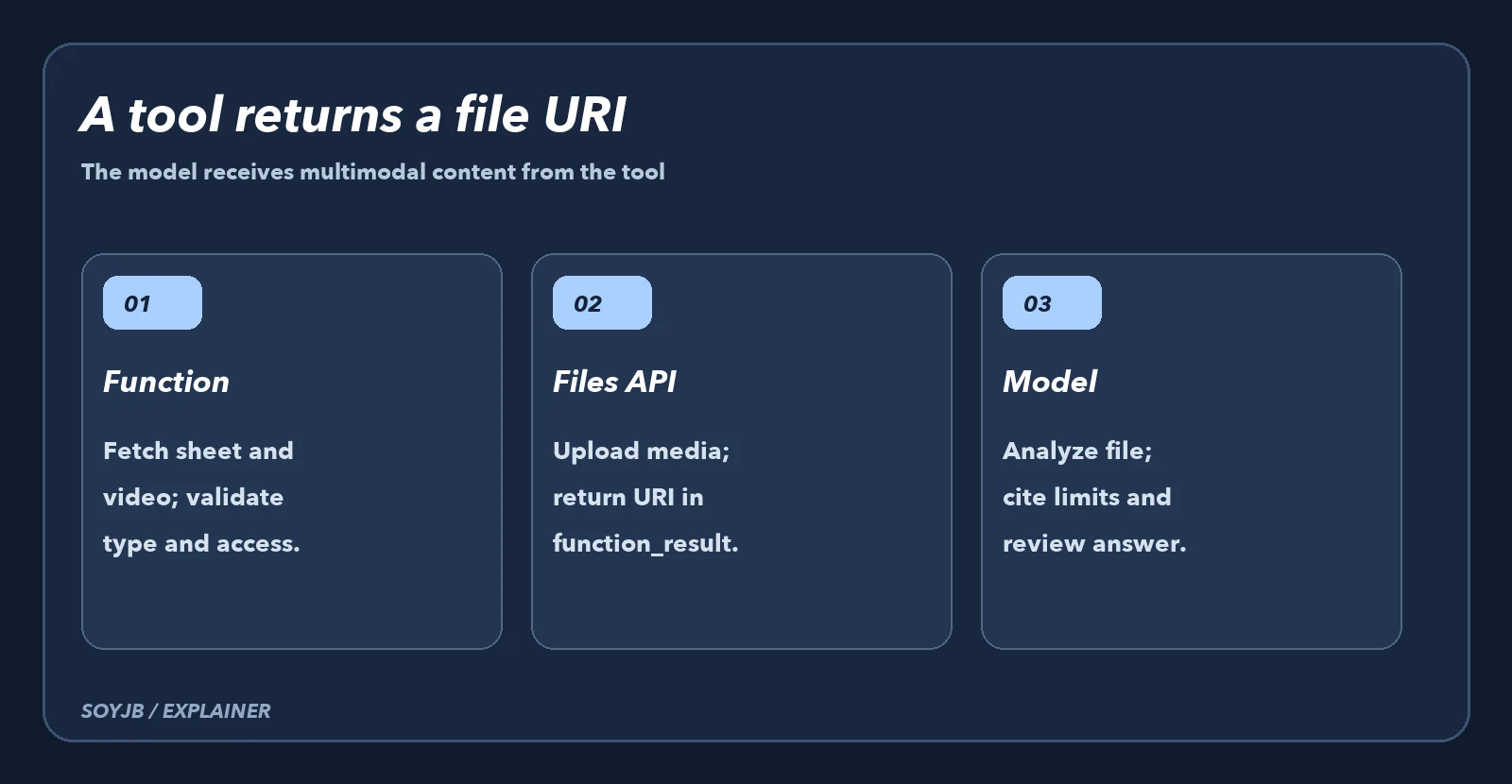
Google's changelog distinguishes two routes. In GenerateContent, function response parts now accept more media types and fileData, as well as inline bytes. In Interactions, a function_result step can contain document, audio, and video blocks alongside text and images; each uses base64 data or a uri. Video blocks are available in v1beta and v1alpha. The multimodal function guide lists accepted MIME types and says unsupported ones produce 400 INVALID_ARGUMENT.
For a creator, the flow is straightforward: a get_campaign_assets function retrieves the clip and workbook, uploads them through Files API, and returns typed references. The model gets the original material in its next turn. An arbitrary storage URL does not become a Gemini file by magic; the URI must follow the documented route and be accessible to the project.
The useful block for an agent
This fragment follows the official Interactions structure. It assumes the model already called your function and you have tool_call, interaction, and a genai client. It is not a full bootstrap script: place it inside that call handler after obtaining two non-sensitive test files.
sheet = client.files.upload(
    file="weekly_metrics.xlsx",
    config={"mime_type": "application/vnd.openxmlformats-officedocument.spreadsheetml.sheet"},
)
clip = client.files.upload(file="campaign_clip.mp4")

final = client.interactions.create(
    model="gemini-3.8-flash",
    previous_interaction_id=interaction.id,
    input=[{
        "type": "function_result",
        "name": tool_call.name,
        "call_id": tool_call.id,
        "result": [
            {"type": "text", "text": "Review the clip and first worksheet; separate facts from suggestions."},
            {"type": "document", "uri": sheet.uri, "mime_type": sheet.mime_type},
            {"type": "video", "uri": clip.uri, "mime_type": "video/mp4", "processing": "static"},
        ],
    }],
)
print(final.output_text)
Verify three things in the output: figures match the first worksheet, visual observations appear in the video, and the agent separates recommendations from evidence. The document guide says XLSX and XLS only provide first-sheet values converted to CSV; other tabs and formulas do not reach the model through that format. Move another sheet to first place or export it separately. For video, choose static or agentic according to the analysis required, and check the applicable costs and limits.
When it helps—and when it does not
Use URIs for long media or large documents: inline data counts toward request-size limits. A small text-only function result remains simpler when the model only needs one verified number. Returning a file never replaces permission checks, real MIME validation, personal-data handling, or human review of figures. In production, record the call ID, type, origin, and file deletion policy; do not send a private asset to the wrong project.
Test status: types, schema, and example come from official documentation. We checked the fragment's syntax, but did not run a paid request or analyze our own video. Before deployment, test with a workbook and clip you know, measure cost, and compare every claim against the originals.