
You build a custom MCP client to inspect your app's deployments and want it to connect to Vercel. Previously, a client Vercel had not reviewed and allowlisted could be rejected even if you wanted to authorize it. Vercel announced on November 2, 2026 that its MCP server now accepts clients identified by a Client ID Metadata Document (CIMD). This removes prior manual registration for that class of client. You still sign in and approve every connection.
The client publishes its identity on an HTTPS domain
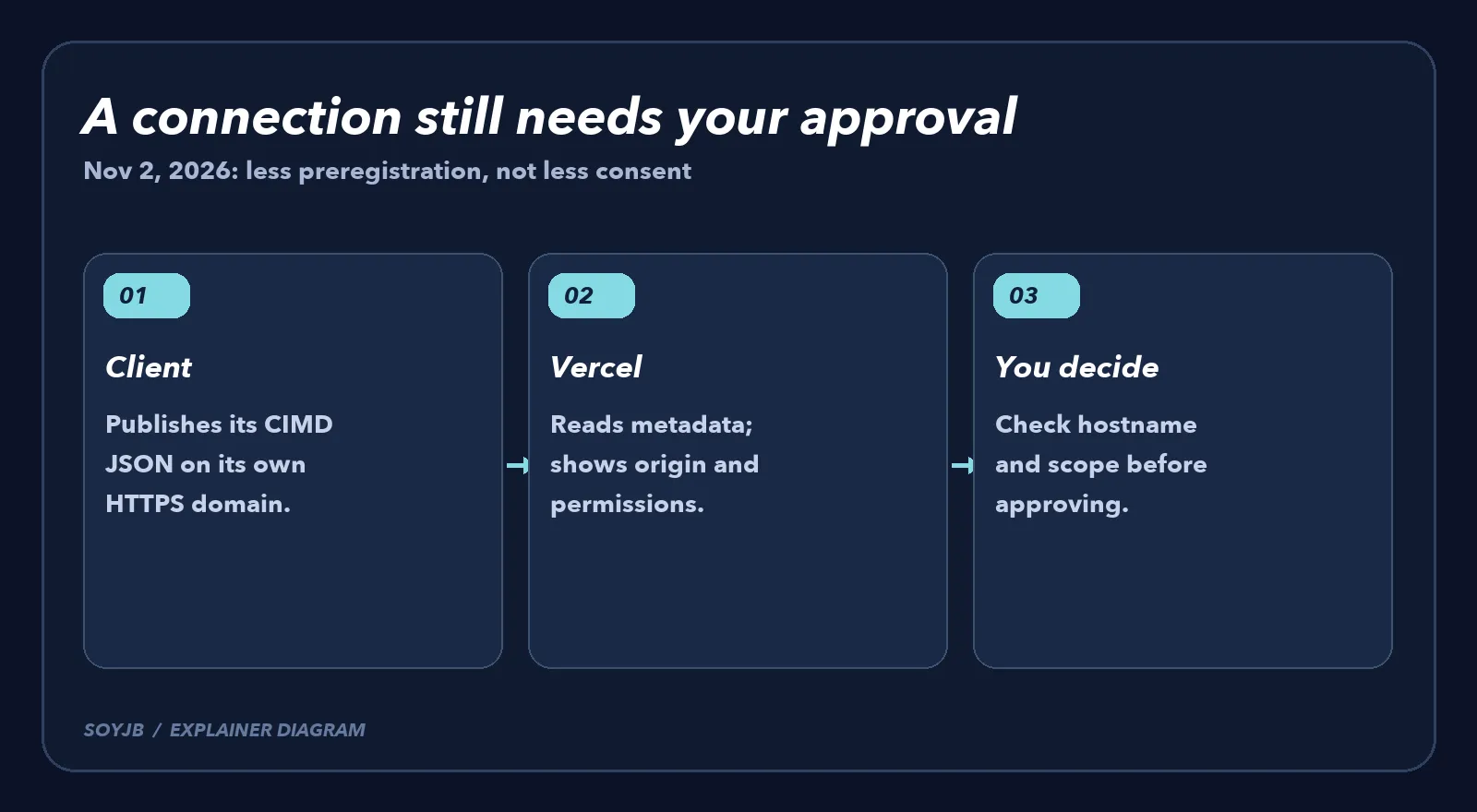
An MCP client is the app or agent connecting to a tool server. Here the server is Vercel MCP at https://mcp.vercel.com. The client hosts a JSON metadata document on its own domain and uses that HTTPS URL as its OAuth client_id. Vercel fetches the document to learn which app is asking for access. The MCP project explains CIMD as an alternative to dynamically registering every installation: a stable URL identifies the client without requiring Vercel to create a separate registration record first.
This is useful if you are building an application that uses Vercel MCP to inspect deployments, logs, or projects. Joseph's SoyJB Blog MCP server does not automatically become a CIMD client because of this announcement; server and client are different sides of the connection. If you already connect through an existing supported app, Vercel says previously registered clients remain unchanged.
A practical checklist for client builders
- Confirm CIMD support on the client side. Your OAuth implementation must send the HTTPS metadata URL as its
client_id. Merely running an MCP server does not provide this behavior. - Host the document on a domain you control. Keep the URL reachable and accurately describe the client name and OAuth redirects. The MCP SDK documentation says the CIMD JSON includes
client_id,client_name, andredirect_uris, withclient_idmatching the document URL. Follow your SDK and the current spec for any other required fields. - Connect to Vercel MCP and inspect consent. Vercel displays the client's name, logo, and metadata hostname, plus the requested permissions. Check the precise hostname and which team or account you are authorizing. A new CIMD client does not get Vercel's verified badge.
- Start with a small scope. After authorization, try a read-only tool first to establish that the connection works. Avoid granting access to unrelated projects just because the sign-in flow is convenient.
The trust decision moves to the hostname
The change opens Vercel MCP to more builders: they no longer wait for Vercel to manually review a client and redirect URIs. It also changes what an end user can rely on. A matching app name or familiar logo is not proof of ownership. The metadata hostname is the origin Vercel shows, so compare it with the client's official documentation before approving access. If it looks wrong, cancel the consent flow.
Vercel confirms the new support and the continuing approval step. I did not connect a new CIMD client to Joseph's Vercel account or run a live OAuth flow here. The sensible next experiment for a client builder is to publish metadata in a development environment, authorize a test account, and inspect exactly which tools become available before offering the integration to users.