
Your AI-built app asks users for a product photo. The browser only accepts .png, so your server forwards the bytes to a vision model. But the filename and Content-Type come from the client: a text file renamed as an image can pass that superficial filter. Before paying for an AI request or storing user content, your backend should check what it received and bound the work needed to decode it.
The OWASP File Upload Cheat Sheet recommends layered controls: allowlisted formats, content checks, size limits, permissions, and safer storage. No single check is sufficient. If your app only needs photographs, a useful starting policy is PNG/JPEG only, a request-body limit before buffering, and a pixel limit before decoding. Do not accept documents, SVG, or archives unless the product actually needs them.
A focused Python backend function
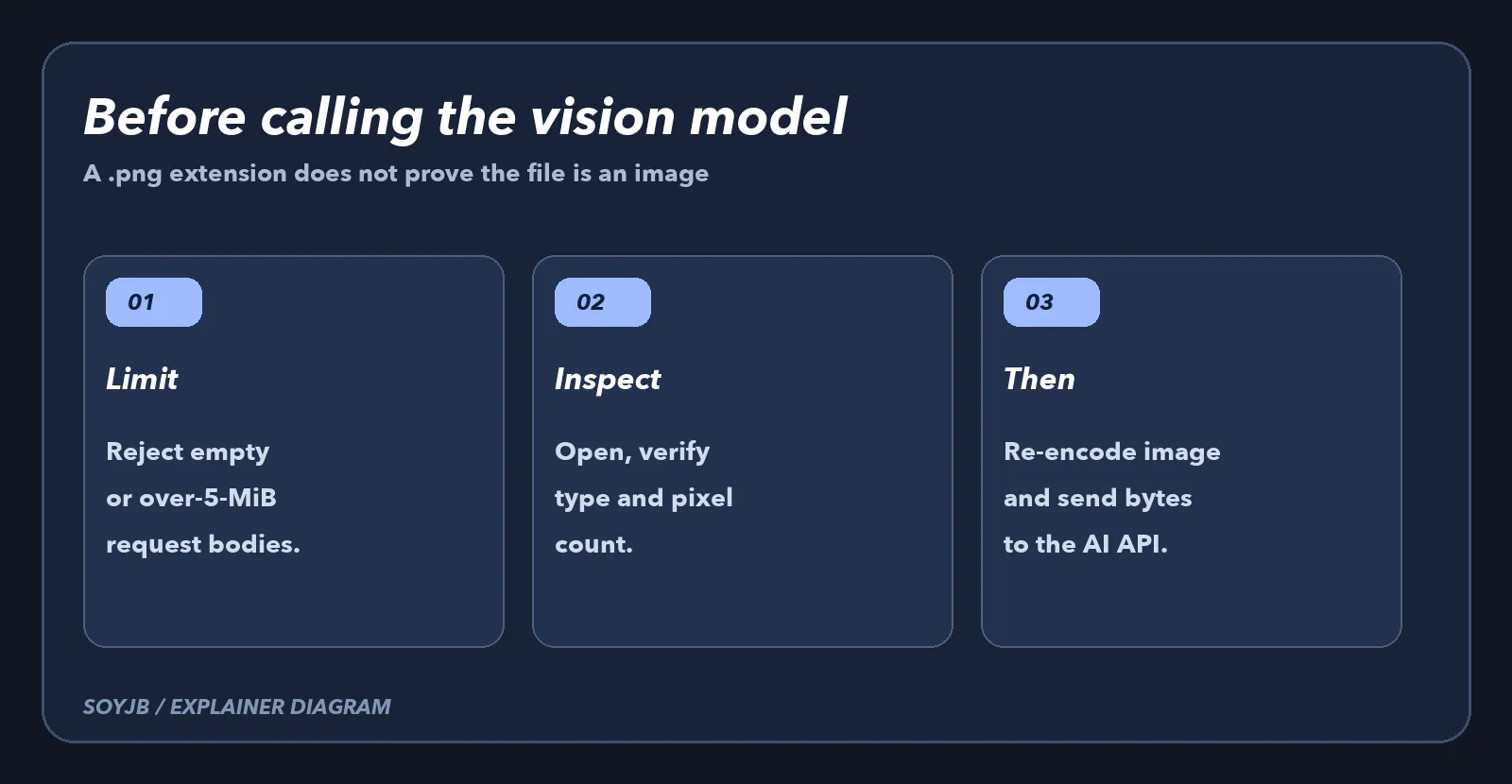
Install Pillow and save this example as validate_image_upload.py. The function receives bytes that your endpoint has already read plus the claimed MIME type. It checks byte length, opens the content with Pillow, compares the detected format, limits pixel count, verifies and decodes the image, then returns newly encoded bytes. The Pillow documentation says verify() checks for broken files without actually decoding pixels. That is why the function opens the data a second time and calls load(). It also turns decompression-bomb warnings into errors.
"""Validate a small PNG/JPEG before sending it to an image AI API."""
from io import BytesIO
import warnings
from PIL import Image, UnidentifiedImageError

MAX_BYTES = 5 * 1024 * 1024
MAX_PIXELS = 20_000_000
MIME = {"PNG": "image/png", "JPEG": "image/jpeg"}


def validate_image(data: bytes, claimed_mime: str) -> tuple[bytes, str]:
    if not data or len(data) > MAX_BYTES:
        raise ValueError("Image must be 1 byte to 5 MiB")
    if claimed_mime not in MIME.values():
        raise ValueError("Only PNG or JPEG is allowed")

    Image.MAX_IMAGE_PIXELS = MAX_PIXELS
    with warnings.catch_warnings():
        warnings.simplefilter("error", Image.DecompressionBombWarning)
        try:
            with Image.open(BytesIO(data)) as image:
                fmt = image.format
                if fmt not in MIME or MIME[fmt] != claimed_mime:
                    raise ValueError("Declared type does not match image content")
                if image.width * image.height > MAX_PIXELS:
                    raise ValueError("Too many pixels")
                image.verify()

            with Image.open(BytesIO(data)) as image:
                image.load()
                clean = BytesIO()
                image.save(clean, format=fmt)
                return clean.getvalue(), MIME[fmt]
        except (UnidentifiedImageError, OSError,
                Image.DecompressionBombError,
                Image.DecompressionBombWarning) as error:
            raise ValueError("Invalid or unsafe image") from error
Call this function after your web server or proxy has enforced its request-body limit. By the time it receives data, the body is already in memory. On rejection, return a suitable client error without exposing a stack trace. On acceptance, send only the re-encoded bytes to the vision service. This function does not provide authentication, per-user quotas, malware scanning, or private storage; those are separate application controls. User photos may also contain personal information, so decide on consent and retention before sending them to an AI provider.
Four cases I tested locally
- A valid 20 × 20 PNG returns image bytes and
image/png. - Plain text declared as PNG is rejected.
- A real PNG declared as JPEG is rejected because the claim disagrees with decoded content.
- A body over 5 MiB and a 5,000 × 5,000 PNG are rejected by the byte and pixel limits respectively.
Those tests exercised this function locally, not your app's endpoint or any vision model. After integration, add an end-to-end check: a permitted photo should be processed, while a fake image and an oversized image should stop before the AI API call. Check logs to ensure the rejected requests caused no provider usage. Also test a double extension, an odd filename, and a spoofed browser MIME. Those client-controlled fields must not bypass content validation.
The security boundary
A valid PNG can still contain sensitive material or trigger issues in another component. This example reduces one class of mistakes; it does not certify the full upload pipeline. OWASP also recommends server-generated filenames, storage outside the public web root where possible, least-privilege access, and download limits. If your product accepts PDF, audio, or video, it needs a separate policy and parser for each format. For an image-analysis MVP, two allowed formats, measurable limits, and rejection tests are concrete changes a coding agent can make and you can verify. Ask the agent to show the exact call path from the upload endpoint to the AI client, then place the validation before any storage or provider request and keep the tests in CI.