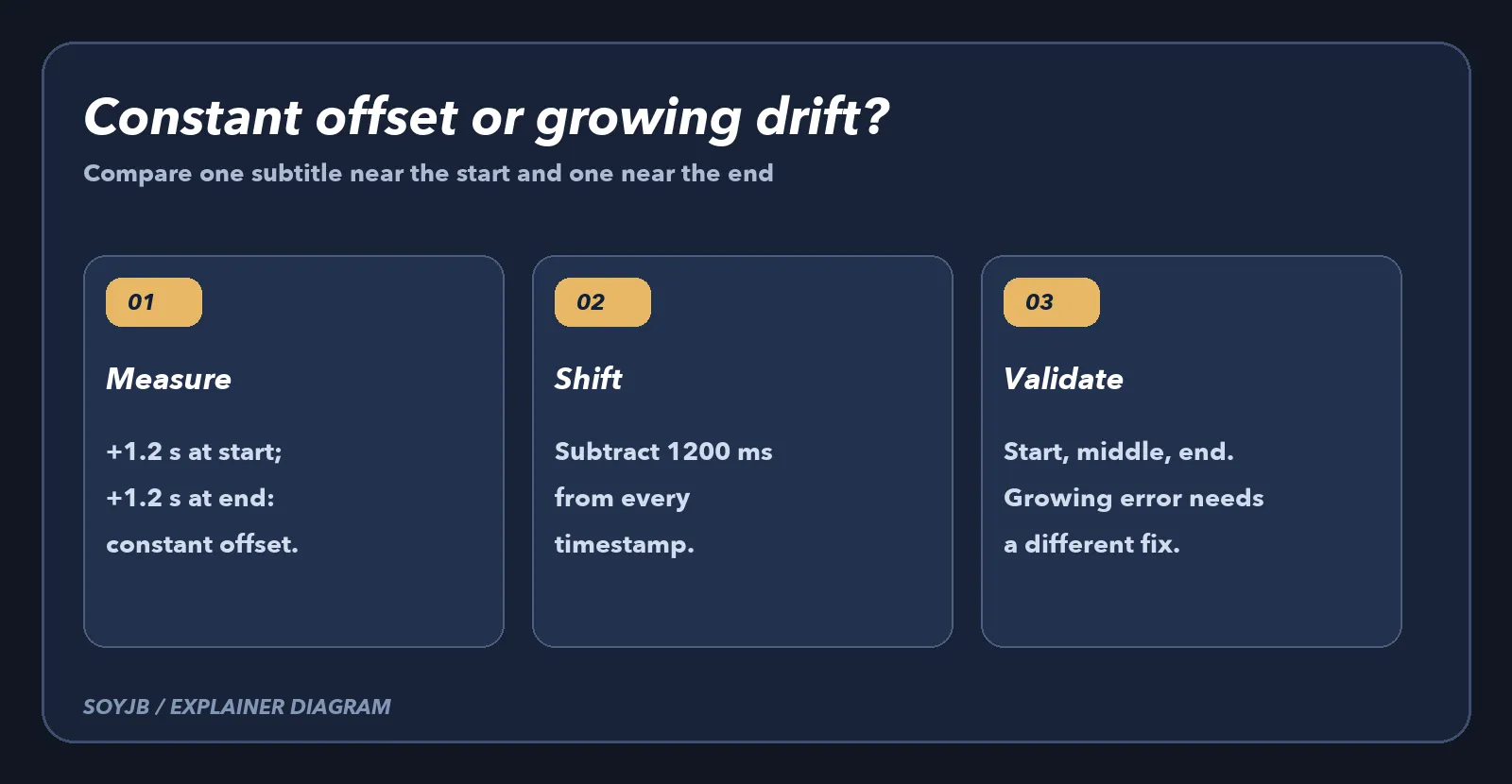
Your AI-generated captions look right, but every line appears 1.2 seconds late. Editing each cue by hand is unnecessary when the error is constant: shift every timestamp in the SRT file by the same amount. First compare a cue near the start with one near the end. If both are 1.2 seconds late, an offset can fix them. If the error grows throughout the video, you have timing drift or an edit mismatch, and this script is the wrong tool.
An SRT file is numbered text blocks with start and end times in hours:minutes:seconds,milliseconds. It is separate from the video, so changing timestamps does not require re-encoding the picture or sound. The US Library of Congress describes this structure and notes that SRT has no single mandated character encoding. The example below reads UTF-8 with or without a BOM and writes UTF-8.
Measure the offset first
Play the video with the original SRT and pause when a sentence begins. If the voice begins at 00:00:10,000 but the caption appears at 00:00:11,200, the caption is 1,200 milliseconds late. To move it earlier, use the negative offset -1200. If the caption appears before the voice, use a positive offset. Repeat near the middle and end. A constant offset moves every cue equally; it does not stretch or compress time.
A tested script that preserves the source file
Save the following code as shift_srt.py. It requires a different output path, rejects invalid timestamps, and stops if a cue would move before zero. Cue numbers and caption text stay in place. The script targets simple SRT files; it does not handle WebVTT or extra annotations on timing lines.
#!/usr/bin/env python3
"""Shift every SRT cue by a constant number of milliseconds."""
import argparse
import re
from pathlib import Path

TIME = re.compile(r"^(\d{2,}):(\d{2}):(\d{2}),(\d{3})$")
LINE = re.compile(r"^(\S+) --> (\S+)$")


def milliseconds(stamp):
    match = TIME.fullmatch(stamp)
    if not match:
        raise ValueError(f"Invalid SRT timestamp: {stamp}")
    hours, minutes, seconds, millis = map(int, match.groups())
    if minutes > 59 or seconds > 59:
        raise ValueError(f"Invalid SRT timestamp: {stamp}")
    return ((hours * 60 + minutes) * 60 + seconds) * 1000 + millis


def timestamp(value):
    if value < 0:
        raise ValueError("A cue would start before 00:00:00,000")
    hours, rem = divmod(value, 3_600_000)
    minutes, rem = divmod(rem, 60_000)
    seconds, millis = divmod(rem, 1_000)
    return f"{hours:02}:{minutes:02}:{seconds:02},{millis:03}"


def shift(text, offset):
    result, cues = [], 0
    for line in text.splitlines():
        if "-->" not in line:
            result.append(line)
            continue
        match = LINE.fullmatch(line)
        if not match:
            raise ValueError(f"Invalid SRT cue: {line}")
        start, end = map(milliseconds, match.groups())
        if end <= start:
            raise ValueError(f"Cue end must follow start: {line}")
        result.append(f"{timestamp(start + offset)} --> {timestamp(end + offset)}")
        cues += 1
    if not cues:
        raise ValueError("No SRT cues found")
    return "\n".join(result) + "\n", cues


def main():
    parser = argparse.ArgumentParser(description=__doc__)
    parser.add_argument("input", type=Path)
    parser.add_argument("output", type=Path)
    parser.add_argument("--ms", type=int, required=True, help="positive delays, negative advances")
    args = parser.parse_args()
    if args.input.resolve() == args.output.resolve():
        parser.error("Use a different output path to preserve the original")
    try:
        fixed, cues = shift(args.input.read_text(encoding="utf-8-sig"), args.ms)
        args.output.write_text(fixed, encoding="utf-8")
    except (OSError, ValueError) as error:
        parser.error(str(error))
    print(f"Shifted {cues} cues by {args.ms} ms -> {args.output}")


if __name__ == "__main__":
    main()
To advance every cue by 1.2 seconds, run python3 shift_srt.py original.srt fixed.srt --ms -1200. To delay captions by 750 milliseconds, use --ms 750. Keep the original until you have watched the new file in your editor or player.
What was actually tested
I ran this script locally on two cues: 00:00:02,500 became 00:00:01,300 with -1200, and 00:01:00,000 became 00:00:58,800. I also checked that a shift producing a negative timestamp fails. That tests the code, not your particular video's synchronization. Import the new SRT and listen at the beginning, middle, and end. Check for cut-off captions, overlaps, and platform import behavior.
If the error is 1.2 seconds at the start and 3.4 seconds at the end, it is progressive drift. The cause may be a speed change, a cut made after transcription, or a different timing base. In that case, resynchronize in sections or regenerate captions against the final audio. Moving timestamps also cannot repair words that the AI transcribed incorrectly. Listen to names, figures, and quotations before publishing. Burned-in captions are part of the video pixels; an external SRT cannot remove them.
This guide is for creators with an editable SRT. If text accuracy is your main problem, start with our guide to verifying AI transcripts. The outcome here is a measurable, reversible timing correction that you can test on your own footage.