An AI coding agent opens a pull request against your public repository. A workflow that labels, tests, or publishes from that PR uses pull_request_target and works today. GitHub announced on November 2, 2026 that starting December 2, this event will be blocked by default in public repositories unless an applicable Actions policy explicitly allows it. Two temporary blocking windows arrive first. Builders need to avoid a broken workflow without giving untrusted pull-request code a privileged path to secrets.
Who is affected and when
The new default applies to public repositories on GitHub Free, Team, and Enterprise Cloud. GitHub says private and internal repositories and GitHub Enterprise Server are outside this change. Until enforcement, the rule is in evaluate mode, which surfaces runs it would block. During the brownouts on November 9, 16:00–18:00 UTC, and November 16, 16:00–18:00 UTC, affected workflows will actually be blocked and receive failed-run annotations. The rule then returns to evaluate mode before December 2.
Why block this trigger? pull_request_target executes the workflow in the base repository's context, with access to privileges and potentially secrets. GitHub's security guidance describes the dangerous pattern: check out an untrusted fork's code, then build or run it in that privileged job. A pull request authored by an AI agent still needs the same boundary review as any other outside contribution.
A five-minute inventory
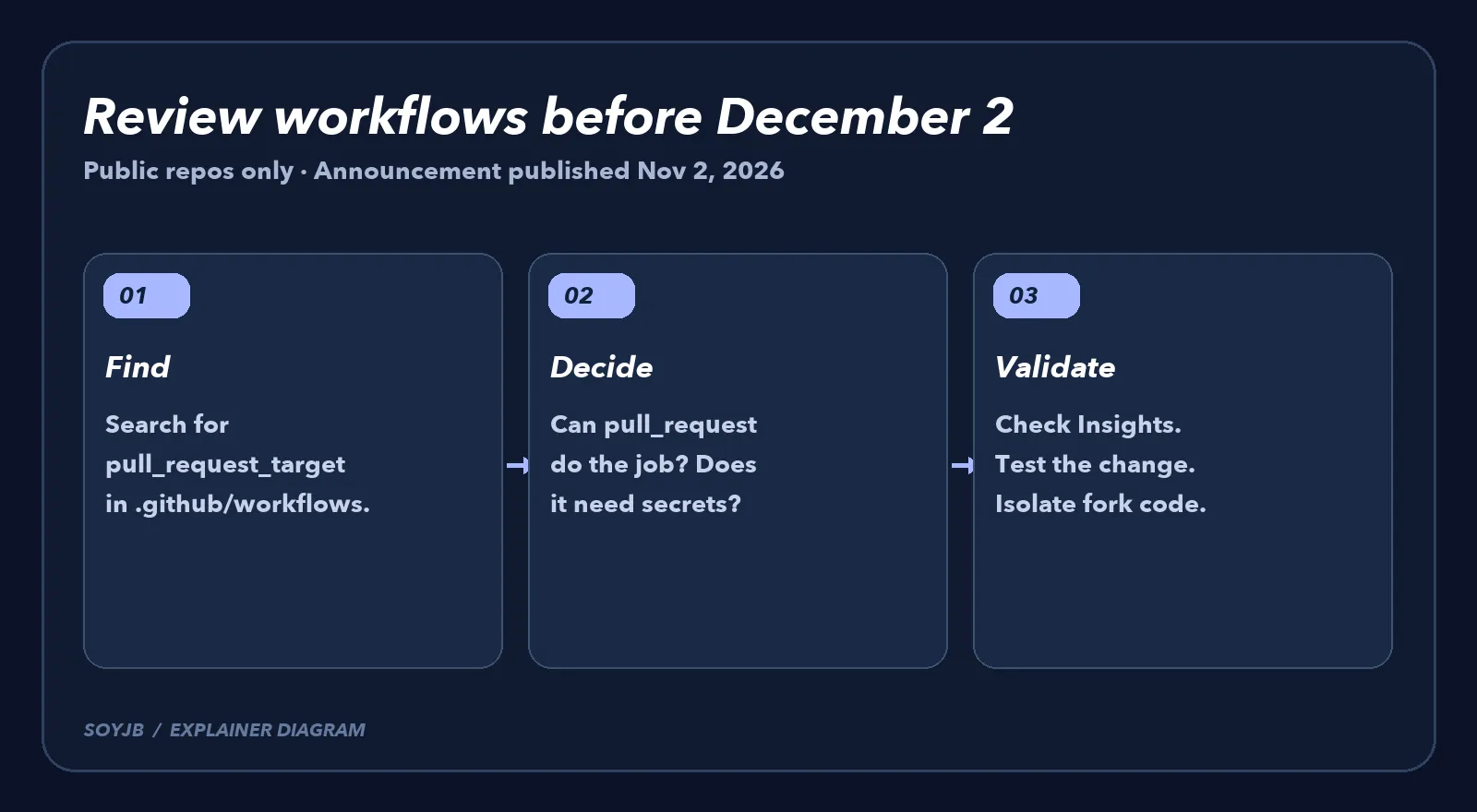
At the repository root, run rg -n 'pull_request_target' .github/workflows. If ripgrep is unavailable, search the workflow files in your editor. A text match is only an inventory lead, not proof that the event is active: read the YAML and any reusable workflows. If no workflow uses the event, this change may require no action for that repository.
- Check policy Insights. GitHub's workflow execution policy guide explains how to see runs that evaluate mode would have blocked. Record the workflow and the job that would stop.
- Ask whether elevated context is necessary. If the workflow only tests or lints a proposed change, consider
pull_requestinstead and test with a fork PR. In that situation, the fork's job should not receive base-repository secrets. - If it is necessary, inspect before allowlisting. Review
GITHUB_TOKENpermissions, secrets, checkout ref, and every command that runs afterward. Never execute untrusted fork code inside a job with secrets or a privileged token. A policy exception can target a particular workflow, but it does not make unsafe workflow code safe. - Validate the decision. Read Insights, open a controlled test PR, and watch the evaluation or brownout behavior. Record whether you replaced the event, kept the block, or explicitly allowed a reviewed workflow.
I did not change Joseph's GitHub repositories or test an Actions policy in his account. This guide is grounded in GitHub's announcement and documentation. The dates and scope are official; the right allow-or-replace decision depends on each repository's actual workflows and permissions. Inventory now, while evaluate mode can show the impact before the first blocked run.