You're in IntelliJ IDEA with a failing test and want a coding agent to fix it without moving the review out of your editor. As of November 3, 2026, GitHub Copilot can be selected as an agent in JetBrains Air. You can assign local tasks, track multiple sessions, and inspect changes next to your code. Cloud execution is also supported, but it has a separate organization requirement. Installing the plugin alone does not grant cloud access.
GitHub's November 3 announcement says the integration uses Agent Client Protocol (ACP). This is not Copilot's first appearance in JetBrains IDEs; its traditional plugin already existed. The new choice is to run Copilot inside Air's agent workflow, where tasks and their diffs can be reviewed in context.
What you can try in a local IDE
If you already use a JetBrains IDE and have a GitHub Copilot subscription, install the Air plugin, pick GitHub Copilot in the agent selector, and connect your Copilot account. Start with a bounded task: “Find the test that fails when a user is created without an email address. Fix the validation, run that test only, and show me the diff before changing unrelated files.”
“Done” is not the acceptance criterion. Inspect every changed file, run the test, and check that the previous success path still works. Air lets you supervise concurrent sessions, but it does not remove the need for a human code review. GitHub does not claim this integration will automatically improve your code quality. If that matters to your team, measure it against your existing workflow.
Local and cloud are different access paths
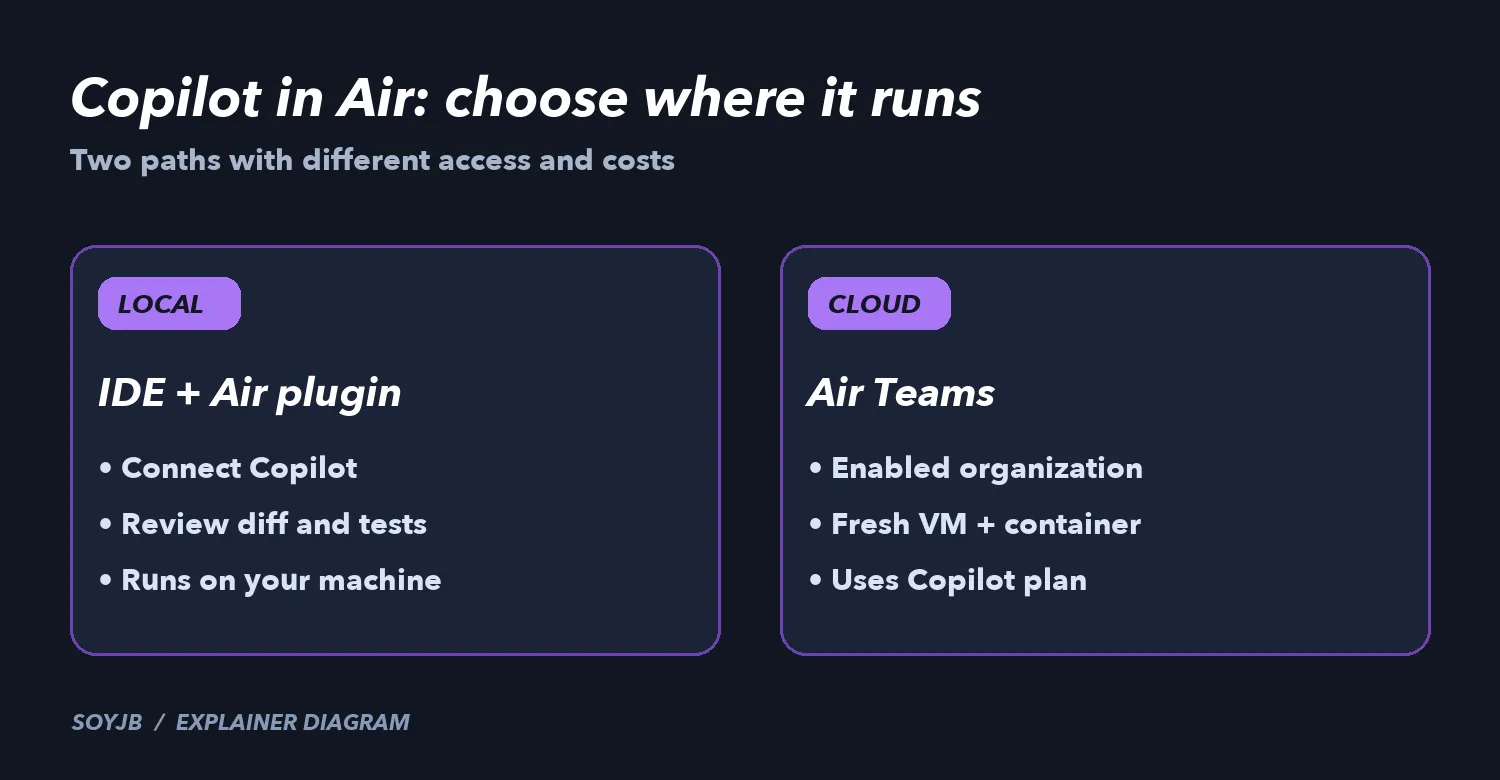
The announced local path is straightforward: Air in a JetBrains IDE, Copilot selected, and a connected Copilot subscription. For cloud tasks, GitHub lists three requirements: a JetBrains account in an Air Teams-enabled business organization, a Copilot subscription, and an administrator who has enabled Copilot in Air. In a browser, connect GitHub under Settings > VCS Providers, choose a repository and remote branch, then select Copilot. In the IDE, select Cloud as the environment.
In Air's cloud mode, each task gets a fresh virtual machine with a Docker container and network traffic routed through a proxy. State from one task does not carry over to the next. JetBrains describes the sandbox model. This can keep builds and package installs off your laptop, but do not assume private services or secrets will be reachable. Check repository permissions, allowed network domains, and the environment variables your organization provisions.
Costs deserve a separate check. GitHub says cloud tasks use your Copilot plan rather than JetBrains AI credits. Air may check subscription or credit availability when the task starts and fail if neither is available. You cannot choose per task whether to charge your personal or organization Copilot plan. Air's governance analytics do not include Copilot usage, and its administrators cannot set Copilot spending limits there. Verify usage and controls in the relevant Copilot account before scaling up sessions.
A 15-minute decision test
- Pick a low-risk repository and an issue with an existing test.
- In local Air, assign Copilot a tightly scoped fix. Specify allowed files and the command to run.
- Review the diff, test result, and time spent reviewing against your current Copilot plugin workflow. If your organization has Air Teams, repeat the same task in cloud and check access, dependencies, and plan usage.
The practical choice is whether Air improves how you supervise and review agent work. Try local mode if that is your immediate need. Consider cloud only after confirming organization access and the cost path. This is a proposed test based on the vendors' documentation; SoyJB has not run Copilot in a JetBrains account or measured a performance gain.