Your Replit Agent changes an app that already handles orders. The new screen works, but the published app stops reading data. You see “Rollback to here” and assume it will restore code, agent context, and the production database in one click. That assumption can cost real data. Replit has several history layers, and production data has a separate recovery path. Learn their boundaries before asking an agent for a major refactor.
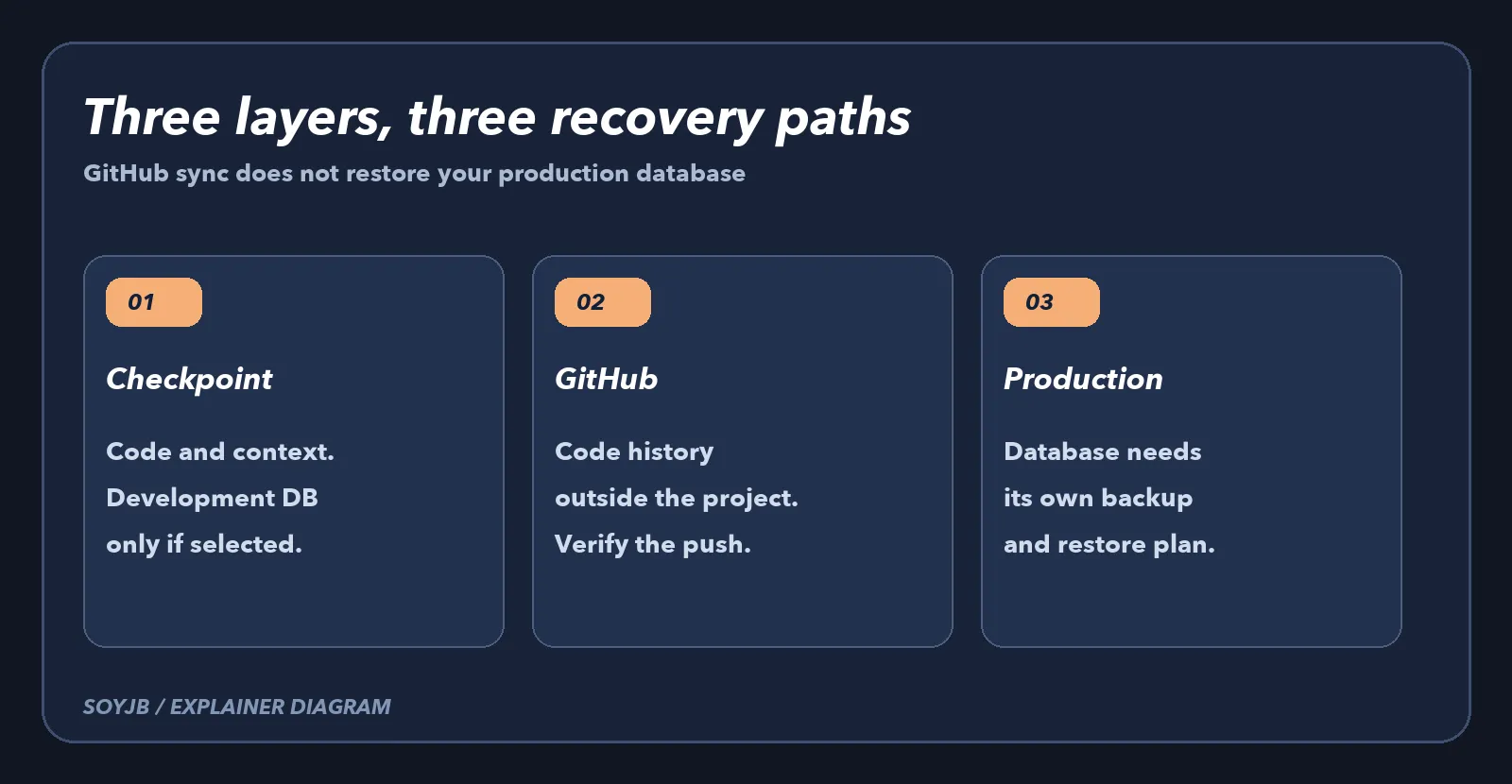
Replit's version-control documentation says Agent Checkpoints are created automatically at development milestones and stored in the project's Git history. They capture files, configuration, and conversation context. The Git pane adds manual commits, branches, and GitHub connectivity for code history outside Replit. File History helps with recent changes to one file. These interfaces overlap in the code they show, but they answer different recovery questions.
What a checkpoint rollback restores
“Rollback to here” in the Agent tab restores files and the agent conversation to the chosen point. The checkpoint guide adds a crucial detail: the development database does not change by default. To restore it, you must select “Database” under additional rollback options. That choice may remove test records added later, so read the scope before confirming. A rollback changes your current project state; a manual commit of a known-good version can make later comparison easier.
What GitHub protects
Open Tools → Git in the Project Editor. Initialize the repository if needed, inspect the diff, create a commit with a meaningful message, and connect GitHub when you want code history outside the app. After pushing, open GitHub and confirm that the commit and expected files are actually there. A sync button is not proof of a backup until you verify the remote copy.
GitHub is useful for recovering code versions and reviewing changes across branches. It does not copy live production database rows or the complete Replit environment. Do not commit secrets, .env files, or exports containing customer data. If your app uses an external database such as Supabase, its backup policy needs a separate review.
Production data follows a different path
Replit's database documentation separates development and production: the editor and Agent work with the former, while the published app normally uses the latter. A checkpoint rollback does not automatically restore the production database. A real data incident requires the production database's recovery process, including a decision about which point in time to restore.
Imagine the app had 100 orders in the morning and received 30 more before the failure. Rolling code back might repair the site while preserving all 130 orders. Restoring the database to an earlier point might erase recent orders. That is why the first question is whether the fault is in code, schema, or data. Do not restore a database merely because a previous deployment worked.
A five-minute pre-change routine
- Confirm that a stable checkpoint exists and note its time and description.
- Inspect the diff, make a manual commit, and verify the push on GitHub if you use an external repository.
- Identify whether the app uses Replit-managed data or an external connection. Do not paste connection strings into a chat.
- For production, confirm that a separate backup and restore process exists and has been tested. A checkpoint does not replace it.
- Ask the agent for a small change plan, a test of the main user flow, and a clear criterion for rolling code back.
Practice in a disposable project: change one visible file and add one test row to the development database, let Agent create a checkpoint, then modify both again. Open the history view and inspect whether the Database option is selected before any rollback. After restoring, check the file and row separately. This exercise shows what your current plan and interface actually do without risking customer records. Do not use a live database as a training ground.
SoyJB has not performed a rollback in its own Replit account for this article. The limits above come from Replit's official documentation. The practical outcome is to choose the right recovery mechanism: checkpoints for development state and agent context, GitHub for external code history, and database recovery for production records.