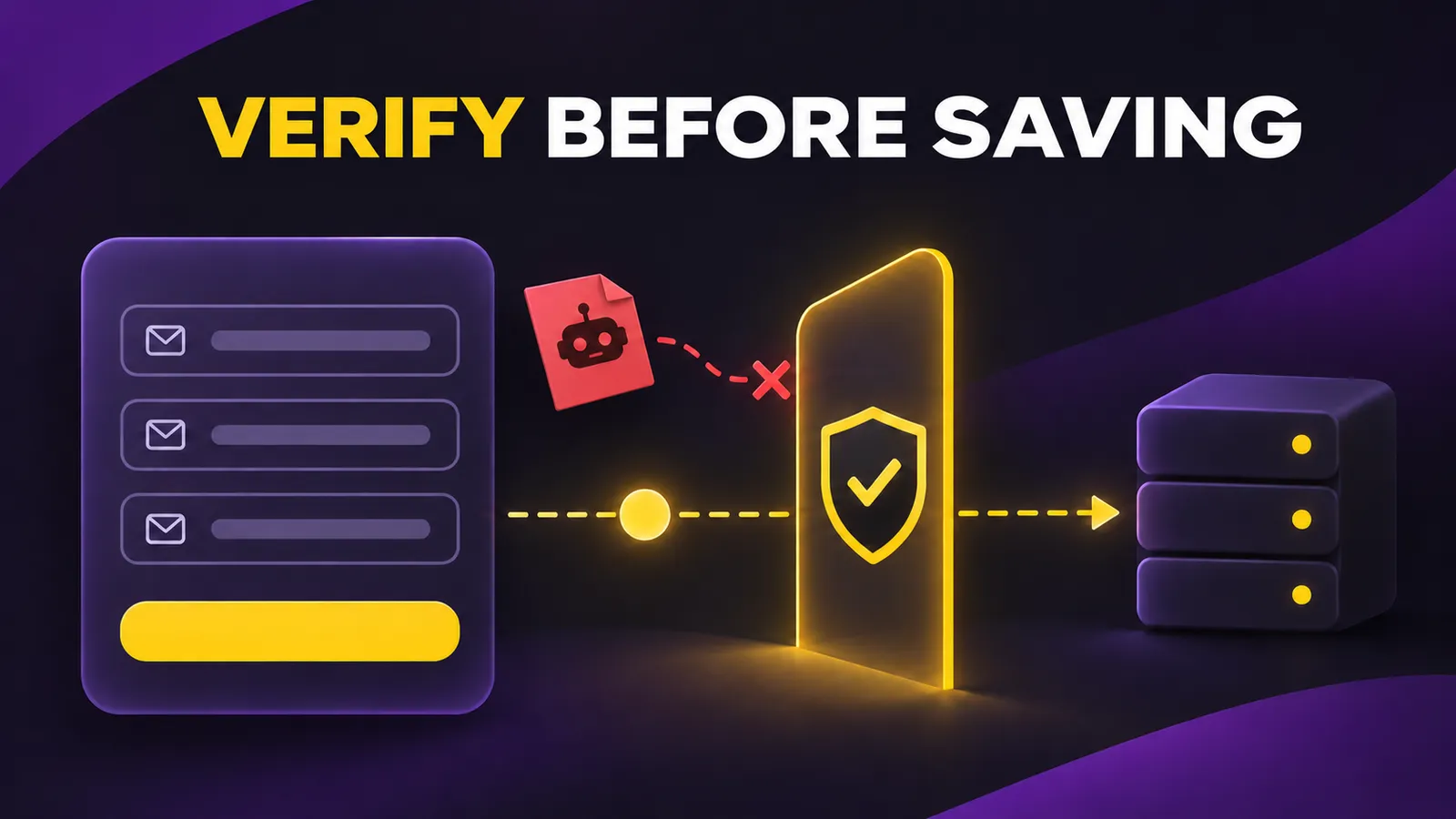
A founder launches a waitlist and sees a hundred signups. Some addresses are fake, and a script may have sent the rest. Adding a Cloudflare Turnstile widget to a landing page does not, by itself, protect the endpoint: anyone can submit arbitrary form data. The decisive step is to verify the token on the server before storing an email or triggering a message.
This guide uses a simple HTML form and a dependency-free Node.js server. Turnstile is an existing product, so this is a practical implementation guide rather than a new launch. I ran local checks with Cloudflare's official testing credentials: no token returned 400, a valid dummy token returned 200, and a rejected dummy token returned 403. I did not test a production widget or connect a database.
Why the visible widget is only half the job
The browser obtains a Turnstile token. Your backend sends it to Cloudflare's Siteverify endpoint and checks the response before accepting the signup. Cloudflare says server-side validation is mandatory. Its validation documentation says tokens expire after five minutes and are intended for one use. A landing page generated by an AI coding tool can look complete while leaving this server step out.
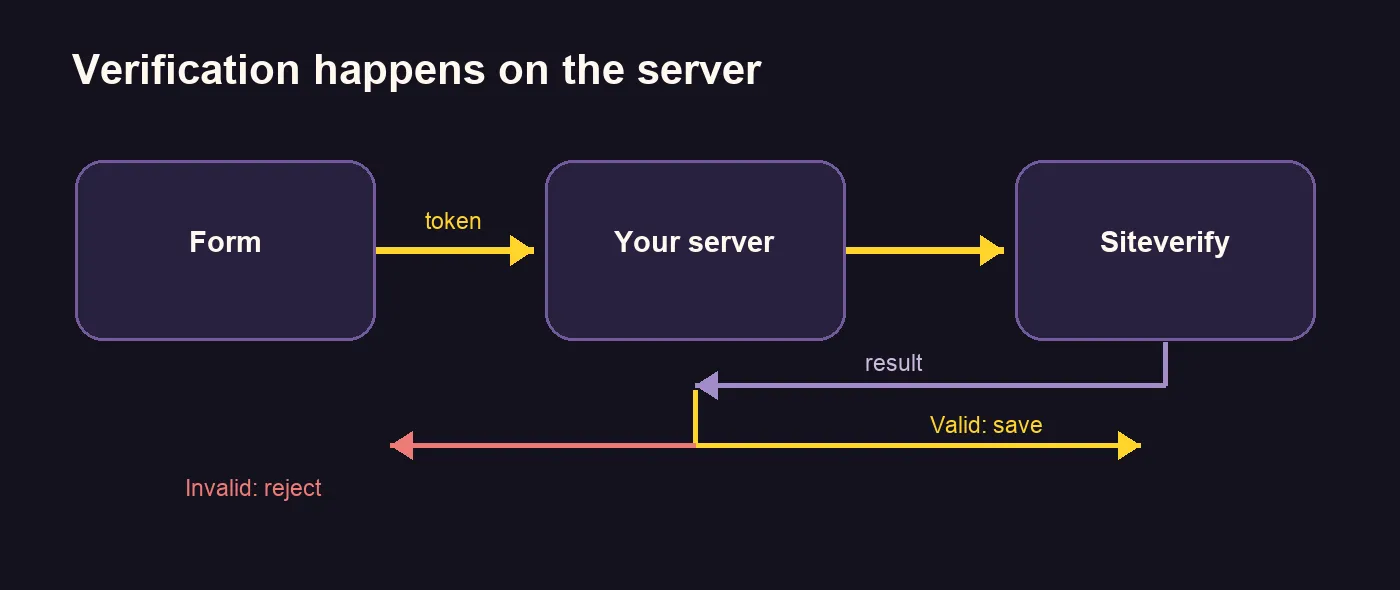
The example below deliberately does not store email addresses. It returns a success response after verification and shows the exact point where your database or email provider should be called. That makes the security boundary testable without claiming to have a working mailing list.
1. Build the form
Save this snippet as form.html. The sitekey is Cloudflare's official always-pass testing key. For production, create your own widget, allow your site's hostname, and replace the public sitekey. The form must post to the backend that validates the token.
<script src="https://challenges.cloudflare.com/turnstile/v0/api.js" async defer></script>
<form method="post" action="/signup">
  <label>Email <input type="email" name="email" required></label>
  <div class="cf-turnstile" data-sitekey="1x00000000000000000000AA"></div>
  <button type="submit">Join waitlist</button>
</form>
The script and widget class use Cloudflare's implicit rendering method. The widget adds cf-turnstile-response to the form. If your React form appears after the page loads, follow Cloudflare's explicit-rendering instructions instead of assuming this static snippet will initialize in a single-page app.
2. Check the token before saving anything
Save the following as server.mjs. It needs a Node.js version with global fetch. Keep TURNSTILE_SECRET_KEY server-side and set EXPECTED_HOSTNAME to your real landing-page hostname. Checking both success and the hostname helps reject tokens issued for another site. The example limits the request body and fails closed on network errors, but it does not add rate limits, email confirmation, database persistence or strong email validation.
import { createServer } from 'node:http';

const secret = process.env.TURNSTILE_SECRET_KEY;
const expectedHostname = process.env.EXPECTED_HOSTNAME;
if (!secret || !expectedHostname) throw new Error('Set TURNSTILE_SECRET_KEY and EXPECTED_HOSTNAME');

createServer(async (req, res) => {
  if (req.method !== 'POST' || req.url !== '/signup') {
    res.writeHead(404).end('Not found');
    return;
  }
  try {
    let raw = '';
    for await (const chunk of req) {
      raw += chunk;
      if (raw.length > 10_000) { res.writeHead(413).end('Too large'); return; }
    }
    const form = new URLSearchParams(raw);
    const token = form.get('cf-turnstile-response');
    const email = form.get('email')?.trim();
    if (!token || !email || !/^[^\s@]+@[^\s@]+\.[^\s@]+$/.test(email)) {
      res.writeHead(400).end('Missing or invalid fields');
      return;
    }
    const body = new URLSearchParams({ secret, response: token });
    const reply = await fetch('https://challenges.cloudflare.com/turnstile/v0/siteverify', {
      method: 'POST', body, signal: AbortSignal.timeout(5000)
    });
    if (!reply.ok) { res.writeHead(503).end('Verification unavailable'); return; }
    const check = await reply.json();
    if (check.success !== true || check.hostname !== expectedHostname) {
      res.writeHead(403).end('Verification failed');
      return;
    }
    // Verification succeeded. Save to your own database or email provider here.
    res.writeHead(200, { 'content-type': 'text/plain; charset=utf-8' }).end('Verified; connect your signup storage');
  } catch {
    res.writeHead(503).end('Verification unavailable');
  }
}).listen(Number(process.env.PORT || 3039), '127.0.0.1', () => console.log(`http://127.0.0.1:${process.env.PORT || 3039}`));
3. Test the accepted and rejected paths
In development, Cloudflare's test secret returns the fixed hostname example.com, even if you use localhost. Start the server, then send one request with no token and another with its official dummy token:
TURNSTILE_SECRET_KEY=1x0000000000000000000000000000000AA EXPECTED_HOSTNAME=example.com node server.mjs
curl -i -X POST http://127.0.0.1:3039/signup -d 'email=a@example.com'
curl -i -X POST http://127.0.0.1:3039/signup -d 'email=a@example.com&cf-turnstile-response=XXXX.DUMMY.TOKEN.XXXX'
The first request should return 400, and the second 200. To test rejection, restart with TURNSTILE_SECRET_KEY=2x0000000000000000000000000000000AA and send the same dummy token: the response should be 403. These are Cloudflare's official test keys. They cannot prove that a production hostname or real widget is configured correctly, and production and dummy keys must not be mixed.
Before opening the waitlist
Replace the test credentials with your real widget's keys, put the secret in server environment variables, and set EXPECTED_HOSTNAME to your domain. Test from the deployed page: missing or reused tokens should fail, and only a verified submission should reach your database. Add duplicate-email handling, rate limiting and email confirmation where appropriate. If Siteverify is unavailable, this example returns 503 rather than silently accepting unverified submissions.
Cloudflare's plan documentation lists a free tier with up to 20 widgets, 10 hostnames per widget and unlimited challenges; Enterprise offers more features. Check current terms as your traffic grows. For a public-facing MVP, the decision is simple: finish server validation before connecting a waitlist form to a CRM. The widget is only the visible part of that protection.