Your product sends a digest at 9 a.m., but the team does not want a public endpoint or a redeploy every time it pauses delivery. Vercel's November 5 public beta of Schedules addresses that workflow. It can run a recurring or one-time task in production, preview, or a custom environment. The useful design choice is between a private function for a fixed job and a queue for jobs created while the app runs.
What the public beta adds
Vercel's launch announcement says Schedules is available on every plan. A schedule defined in vercel.json can target a private Vercel Function, an HTTP path, or a Vercel Queue topic. A schedule created dynamically at runtime targets a Queue topic. You can enable, disable, or run a schedule on demand without redeploying. Schedules succeeds Cron Jobs, but existing Cron Jobs still work. A stable job does not need an immediate migration merely because a new product is available.
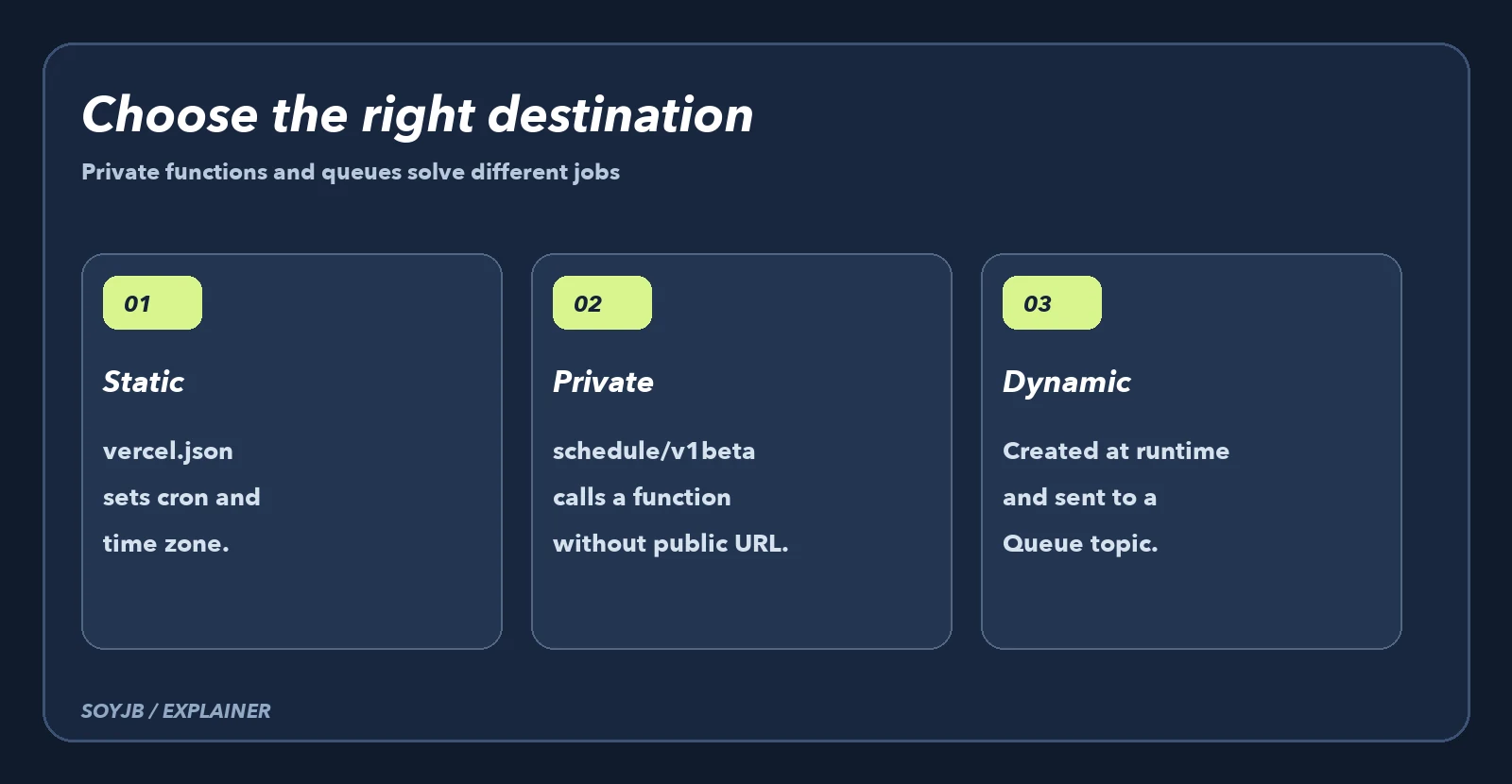
Consider three cases. One nightly cleanup for the whole application fits a static private function. Per-account digest times chosen by customers fit dynamic schedules feeding a queue. An HTTP path might be suitable when a route already exists, but you must review exposure and authentication. The diagram shows why these destinations are different choices.
A minimal private morning job
In a Vercel project, place the following vercel.json at the root. The schedules, function, timezone, and experimentalTriggers pattern follows Vercel's published example; we changed the cadence to 9 a.m. and named the function for a digest. America/New_York follows daylight-saving changes. If the audience expects a fixed Puerto Rico hour, use America/Puerto_Rico after verifying that your deployment accepts the zone.
{
  "schedules": {
    "daily-digest": {
      "schedule": "0 9 * * *",
      "function": "api/daily-digest.ts",
      "timezone": "America/New_York"
    }
  },
  "functions": {
    "api/daily-digest.ts": {
      "experimentalTriggers": [{ "type": "schedule/v1beta" }]
    }
  }
}
Install @vercel/schedules and create api/daily-digest.ts. This handler intentionally only records the dispatch and marks where your own digest logic belongs. It neither sends email nor mutates data. The package and handleSchedule signature are in the launch example; SoyJB has not deployed or run this snippet in a Vercel account.
import { handleSchedule } from '@vercel/schedules';

export const POST = handleSchedule(async (metadata) => {
  console.log('daily-digest', metadata.name, metadata.scheduledAt);
  // Call your idempotent digest generation and delivery here.
});
Before attaching real side effects, trigger it on demand and check the log for the scheduled timestamp. Then add a unique key per date and recipient in your database so a retry cannot send the same digest twice. Record pending, sent, and failed states, and measure function duration. A private trigger avoids a public URL; it does not replace access controls around the data your function reads or the external services it calls.
When to keep Cron Jobs, and the limits
If your current Cron Job works and you do not need pause controls, preview environments, private functions, or per-user schedules, keep it. Test the beta in isolation before moving a critical workflow. Vercel says Hobby includes 500 creations and 5,000 runs each month. Pro and Enterprise pricing begins at $5 per million runs and $10 per million creations. Function, queue, and external-service costs may still apply, so estimate the whole workflow rather than only the scheduler.
A sensible first experiment is a log-only job: deploy it, run it on demand, verify a single invocation, disable it, and check that it stays off. Then decide whether the production use case needs one fixed schedule or customer-specific schedules. That test separates the new trigger's value from the risk of the actual business operation.