An AI coding agent changes your app. The deployment succeeds, but the payment form stops loading. Asking the agent for another quick patch while real users still hit the error can extend the incident. If the app runs on Vercel, you may be able to route production back to a previously healthy deployment, then investigate the bad release. The crucial limit is that restoring old application code does not automatically restore your database or every configuration value.
Vercel's official recovery guide lays out the sequence: confirm the problem, roll back, verify service, identify the faulty deployment, and prepare a fix. This applies to any app, but it is especially useful after a broad AI-generated change whose failure point is not yet obvious.
Find a healthy production version first
Check the current deployment, error logs, and the time the issue began. The Vercel CLI can show production logs and deployments; the dashboard lists previous releases. Choose a version that actually served production traffic and passed a basic check of the critical user flow. A preview that was never assigned to production is not necessarily eligible for Instant Rollback.
Plan limits matter. Vercel says Hobby can roll back to the immediately previous production deployment; Pro and Enterprise can choose from other eligible past production deployments. Eligibility depends on a deployment having been associated with a production domain. If the last healthy version is not eligible, do not assume the rollback feature can reach it.
Restore routing, then test the user journey
After confirming an eligible healthy version, open the project in Vercel, select Instant Rollback from the production deployment, choose the target, and check the listed domains before confirming. Vercel also documents the CLI sequence:
vercel rollback
vercel rollback status
The first command changes what the production domain serves; the second checks rollback status. I did not run either command in your project. During a real incident, record both the failed deployment ID and the restored one. Once routing changes, open the public domain, complete the payment or signup flow, and inspect fresh logs. A dashboard saying “rollback complete” is not proof that customers can use the app again.
What can stay broken after the rollback
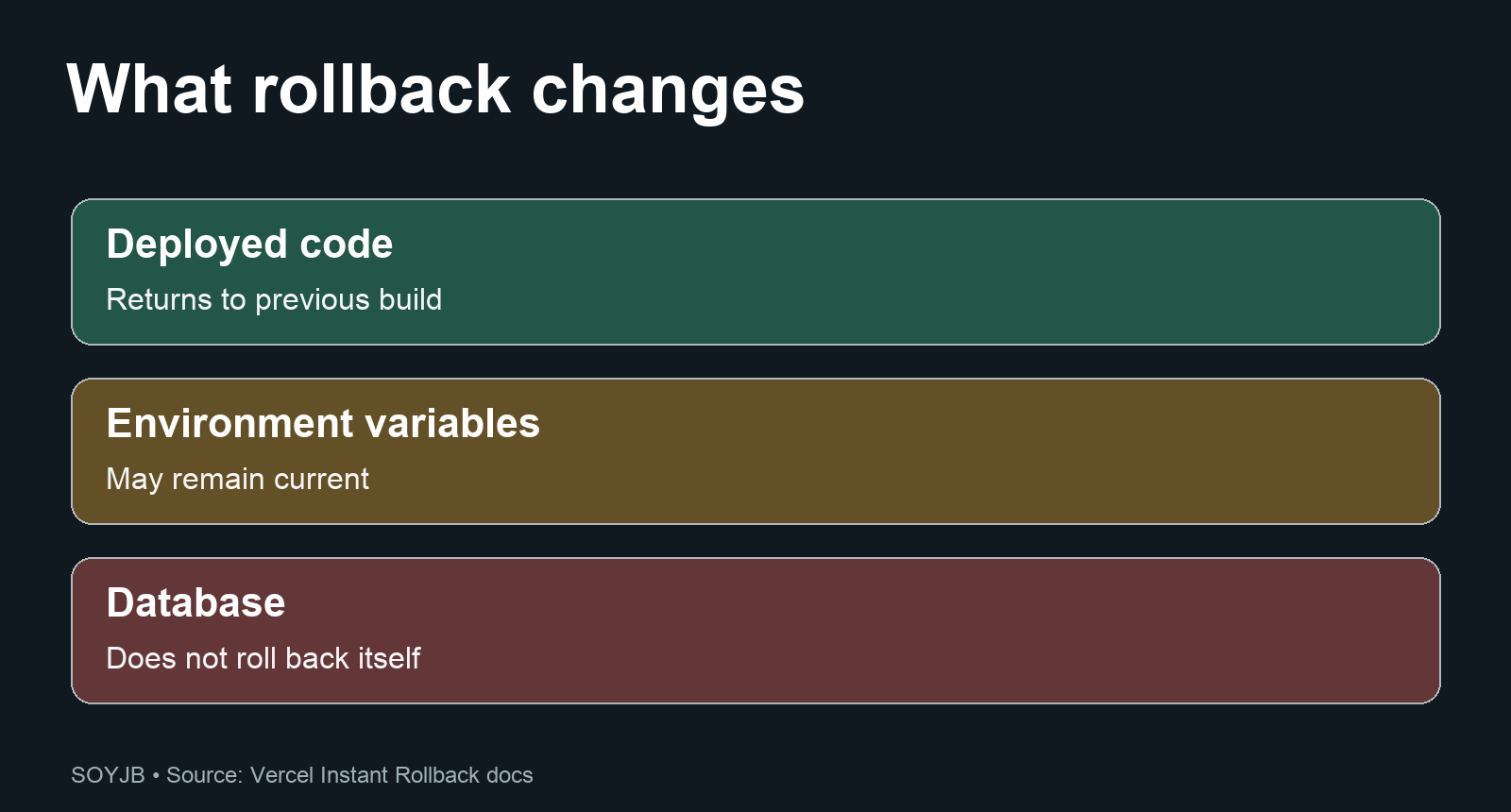
Vercel warns that environment variables do not automatically revert to match the old build. Cron jobs may return to the previous deployment's configuration, while external APIs, CMS content, and databases may have changed. For example, an agent may have added a database column and applied a migration. The old code might not understand the new schema. Pointing the domain at an older build can leave the incident unresolved or introduce another one.
Before rolling back, check whether the failed release ran migrations, changed an API contract, or modified persistent data. Those changes need a separate compatibility and recovery plan. Do not revert a database blindly or assume Vercel handles it. Use your data provider's backup and migration procedures. A rotated credential is another example: the old build cannot bring back an obsolete secret.
Fix the cause and restore normal deployments
Once users can complete the task, compare commits and logs from the failed release. Give the coding agent a bounded request: “Deployment X broke form submission. Reproduce the failure in preview, identify the cause, add a test that fails before the fix, and show me the diff. Do not promote until the user flow is reviewed.” That produces evidence for a safer next release.
Vercel notes that Instant Rollback disables automatic production-domain assignment on future pushes. When you have a corrected, verified build, use Undo Rollback or the appropriate promotion path to restore the normal deployment flow. Otherwise you may believe new pushes are live when they are not.
A good exercise this week is a rehearsal in a disposable project: create two harmless deployments, confirm which one serves the domain, practice restoring the previous one, and write down the checks for your real critical flow. Do not experiment on a live customer app just to see whether the feature works. The useful result is knowing which deployment to choose, which data stays outside the rollback, and how to verify real recovery.
Primary sources: Vercel production rollback guide; Vercel Instant Rollback. Checked November 2, 2026.