You want to add a button to your app that returns a short clip without opening another platform. Gemini Omni 1.2 Flash is now listed on Vercel AI Gateway, and its AI SDK integration returns an MP4 file. This guide is for the developer who needs to understand the request, file response, and spend before making it a production feature. It answers a different question from planning a creative ad: this is the technical entry point.
What to prepare before spending
Vercel's November 5 announcement says model google/gemini-omni-1.2-flash supports clips of 3 to 15 seconds, native audio, and 16:9 or 9:16 output. It can generate from text and edit clips with references. AI Gateway offers one key without a separate Google account, plus spend tracking and request traces. Use the official model page and your dashboard to confirm access, balance, and the current rate for your team.
For the first run, choose a harmless three-second prompt at 360p. Do not begin with a branded 15-second ad. First verify the SDK, authentication, and file return. Create a Node project that supports ESM modules and add ai and dotenv with pnpm add ai dotenv. Generate an AI Gateway key in your dashboard and store it as AI_GATEWAY_API_KEY in a Git-ignored .env file. Never paste the key into code or a prompt.
Minimal example: save the MP4
Save the following as omni-api-example.mjs and run node omni-api-example.mjs in the project directory. The generateText, responseModalities, responseFormat, and files pattern follows Vercel's example. We added a key check and completion message. The code passed local node --check, which checks syntax only. SoyJB did not make a billable model request or produce a real video.
import 'dotenv/config';
import { writeFile } from 'node:fs/promises';
import { generateText } from 'ai';

if (!process.env.AI_GATEWAY_API_KEY) {
  throw new Error('Set AI_GATEWAY_API_KEY before running this billable example');
}

const { files } = await generateText({
  model: 'google/gemini-omni-1.2-flash',
  prompt: 'A red ball rolls across a white table. One continuous shot.',
  providerOptions: {
    google: {
      responseModalities: ['text', 'video'],
      responseFormat: [
        { type: 'video', resolution: '360p', duration: '3s' },
      ],
    },
  },
});

const video = files.find((file) => file.mediaType === 'video/mp4');
if (!video) throw new Error('No MP4 video returned');
await writeFile('video.mp4', video.uint8Array);
console.log('Saved video.mp4');
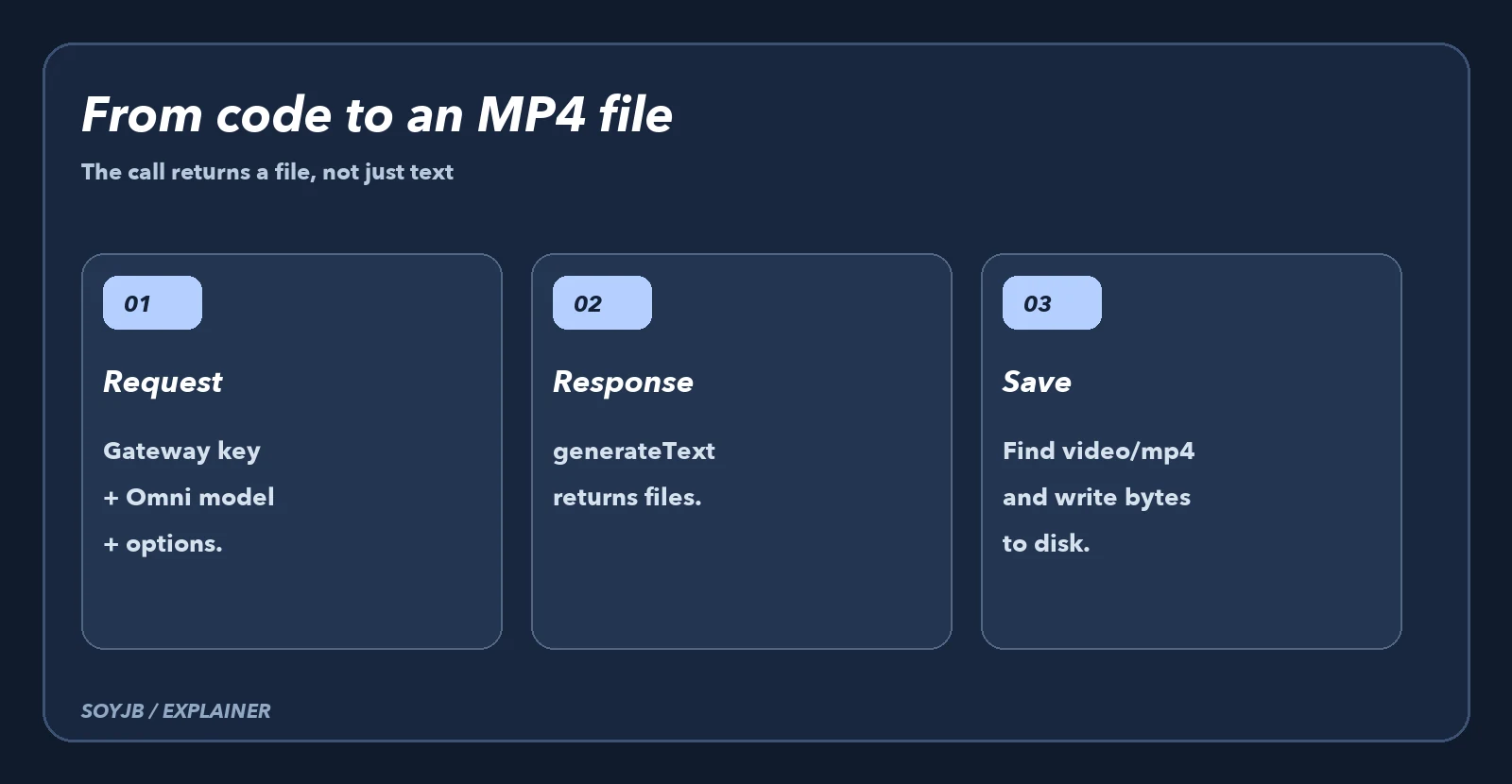
The response is not necessarily useful as a string in result.text. The artifact arrives in files; find the video/mp4 item, read its uint8Array, and write it to disk. If it is missing, the example throws rather than reporting success with no file. On request failure, check the key, balance, model access, and Gateway error first. Avoid unbounded retries on a billed operation.
Turning a local script into a user feature
A real application needs more controls. Verify that the user is authorized and has remaining generation quota before calling the model. Cap duration, resolution, and requests per account; estimate spend and show usage clearly. Save the MP4 to object storage with a job ID, not the ephemeral disk of a serverless function. Track pending, running, completed, or failed, and return a temporary link only after the file is available.
Generation can take time, so a production design may need asynchronous work or an appropriate timeout. Vercel also documents streamText; the video arrives as a completed file in the stream, not as playable frames during generation. If your interface displays progress, do not invent a percentage from token events. Show the job state and elapsed time until the file arrives.
Pricing and a real verification checklist
Google lists $0.07 per second for 720p in its Omni 1.2 Flash announcement. This example requests 360p; confirm its exact rate in your billing route before calculating a number. AI Gateway says it reflects provider inference pricing without markup, but your complete product cost includes storage, compute, retries, and subsequent transformations.
Once you have access, run one small generation and verify four things: playable MP4, actual duration, expected audio, and the dashboard charge. Then change one variable at a time—duration, aspect ratio, or reference—and keep the code version associated with each clip. Only then should users get a generation button. The API reduces integration work; it does not remove rights, quality, or budget review.