
Picture an agent that checks product releases every hour, prepares drafts, and reads your repository while you sleep. A prompt saying “be careful” does not restrict which files it can read or which services it can call. On November 12, 2026, OpenAI published how it secures its persistent OpenClaw agents. For a small founder team, the useful lesson is five questions to answer before an agent runs unattended.
OpenAI’s technical account describes its internal deployment, not a universal setup or a security guarantee. OpenClaw Enterprise was announced on September 29 and remains a pilot; it did not launch for the first time yesterday.
1. Who owns the rules the agent cannot edit?
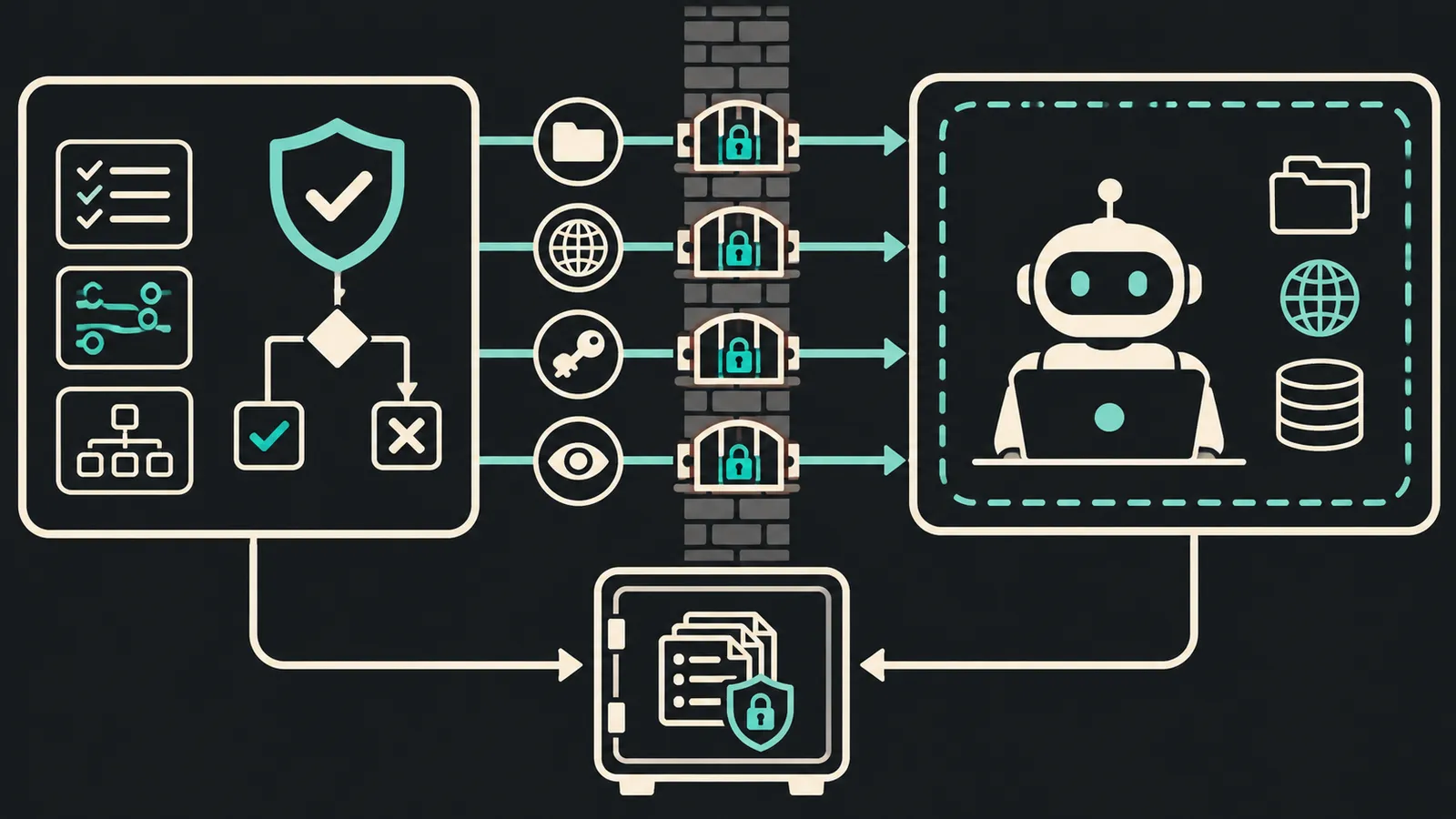
OpenAI separates deterministic control-plane services from the model process and the code it writes. The controller sets identity, network access, and isolation; the agent works inside those boundaries. In a small project, keep permissions and credentials outside the repository the agent can modify. If it can rewrite its own security configuration, that boundary is weak.
2. How small is its workspace?
OpenAI restricts network, files, and processes: only required destinations, writes confined to agent working directories, and isolated execution. For an editorial radar, that might mean reading official sources and writing drafts to a temporary folder. Publishing, changing DNS, and handling secrets should not share the same permission. Run a denial test: ask the agent to read outside the workspace or contact a domain it is not allowed to reach. The right result is an observable block, not a promise in the prompt.
3. Where are the credentials?
OpenAI uses a credential broker so secrets are not exposed to the agent. A smaller team can issue a revocable token scoped to one task, keep secrets out of prompts and logs, and separate read credentials from publication credentials. Service accounts also help distinguish agent actions from human actions. A single administrator key for reading, editing, and publishing expands the consequences of any error.
4. Which action needs a second decision?
OpenAI adds model-based auto-review and reserves human attention for important approvals. That review is another layer; it does not replace technical permissions. Set a clear threshold: reading sources and preparing a draft can be automatic; publishing, spending money, deleting data, or changing access may require a separate approval. Record the decision and operation ID so a failed call is not retried as a duplicate action.
5. Can you reconstruct what happened?
OpenAI logs configuration changes and agent turns, while restricting access because logs can contain sensitive material. Before going 24/7, make sure you can answer: what triggered the run, which tools it called, what files changed, what approval it received, and how to stop it. If you cannot reconstruct a bad publication, correcting it quickly will also be difficult.
One small test before broad access
Give the agent a repeatable task: read two public changelogs, cite the original announcement, and create an unpublished draft. Isolate one workspace, use read-only credentials, and log each call. Then inject two failures: an out-of-list URL and an unauthorized publication request. Expand permissions only after both are handled as expected. This is a proposed evaluation for your system; SoyJB did not test OpenAI’s internal deployment or install OCE.
One important limit: OCE’s standard preset is documented as a launch template, not a pod-wide network isolation guarantee. It requires infrastructure and a review of the actual enforcement boundary. For a personal automation, narrow permissions and a short task are easier to verify first.
Sources: OpenAI Developer Blog, Nov 12, 2026; OpenClaw Foundation, Sep 29, 2026; preset documentation.