
Your blog has 200 articles and you plan to publish ten more this week. Before opening another URL, check whether an existing page is already shown hundreds of times in Google but earns few clicks. You can scan Search Console manually; two CSV exports and a small script turn that scan into a repeatable shortlist so your attention goes to the ten most visible candidates.
This builds on a SoyJB example about improving an existing URL before duplicating a topic. The task here is different: turn comparable exports from the Pages tab into a reproducible list. The script does not edit your site or automatically “fix SEO.”
1. Export two complete periods
In Search Console open Performance → Search results. Use the same search type and filters for both periods, then choose 28 complete days. Open Pages, select Export → CSV, and save the table as current.csv. Repeat for the preceding 28 days and save previous.csv. Avoid the current day or preliminary data; Google notes that very recent figures can change.
There is a practical limit: a standard Search Console export can contain only 1,000 representative table rows even when chart totals are larger. This script is a useful first pass for a smaller site, not proof that it covered every URL on a large publication. For more complete coverage, use the Search Console API or bulk export.
2. Run a small local script
Save the code below as gsc_csv_opportunities.py beside the two CSV files. It recognizes common English and Spanish headers, keeps blog URLs rather than tool pages, calculates CTR from clicks and impressions, and prints up to ten URLs with at least 100 impressions and CTR of 2% or less. Those numbers are editable screening thresholds, not a Google rule or a universal target.
"""Shortlist existing blog URLs from two Search Console Pages CSV exports."""
import csv
import sys

ALIASES = {
    "Top pages": "url", "Páginas principales": "url", "Page": "url",
    "Página": "url", "URL": "url", "Clicks": "clicks", "Clics": "clicks",
    "Impressions": "impressions", "Impresiones": "impressions",
}


def load(path):
    with open(path, encoding="utf-8-sig", newline="") as handle:
        rows = csv.DictReader(handle)
        fields = {ALIASES.get(k.strip(), k.strip()): k for k in rows.fieldnames or []}
        needed = ("url", "clicks", "impressions")
        if any(k not in fields for k in needed):
            raise SystemExit(f"Missing columns in {path}: {needed}; received {rows.fieldnames}")
        data = {}
        for row in rows:
            url = row[fields["url"]].strip()
            if "/blog/" not in url and "/en/blog/" not in url:
                continue
            data[url] = (
                int(row[fields["clicks"]].strip()),
                int(row[fields["impressions"]].strip()),
            )
        return data


def shortlist(current, previous, min_impressions=100, max_ctr=0.02):
    found = []
    for url, (clicks, impressions) in current.items():
        if not impressions or impressions < min_impressions:
            continue
        ctr = clicks / impressions
        if ctr > max_ctr:
            continue
        old_clicks, old_impressions = previous.get(url, (0, 0))
        found.append((impressions, url, clicks, ctr, old_clicks, old_impressions))
    return sorted(found, reverse=True)


if __name__ == "__main__":
    if len(sys.argv) != 3:
        raise SystemExit("Usage: python3 gsc_csv_opportunities.py current.csv previous.csv")
    for impressions, url, clicks, ctr, old_clicks, old_impressions in shortlist(
        load(sys.argv[1]), load(sys.argv[2])
    )[:10]:
        print(f"{impressions:>5} imp | {clicks:>3} clicks | {ctr:.1%} CTR | "
              f"previous {old_impressions} imp/{old_clicks} clicks | {url}")
Run python3 gsc_csv_opportunities.py current.csv previous.csv. The output includes current impressions, clicks, and CTR alongside the previous period. If your CSV uses different column labels, add them to ALIASES; the error prints the headers it received. Keep private Search Console exports on your own machine rather than uploading them to an arbitrary online code runner.
3. Turn the shortlist into an editorial decision
A page with 500 impressions and one click deserves investigation, but this alone does not prove that its headline is weak. Filter the page in Search Console and open Queries. It may rank for questions the article does not answer, sit low in results, or simply be too new. Google's guidance suggests investigating changes by query and page and giving more weight to trends in impressions and clicks than to a single position value.
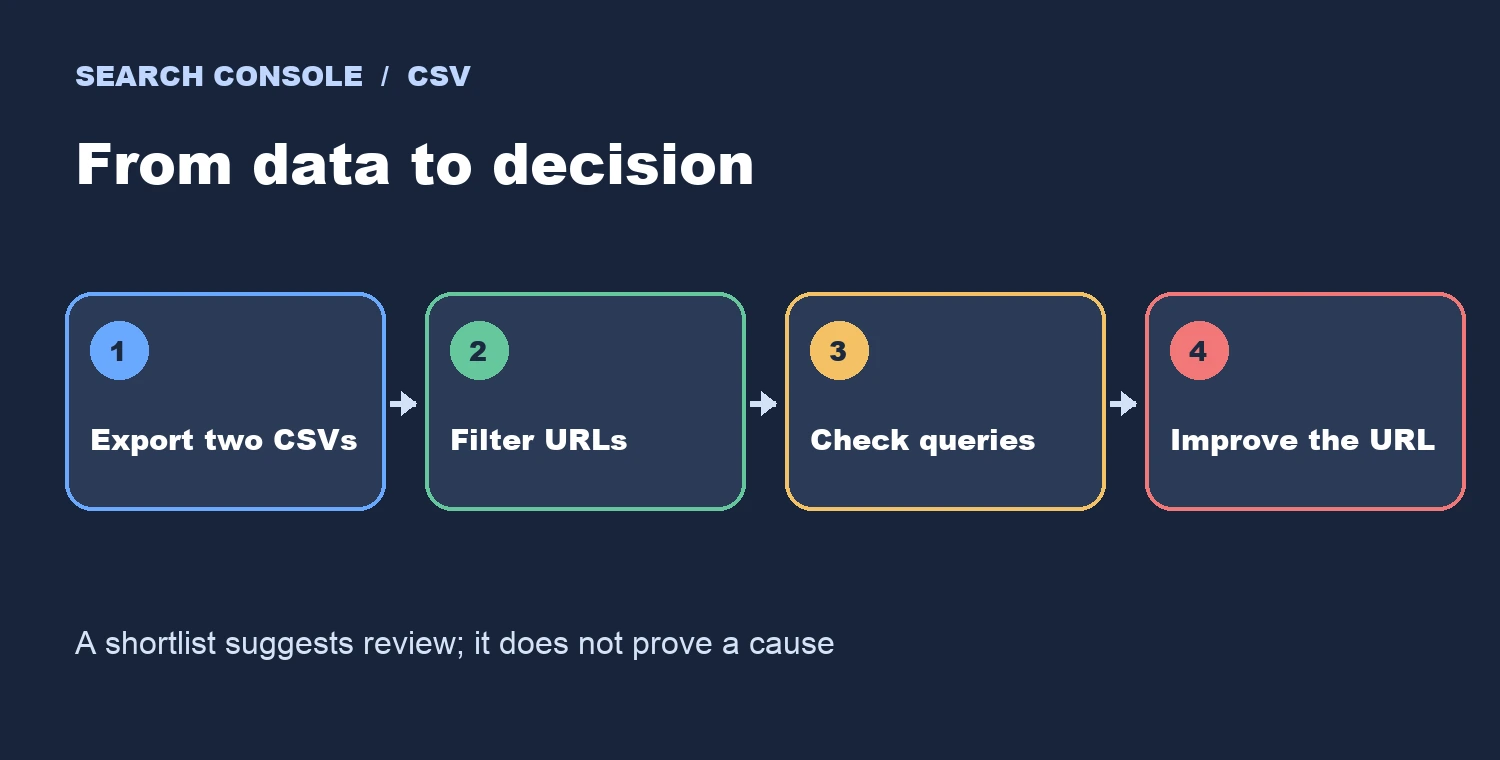
Check publication and last-edit dates as well. The Pages CSV does not contain the article's age, so this script cannot automatically exclude yesterday's posts. Wait for comparable complete data and consider pages of similar age. If an established page misses the query intent, improve its title and opening, add the missing example, and keep the URL. If it already answers the query, a low CTR can reflect the search results page rather than a fix you can make in the article.
Local test: I ran the script against sample Spanish and English CSVs. It selected a blog URL with 200 impressions and two clicks, skipped a higher-CTR page and a tool URL, and displayed 50 impressions from the previous period. That tests the selection logic; it is not a claim about real traffic. Confirm your filters, dates, and export coverage before changing a live article.