You paste three paragraphs into an AI chat app and ask for a summary. The provider rejects the request, the input clears, and your work disappears. The API may have reported the failure correctly; the product still failed its user. A model benchmark will not catch that experience. A browser test can.
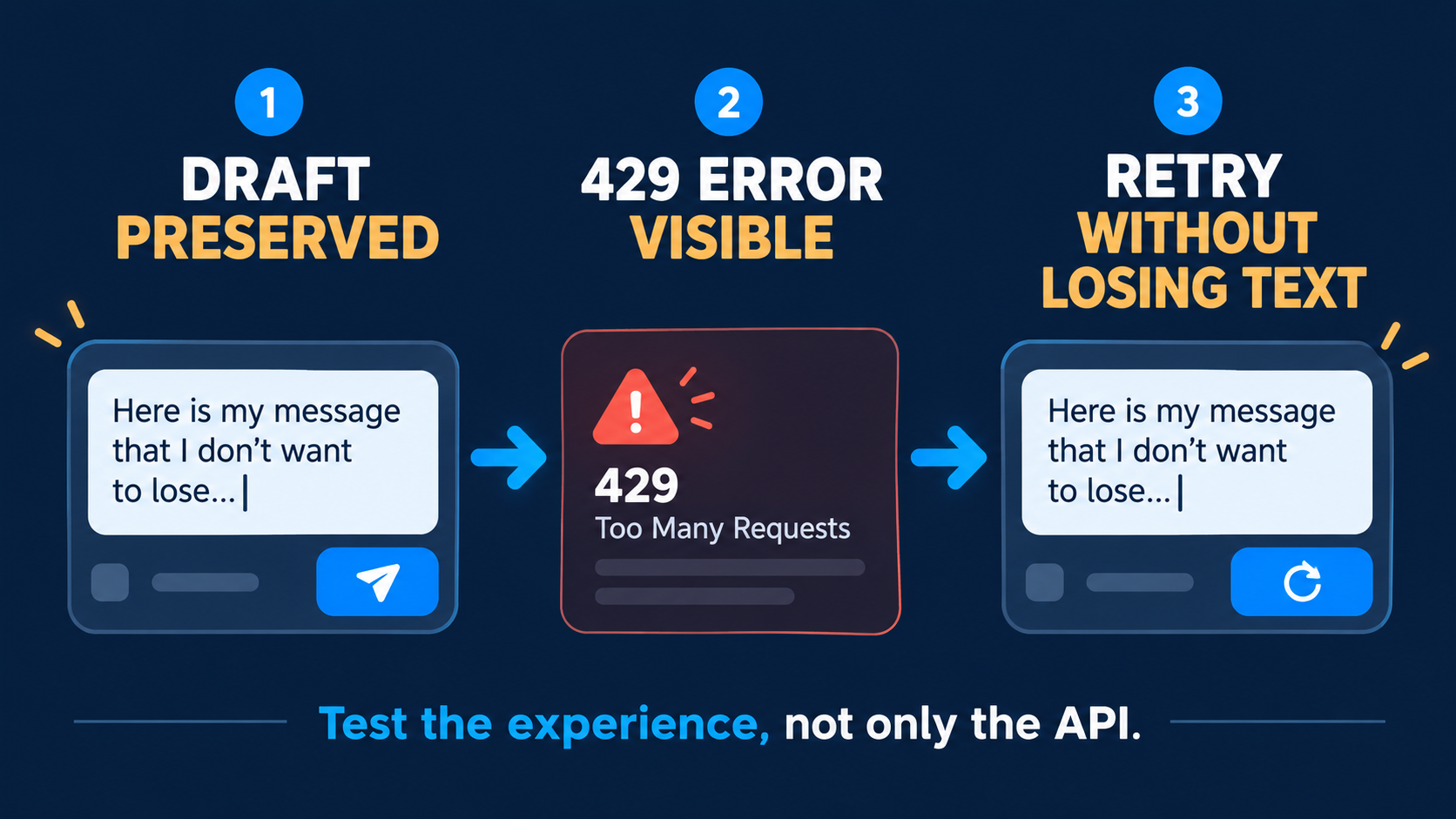
This is a practical test of the user-facing failure state when your chat endpoint returns HTTP 429. It is deliberately different from choosing a backup model or retrying on the server. The product contract is simpler: keep the user's draft, explain that no answer was produced, and offer a recoverable next action. Run this check before a beta, after refactoring the chat component, or after an AI coding tool changes submit behavior.
Understand the failure before designing the message
HTTP 429 means too many requests within a period under the HTTP standard. A response may include a Retry-After header, but it is optional. A 429 alone does not tell your UI whether the account is out of money, the model is unavailable, or the user personally caused the limit. Avoid making up the cause. A useful message says what the app knows: “We couldn't answer right now. Your draft is still here. Try again when you're ready.”
Decide where the draft lives before you write the test. If submit clears the input immediately, keep a recoverable copy in application state and restore it on failure. If you render the user's message in the transcript, mark it pending or failed without making a duplicate. The observable requirement is that the person never has to type it again. Do not display an empty assistant bubble as a completed answer, and do not run endless invisible retries.
Intercept the browser request with Playwright
Playwright's page.route() can intercept the request your page makes, while route.fulfill() supplies a controlled response. That gives you a repeatable 429 without using paid model calls or waiting for a real outage. The example assumes a /api/chat endpoint and English accessible names. Change the URL, selectors, and message to match your actual app. If there is no accessible error alert, the failed assertion is useful evidence too.
import { test, expect } from '@playwright/test';

test('preserves the draft when the API returns 429', async ({ page }) => {
  await page.route('**/api/chat', async route => {
    await route.fulfill({
      status: 429,
      contentType: 'application/json',
      body: JSON.stringify({ error: 'rate_limited' }),
    });
  });

  await page.goto('http://localhost:3000/chat');
  const draft = page.getByRole('textbox', { name: 'Message' });
  await draft.fill('Summarize this contract in three bullets');
  await page.getByRole('button', { name: 'Send' }).click();

  await expect(page.getByRole('alert')).toContainText(/try again/i);
  await expect(draft).toHaveValue('Summarize this contract in three bullets');
  await expect(page.getByRole('button', { name: 'Retry' })).toBeEnabled();
});
Save it as tests/chat-429.spec.ts. With your local app running and Playwright installed, run npx playwright test tests/chat-429.spec.ts. This code is a template, not a claim that it was executed against your product. The selectors and response shape must be adjusted to your implementation; the preserved-draft assertion is the part you should keep.
Cover the other paths users actually hit
Next, replace route.fulfill() with route.abort() to simulate a lost connection and assert that the draft still survives. Then add a case in which the first attempt fails and a deliberate retry succeeds. Assert one final user message and one assistant response, rather than two copies. To do that you must return the JSON shape your own client expects; publishing a universal fake response would make the example misleading. If your backend accepts idempotency keys, verify that a retry cannot create a duplicate operation.
Check the experience on a narrow mobile viewport and with the keyboard. The error should be easy to notice and announced appropriately, the retry action reachable, and focus should not disappear. If your server supplies Retry-After, your UI can honor that guidance. Without it, avoid inventing a precise countdown. These are product decisions the browser test helps enforce, not behavior Playwright gives you for free.
What “done” looks like
You can force the failure, see an honest message, find the original draft, choose a retry, and end with no ghost messages. Capture the error state for review, labeling it as a simulated network response rather than a real provider screenshot. If your app supports both streamed and non-streamed answers, test both paths. A green API test is not enough when a failed request can still erase the user's work.
Sources: RFC 6585, section 4 (429); Playwright's official network documentation; Playwright assertions.