You have just shipped an AI-built app. Deployment takes longer than expected, so you open one tab for Vercel, another for the commit, and a third to ask your assistant for help. If the build fails, you start copying logs by hand and may not even be looking at the right deployment. As of November 2, 2026, Vercel MCP can present deployments as an interactive card inside ChatGPT and other clients that support MCP Apps. The card does not fix the build, but it brings verifiable deployment context into the conversation where you decide what to do next.
In its [official announcement](https://vercel.com/changelog/monitor-vercel-deployments-in-chatgpt), Vercel says the card shows live status, build logs, source and commit details, plus a Visit button when the deployment URL is ready. You can send logs into the chat for analysis or open a fullscreen view. If a repository maps to several projects, a project list lets you choose the right one. This is Vercel MCP's first MCP App, built on the MCP Apps extension.
A focused test for this week
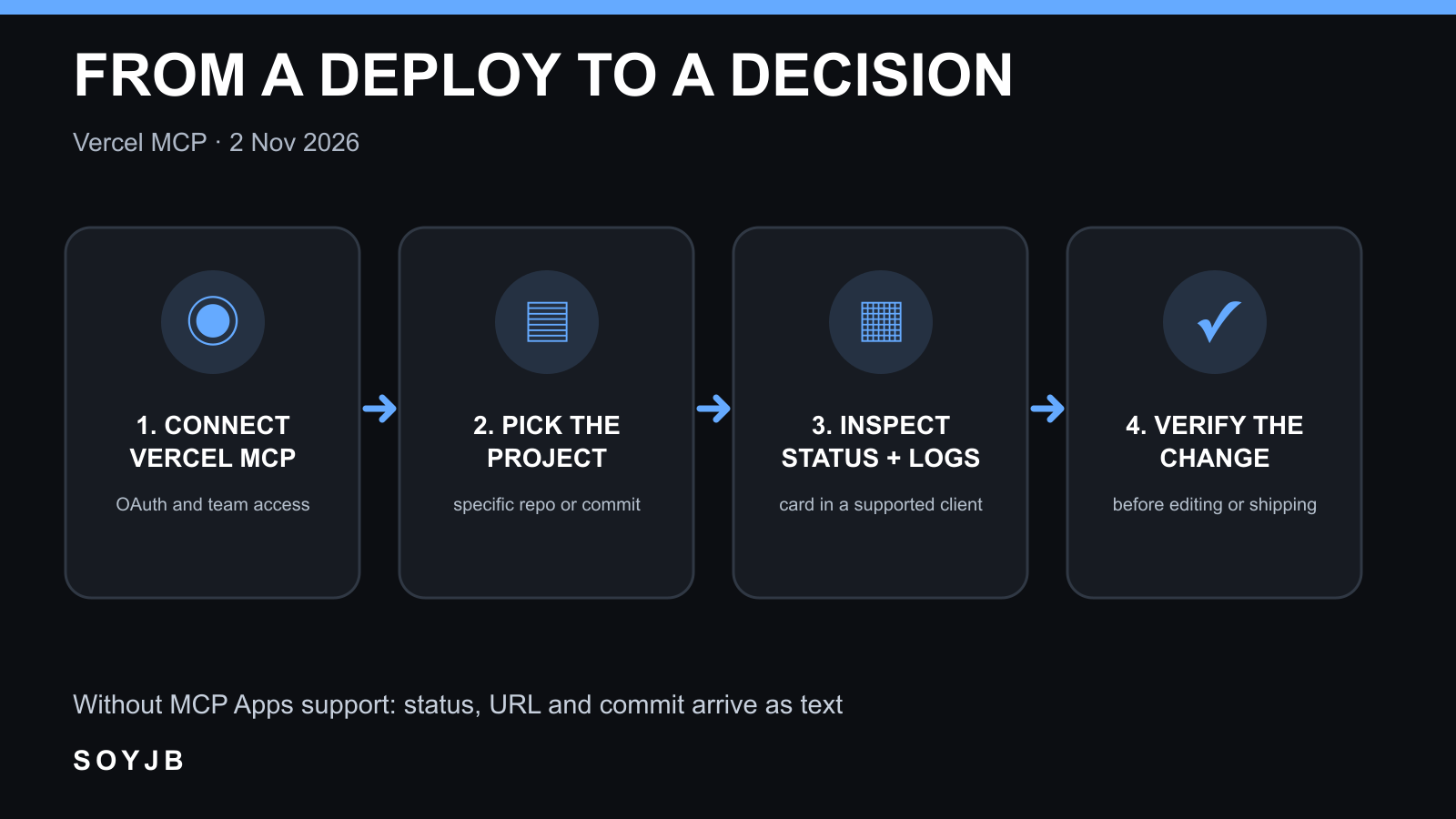
Connect the [official Vercel MCP server](https://vercel.com/docs/agent-resources/vercel-mcp) in a supported client and complete OAuth for the team that owns your project. Adding the server does not automatically grant access to every team: Vercel says your account permissions and the authorized scope still apply. Then ask a precise question such as: “Open the latest production deployment for my-app and tell me its commit and any build error.” Replace the example project name with your own so the assistant does not inspect the wrong environment.
The announcement names the open_deployments tool. It can look up deployments by project, repository, or commit, with environment filtering. In a client supporting MCP Apps, expect the interactive card. Before acting, verify three details: the environment is the one you intended, the commit matches your recent change, and the log belongs to that deployment. In clients without MCP Apps support, Vercel says the state, preview URL, and commit arrive as text. That fallback is still useful, but it is not the same as the interactive card.
Use the evidence before asking for a fix
Imagine an AI coding agent changed a component and the build failed. The card gives you status and commit context before you request a diagnosis. A better follow-up is: “Summarize the log lines that explain the failure. Separate log evidence from hypotheses. Do not edit code yet.” If the log identifies a blocked dependency, investigate that dependency. If it shows a compilation error, check the file, line, and diff. Do not blame a production incident on this commit until you have confirmed that it reached the relevant environment.
Keep build logs distinct from runtime logs. Vercel announced this card for deployment tracking and build logs. A failure that occurs after the site loads calls for runtime evidence and the affected URL. Vercel's [MCP tool catalog](https://vercel.com/docs/agent-resources/vercel-mcp/tools) documents separate ways to inspect deployments, errors, and runtime logs. Asking the model to “fix everything” from one card mixes several stages of the problem.
Availability and limits
Vercel MCP is listed as available on all Vercel plans, but the card requires a client with MCP Apps support and an OAuth grant to the relevant team. Access from ChatGPT can also depend on workspace permissions. Vercel does not say the card performs a rollback, automatically repairs code, or replaces human review. If you send logs to a model, inspect them for sensitive information first and compare its suggestion with the original evidence.
Open a known recent deployment and compare the card's commit, status, and URL with the Vercel dashboard. Record whether your client showed a card or text and whether the workflow saved meaningful time. I have not connected a Vercel account to test the new card firsthand; the announcement and each reader's own verification are kept separate here.
Sources: Vercel announcement, November 2, 2026; official Vercel MCP documentation; tool and permissions catalog.