
Your article may show no identifiable AI-assistant referrals while automated agents request it repeatedly. Without server-side evidence, “nobody reads this page” can really mean “I cannot see who fetches it.” On October 28, 2026, Vercel announced AI Traffic insights in Observability. The view shows requests from verified AI bots, the pages they fetch, assistant retrievals and failed requests. For a creator or small SaaS team, the value is diagnosing access to useful content, not celebrating a large bot count.
What the new view measures
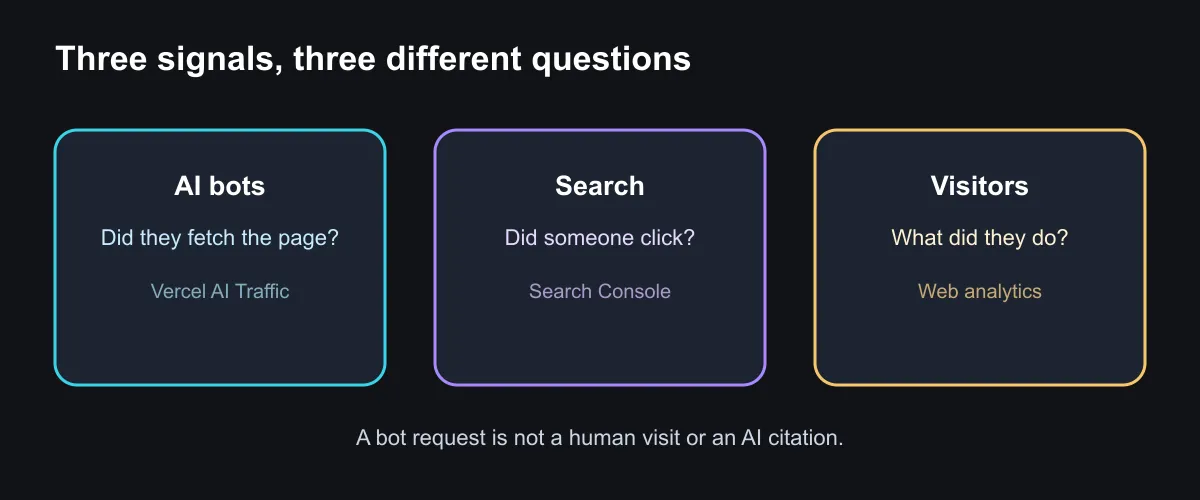
Vercel separates crawlers that index or train on content from assistants retrieving a page in response to a user's action. Its documentation lists frequently requested paths, errors and Markdown requests. These are HTTP requests to a Vercel-hosted project. A bot request is not proof that an assistant cited your article, recommended your product, sent a human visitor or generated revenue. It also says nothing about pages hosted somewhere else.
That distinction changes the next action. A requested page returning 404 is an actionable delivery problem. A page returning 200 but receiving no human referrals is an unanswered measurement question. Search Console can show Google Search queries and clicks; visitor analytics can show sessions and behavior; manual checks can reveal visible citations in particular assistants. None of these measures is interchangeable, and adding them together would double-count different events.
A 15-minute audit for a Vercel site
If your site runs on Vercel and you can access the project, open Observability → AI Traffic. Choose two comparable date windows. Write down three lists: pages crawlers request most, pages assistants retrieve most, and paths that return errors to AI bots. Avoid changing the site until you know whether a spike is sustained or a one-day anomaly.
- Open an erroring URL yourself. Confirm the HTTP status, redirect destination and final page. Fix broken routes before treating the problem as an AI visibility issue.
- Read a frequently retrieved page as a stranger. Does it answer a specific question near the top? Are instructions, dates, availability and limitations still accurate? Improve the answer only if the page is genuinely weak.
- Keep the bot categories separate. Crawlers may collect material for indexing or training; assistant retrievals are associated with a user-initiated action. Neither proves that a person saw your brand.
- Record the change. Save the URL, intervention and date. Later compare failed requests, search clicks and human visits over comparable periods. Treat any movement as a signal to investigate, not automatic causation.
The CLI option and its limitation
Vercel says the dashboard provides the view and agents can query the metrics through vercel metrics. Its release note provides this example:
vc metrics vercel.ai_traffic.count --group-by botNameRun it in a terminal after authenticating Vercel CLI and selecting the correct project. The official announcement says CLI queries require Observability Plus. I have not run this command against SoyJB's Vercel account and have no AI-bot counts to report for it. If your site is hosted elsewhere, use that host's request logs rather than assuming this dashboard will cover it.
Separate crawlers from assistants before blocking bots
On October 29, Vercel added a decision that complements this dashboard: its AI Bots Firewall ruleset can log or block AI crawlers separately from assistants fetching a page in response to a user's request. If you publish useful guides, start by observing requested pages and errors. Blocking both categories by reflex may also prevent an assistant from retrieving an answer a person asked for. Logged requests still are not equivalent to readers, clicks or citations.
To inspect the rule, open Security → Firewall → Rules → Bot Management → AI Bots, set an action for each category, review and then publish the change. Vercel says the ruleset is available on every plan. Test with an important public URL and compare the dashboard before and after; do not change production rules based only on a guess about AI traffic. Firewall access controls are distinct from robots.txt signals about model training.
The decision this data should support
Start by repairing high-demand paths that fail, then make frequently retrieved answers accurate and easy to understand. Compare those fixes with search and human-visitor data later. AI Traffic helps you see whether bots can fetch your site; it is not a leaderboard for “traffic won from ChatGPT.” Keeping that boundary clear prevents a publisher from optimizing for a metric that does not represent readers.