
Your site can receive two requests that both look like “AI traffic”: a crawler collecting pages and an assistant fetching an article because a person asked a question. Blocking both with one rule may reduce unwanted content collection, but it can also cut off a discovery route you value. Since October 29, 2026, Vercel Firewall has let site owners configure those two categories separately in its AI Bots managed ruleset. For a publisher or founder, “block AI” becomes two concrete policies you can observe and revisit.
What each control covers
Vercel calls bots that collect content for indexing or training AI crawlers. It calls bots that fetch pages in response to user actions or searches AI assistants. These are HTTP traffic categories identified by Vercel, not a perfect inventory of every company or possible use. Vercel updates the managed list as it adds known bots. The ruleset is available on all plans, according to its announcement.
For each category you can choose Log or Deny. Log records the request and lets it continue. Deny returns HTTP 403 before the request reaches your application. This changes actual access, not merely a preference file. Neither action tells you whether an assistant cited your article, sent a human visitor, or drove a sale. To inspect requests and paths without misreading bot requests as readers, see SoyJB's guide to Vercel AI Traffic.
Observe first, then make a policy choice
If your site runs on Vercel, open its project and go to Security → Firewall → Rules. Under Bot Management, enable AI Bots and open its configuration. Set crawlers and assistants to Log, review the change, and publish it. Requests can continue while you gather a sample of paths, frequency, errors, and classifications in Firewall. A quiet day is not enough to conclude that either category helps or harms the site.
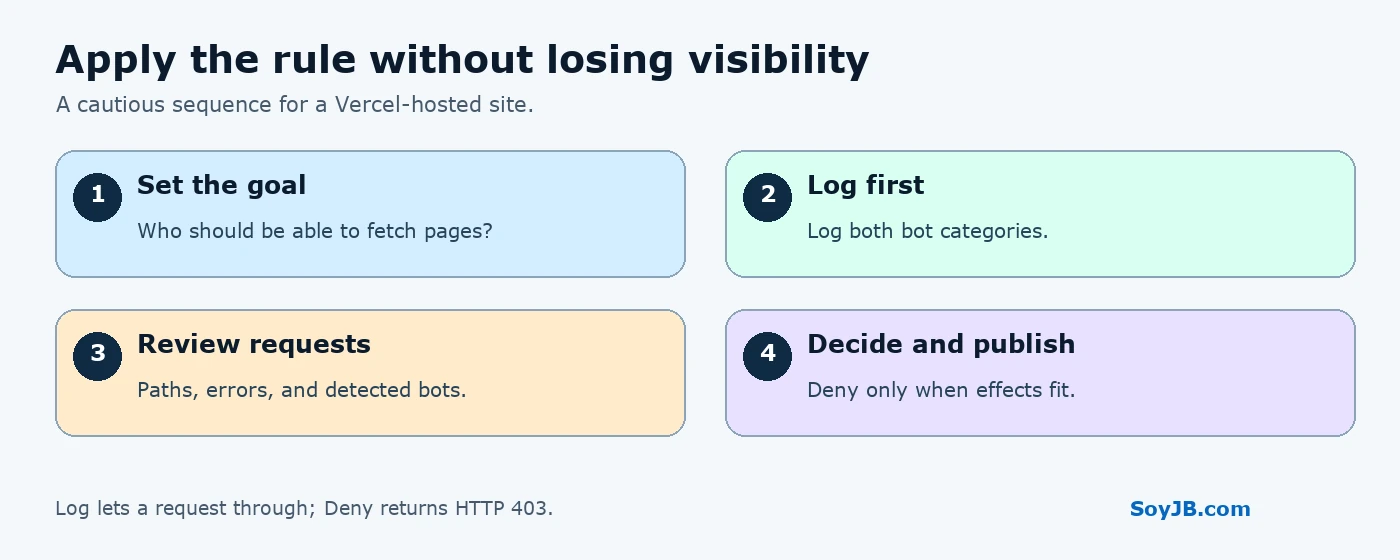
Then write down your publishing goal. For example: “I want assistants to fetch my guides when people search, but I have not decided whether all crawlers should fetch them.” Keeping AI assistants: Log lets those requests through and records them. Setting AI crawlers: Deny would block the entire group that Vercel classifies as crawlers; that may include indexing paths you want. Do not turn it on merely because you oppose training: the group covers more than that purpose. If you want to keep access open while learning, leave both categories on Log.
This control also differs from robots.txt. That file communicates instructions or preferences to agents that honor them; a firewall decides whether an HTTP request reaches your site. SoyJB's guide to OpenAI crawler and training signals
A cautious dashboard test
- Before changing rules, open three important public URLs and record their HTTP status. Check that English and Spanish article routes work as expected.
- Enable AI Bots in Firewall with Log for both categories. Review and publish. If you cannot configure rules, Vercel's documentation says a Project Administrator or Team Member role is needed.
- After an observation period, inspect which bots Vercel identified and which paths they requested. Separate public pages, static assets, and private endpoints. A request is not a citation or conversion.
- If you decide to set one category to Deny, keep the other on Log if you want it to remain accessible. Inspect the change summary before publishing, revisit your public URLs, and watch Firewall events afterward.
- Record the decision and its date. If legitimate access is blocked, return that category to Log and measure again.
Vercel also documents CLI commands. Its example policy, which denies crawlers and logs assistants, is:
vercel firewall rules edit ai-bots --category ai-crawlers --action deny --yes
vercel firewall rules edit ai-bots --category ai-assistants --action log --yes
vercel firewall diff
vercel firewall publish
Do not treat this as a universal recommendation to run the commands unchanged. --yes confirms each edit, while publish applies changes to the selected project. Check the project and the diff before publication. We have not run these commands in a SoyJB Vercel account; they are a documented, reproducible example. For observation only, select Log for both categories in the dashboard.
The main limit
This feature applies to projects served through Vercel and to bots its system recognizes. It cannot govern requests that never pass through that Firewall, and it cannot guarantee perfect bot classification. Deny may reduce distribution as well as requests; Log gives evidence while preserving access. The right policy depends on your site's goals. For a publisher that values assistant discovery, I would begin by logging both categories and measuring before blocking either.
Primary sources, checked November 11, 2026: Vercel's October 29 announcement; Bot Management documentation; Log and Deny behavior. Some documentation pages still describe the older undivided ruleset; the later announcement specifies the separate controls.